QSR vs Full-Service Restaurant: Which POS Features Actually Matter for Each
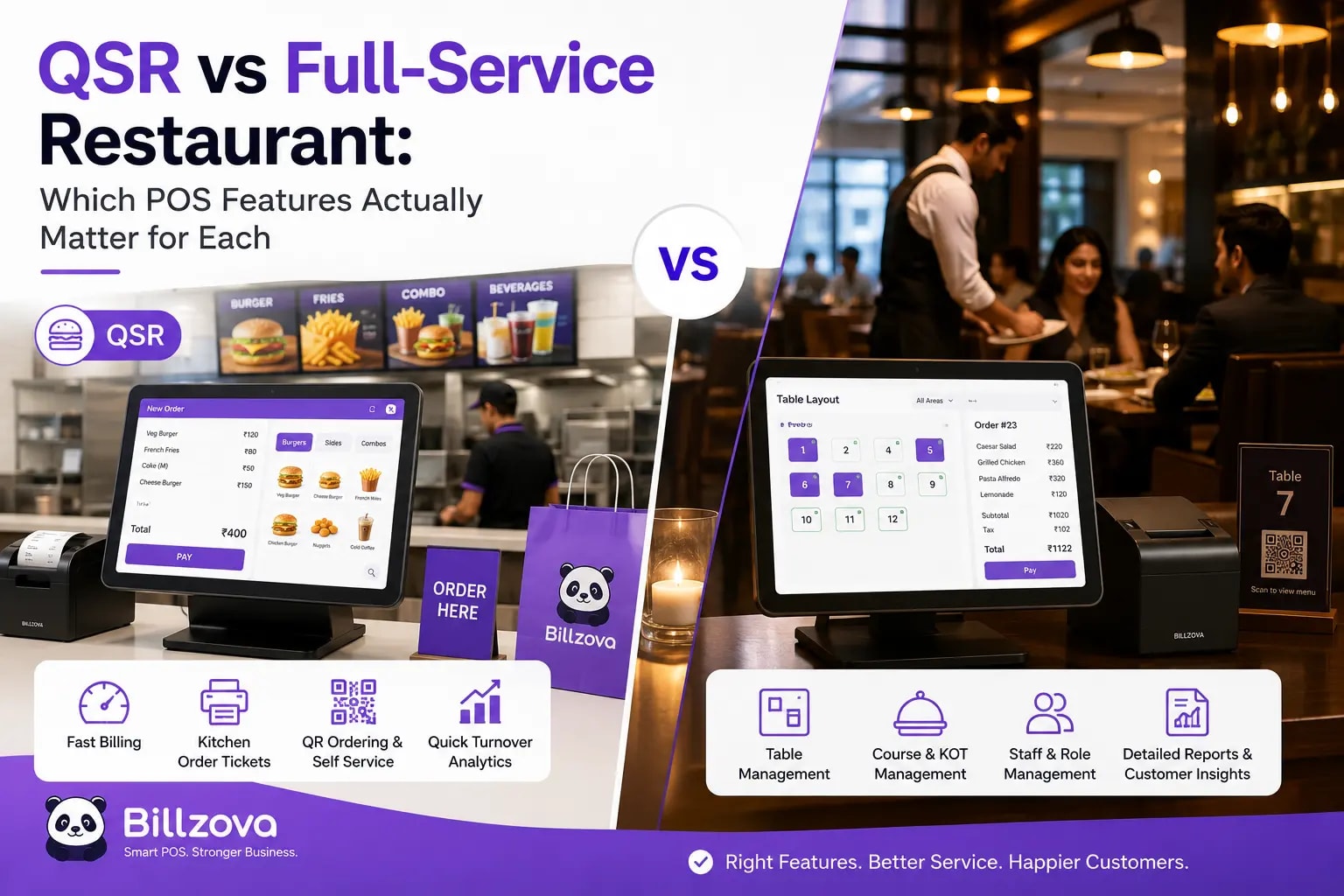
A QSR counter and a full-service dine-in restaurant are both, technically, "restaurants" — and both technically need a POS. Past that surface similarity, the actual features that matter to each are different enough that a POS genuinely built for one can feel clumsy and mismatched in the other. This isn't about one being more advanced than the other; it's about two different operational realities that happen to share a receipt printer.
Anyone evaluating restaurant software eventually runs into a features list long enough to include both a token-queue display and a live table floor plan, presented as if every restaurant needs all of it equally. This guide is meant to cut through that: what genuinely matters for a QSR, what genuinely matters for a full-service restaurant, where the two overlap completely, and how to tell which of those a given feature actually belongs to before deciding it's a must-have for your own setup.
The Core Difference, in One Line
A QSR is optimized around speed at a single point of transaction — order, pay, done, next customer. A full-service restaurant is optimized around managing an ongoing relationship with a seated table over the length of an entire meal, across multiple rounds of ordering, before a single bill is finally settled. Everything else in this guide follows from that one core distinction.
| Need | QSR | Full-Service |
|---|---|---|
| Primary billing moment | At order time, before food is served | At the end of the meal, after multiple rounds |
| Table/seat tracking | Rarely relevant | Central to daily operations |
| Combo/bundle pricing | Critical, used constantly | Less common, occasional set menus |
| Bill splitting | Rarely needed | Frequent, often per-item |
| Reservations | Not applicable | Often essential |
| Counter/token speed | The single most important metric | Secondary to table service pace |
What Actually Matters for a QSR
Every QSR feature that matters ultimately serves one goal: getting a customer from "I'd like to order" to "here's your receipt" as fast as possible, correctly, especially during a lunch or dinner rush where every extra second of billing lag directly costs walk-outs and lost revenue.
Best Practice
- Fast, touch-optimized billing — a combo grid staff already recognize, shortcode search, one-tap reorder of common items
- Automated combo/bundle pricing that applies the right discount without manual calculation at the counter
- A dynamic UPI QR shown on a customer-facing screen to speed up settlement
- Auto-generated tokens with a pickup queue and a clear "Preparing → Ready" status, so staff aren't shouting order numbers across a counter
- Multi-branch support with a master menu and per-branch price overrides, since most QSR operations scale through chain locations, not just one bigger restaurant
Combo pricing deserves particular attention because it's where manual QSR billing breaks down most visibly: a cashier ringing up a burger, fries, and drink separately instead of applying the combo price is slower and genuinely error-prone during a rush, and it's exactly the kind of small friction that compounds into real queue delays at peak hours. A POS that recognizes combo logic automatically — grouping items with drop-down choice groups for sides or drinks and applying the discount without a manual step — removes that friction entirely rather than just making the manual calculation faster.
What Actually Matters for Full-Service Dine-In
A full-service restaurant's core operational challenge is fundamentally different: managing an occupied floor across an entire meal cycle, not a single fast transaction. The features that matter here center on visibility into what's happening across the whole floor, not speed at any one counter.
Best Practice
- A live floor view showing occupied vs. free tables by section, updated automatically as bills are opened and closed
- Reservations tied to specific tables with a real status flow — Confirmed → Seated → No-Show/Cancelled — not just a note on a time slot
- A warning (not a hard block) when a new reservation overlaps an existing one, since a deliberate double-booking is sometimes a legitimate call on a busy night
- Table merge and split support for larger or smaller parties, with the bill following the table arrangement correctly
- Item-wise, equal, or custom bill splitting for groups settling separately, with tax proportioned correctly across each split
Bill splitting matters far more here than in a QSR context precisely because full-service dining routinely involves groups settling unevenly — one person paying for shared starters, everyone splitting the rest equally, someone paying only for what they personally ordered. A POS that only supports splitting a total evenly across N people, without correct per-item or custom splitting and correctly proportioned GST on each split receipt, forces staff into manual workarounds on exactly the kind of large-party bill that should be simple to close out.
Where the Feature Needs Genuinely Overlap
It's worth being clear that most of what actually matters underneath the format-specific features is identical for both — GST-compliant billing on every invoice regardless of format, reliable offline operation so a rush doesn't stop because of a dropped internet connection, staff management with role-based access and shift tracking, and real sales/reporting visibility. None of that is QSR-specific or full-service-specific; it's just what a restaurant genuinely needs to run compliantly and know its own numbers, independent of format.
Info
The Kitchen Side: KOT Flow Looks Different Too
The difference between QSR and full-service isn't confined to the front counter or the dining floor — it extends directly into how kitchen order tickets should actually behave. A QSR kitchen typically works off a shorter, more repetitive menu with fewer simultaneous in-flight orders per customer, where the priority is throughput: get each ticket cooked and out fast, in roughly the order it arrived, often to a single pickup point or token queue. A full-service kitchen is coordinating something more complex — multiple courses per table, staggered timing so starters don't arrive with mains, and often several different stations (tandoor, grill, dessert) that all need to fire at coordinated moments for a single table's order to land together correctly.
This is why KOT routing by station matters more, not less, as a restaurant moves toward full-service complexity — a QSR can often get away with one ticket, one station, one pickup point, while a full-service kitchen genuinely needs tickets split and routed to the right station automatically, with enough visibility for the kitchen to coordinate timing across a table's full order rather than firing everything the moment it's punched in.
Staffing Models Are Different Too
The staffing structure each format needs from its POS is another place the two diverge in ways that aren't always obvious upfront. A QSR typically runs with counter staff handling both ordering and payment in one motion, with roles that rotate frequently across shifts and a real need for fast, simple individual logins so a shift change doesn't slow down the counter. A full-service restaurant separates roles more distinctly — servers taking orders tableside, a separate billing/cashier function, kitchen staff working off KOTs rather than direct customer contact — and needs role-based access that reflects that separation, plus shift tracking that accounts for a much longer per-table service cycle than a QSR's rapid per-transaction cycle.
Neither staffing model is more sophisticated than the other — they're suited to genuinely different service flows, and a POS that assumes one model (say, single-role counter staff) can create real friction if forced onto the other format, where the actual workflow depends on several distinct roles handing off a single table's order across a longer service window.
A Worked Comparison: The Same Friday Night Rush, Two Formats
Picture two restaurants, both hitting their Friday evening peak at the same moment. At the QSR counter, six customers are queued, each placing a two-to-three-item combo order, paying immediately, and moving to a pickup point — the entire interaction, start to finish, needs to complete in well under a minute per customer to keep the line moving, and the software's job is almost entirely about removing friction from that single fast transaction, repeated dozens of times an hour.
At the full-service restaurant three streets over, the same Friday rush looks completely different: eight tables are mid-meal simultaneously, at different courses, some waiting on mains, some ready to close out and split a bill four ways, a walk-in party of six just arrived asking for the next available table, and a 8pm reservation needs confirming against a table that's currently occupied but expected to turn over soon. No single transaction here needs to be fast in the way a QSR order does — what the software needs to do is hold and coordinate all of that simultaneously without anything falling through the cracks, which is a fundamentally different kind of complexity than counter throughput.
Neither scenario is harder than the other in any absolute sense — they're just different shapes of pressure, and a POS built with the wrong shape in mind will feel like it's actively working against staff during exactly the hour it matters most.
Hybrid Formats: When a Restaurant Genuinely Needs Both
Plenty of real restaurants don't fit neatly into either category — a café with a counter for quick coffee-and-pastry orders alongside seated tables for people staying longer, or a fast-casual concept with some communal seating but counter-style ordering. For these, the honest answer isn't "pick QSR features or full-service features" — it's making sure the underlying system supports both modes and lets a restaurant use whichever fits a given order, rather than forcing every transaction through a single rigid flow built for only one format.
Where Delivery-Only Fits Into This Comparison
A third format worth naming explicitly, since it doesn't map cleanly onto either QSR or full-service: a delivery-only cloud kitchen. It shares some DNA with QSR — no table management, no reservations, no floor to coordinate — but its actual pressure point is different from both: instead of a physical counter queue or an occupied dining floor, the coordination challenge is routing orders arriving from multiple channels (aggregator apps, direct orders, phone-ins) to the right kitchen station, often across multiple virtual brands sharing the same kitchen. Our cloud kitchen vs. ghost kitchen guide covers that format specifically, since it deserves its own comparison rather than being squeezed into either category here.
How Format Needs Change as a Restaurant Grows
It's worth planning for the fact that format-driven feature needs don't stay fixed as a restaurant scales. A single-location QSR that expands into a five-outlet chain suddenly needs the multi-branch layer — master menu with per-branch price overrides, scoped manager access per location, and consolidated reporting across the chain — on top of the counter-speed features that mattered from day one. A full-service restaurant that adds delivery as a second revenue channel needs its table-management and reservation features to keep working exactly as before, while a genuinely separate delivery-order flow gets layered on alongside it, without the two channels' orders getting confused in the kitchen or in reporting.
This is where choosing a POS built narrowly around only today's format can create real switching costs later — not because the original choice was wrong for the restaurant's size at the time, but because growth commonly changes which features actually matter, and a system that can't grow into the new shape forces a disruptive migration at exactly the moment a growing restaurant can least afford operational disruption. For a QSR chain scaling past a single location, our multi-branch management checklist covers what that transition actually requires operationally, beyond just the software.
How to Actually Evaluate a POS Against Your Format
Rather than asking a vendor "does this work for my restaurant type" — a question that almost always gets a yes regardless of fit — a more useful test is walking through your actual busiest hour, order by order, and checking whether each specific step the software needs to support actually exists as a real feature, not a workaround.
30%
For a QSR specifically: time an actual lunch-rush order from "customer at counter" to "receipt printed" on the system you're evaluating, and ask what happens to that number when combo pricing and a token queue are actually in use rather than demoed in isolation. For full-service: walk through seating a walk-in party into a section that also has an active reservation later that evening, and check whether the system actually warns you about the conflict or silently lets it happen — that single interaction reveals more about whether a table-management feature is real than any feature list.
A Note on Pricing Expectations Across Formats
One assumption worth challenging directly: it's common for restaurant owners to assume a full-service system with table management and reservations should cost meaningfully more than a simpler QSR counter system, on the logic that it "does more." In practice, the underlying software cost of supporting both sets of features well doesn't need to scale that way — table management, reservations, and bill splitting aren't exotic add-ons requiring a premium tier; they're standard restaurant operations that a properly built POS should include without treating either format as the "basic" version and the other as the "premium" one. If a POS charges significantly more for full-service features specifically, it's worth asking whether that reflects genuine additional engineering complexity or just a pricing tier built around what the market will bear for a restaurant that "needs more."
Frequently Asked Questions
Can one POS genuinely handle both QSR and full-service well, or is that always a compromise?
It depends entirely on whether the format-specific features (combo pricing and tokens for QSR; table management and bill splitting for full-service) are built as real, complete features rather than one being an afterthought bolted onto a system designed primarily for the other format — the underlying fundamentals (GST billing, offline reliability, reporting) should be identical either way.
Does a small full-service restaurant really need reservations, or is that only for larger establishments?
Any full-service restaurant that regularly turns away walk-ins during peak hours benefits from reservations, regardless of size — the value isn't scale, it's being able to manage table availability proactively instead of reactively during a rush.
Is combo pricing worth setting up for a small QSR with a simple menu?
Yes, if combos exist on the menu at all — even a small QSR benefits from removing the manual calculation step at the counter, since that's exactly where billing slows down and errors creep in during a rush, regardless of how large the overall menu is.
What's the biggest mistake restaurants make when choosing between QSR-focused and full-service-focused POS features?
Choosing based on which demo looked more impressive rather than which specific features map onto their actual busiest-hour workflow — a flashy table-management view is irrelevant to a counter-only QSR, and fast combo pricing is irrelevant to a restaurant that rarely sells bundles.
Do multi-branch QSR chains need different features from a single-location QSR?
The core counter-speed features stay the same, but a multi-branch chain additionally needs a master menu with per-branch price overrides, scoped manager access per branch, and consolidated reporting across locations — single-location QSRs can operate fine without any of that.
Does GST billing work differently for QSR versus full-service restaurants?
The underlying GST requirement is identical — correct CGST/SGST structure, sequential invoice numbering, GSTIN on every bill — but full-service restaurants encounter more billing complexity in practice because a single table's final bill can combine multiple ordering rounds and split payments, which needs to be reflected accurately across each split receipt, whereas a QSR's simpler one-transaction-per-bill structure rarely runs into the same complication.
Should a new restaurant owner decide on format before choosing a POS, or can the POS decision come first?
Format should generally come first — it's a business-model decision (what you're actually serving and how) that the POS then needs to support well, not the other way around. Choosing software before settling on format risks picking a system whose strengths don't actually match what the restaurant ends up needing.
Are reservations ever useful for a QSR, or is that exclusively a full-service feature?
Reservations are rarely relevant to a true counter-service QSR, since the entire model is built around walk-in, order-and-go transactions rather than booked seating — a QSR that finds itself wanting reservation functionality is usually signaling that it's drifting toward a hybrid or full-service format rather than needing the feature within a pure QSR model.
What happens if a restaurant picks the wrong format-focused POS and later realizes it doesn't fit?
It usually shows up as staff building manual workarounds around missing features — hand-calculating combo pricing, tracking tables on a whiteboard, splitting bills with a calculator — which is itself a signal worth taking seriously rather than tolerating indefinitely, since those workarounds are exactly the kind of friction a correctly matched POS is supposed to remove entirely.
The Bottom Line
QSR and full-service restaurants aren't different tiers of the same thing — they're different operational models with genuinely different feature priorities, and the right question isn't "which POS is better" but "which POS actually maps onto how my specific restaurant runs its busiest hour." The format-specific features matter, but they only matter on top of the fundamentals — GST-compliant billing, offline reliability, real reporting — that every restaurant, regardless of format, actually needs to run correctly every single day.
billzova supports both: QSR-focused counter speed and combo pricing and full-service table management, reservations, and bill splitting, on the same ₹399/month plan, with your first month free.
Billzova Team
Restaurant POS & Billing Experts
We build Billzova — GST billing, KOT, offline mode, inventory and reports for Indian restaurants. This team writes from what we see helping real restaurants bill faster every day.
Run your restaurant on billzova
GST billing, KOT, offline mode, inventory & reports in one app. ₹399/month — first month free.