Restaurant CRM software
that builds your customer list as you bill.
Type the customer's name and mobile number on the bill — billzova saves them, links every future bill to the same number, and lets you send the bill to their WhatsApp. No separate CRM to set up, no extra fee. ₹399/month, 30-day free trial.
The struggle
Sound familiar?
Regulars are strangers on paper
Your staff may know a face, but nothing in a notebook or a basic billing machine tells you who came in, how often, or what they usually order.
Phone numbers live in someone's mobile
Customer numbers end up in a waiter's contacts or a diary. When that person leaves, the list leaves with them.
A separate CRM nobody updates
A CRM that isn't part of billing needs someone to copy data across. In a busy restaurant, that never happens.
The basics
What is restaurant CRM software, really?
CRM stands for customer relationship management. For a restaurant, café or cloud kitchen it comes down to three simple questions: who are my customers, what do they buy, and how do I get them back? Big CRM tools built for sales teams track leads and deals. A restaurant doesn't need that. It needs a clean list of the people it has served, their mobile numbers, and a link to what they ordered.
The hard part has never been the software — it's getting the data in. A CRM that sits separately from billing depends on someone copying names across after a busy shift, and that rarely happens. That is why the most useful restaurant CRM is the one built into the POS: if the customer's number is already on the bill, the record exists the moment the bill is settled.
That's how billzova works. There's no CRM module to switch on. The name and phone fields sit on the same billing screen your cashier already uses, and the customer list in your dashboard grows with every bill that carries a number. If you also send the bill on WhatsApp, the customer gets a digital copy on the same number.
Putting it to work
Five practical ways to use your customer list
None of this needs a marketing team. It needs the habit of asking for a mobile number at billing — the rest follows.
Ask for the number on every takeaway and delivery bill
Takeaway and phone orders already need a number to call back. Put it on the bill and the customer is saved without asking anything extra. For dine-in, offering "shall we WhatsApp you the bill?" is the easiest way to get a number people are happy to give.
Recognise regulars at the counter
When a number is already saved, the bill links to the same customer. On the Android app, cashiers can pick a saved customer and see their recent bills — handy for "the usual?" and for remembering a preference you noted down.
Give regulars a code, not a vague promise
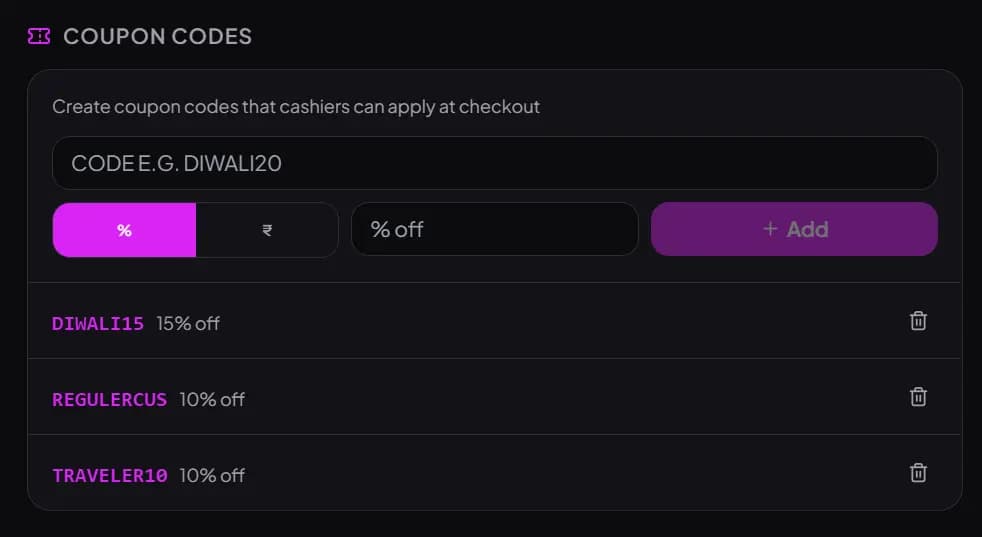
Create a code such as REGULAR10 and share it with customers you want to reward. The cashier types it at checkout and the discount is on the bill — no arguing over what was promised. Remove the code when the offer ends.
Run a festival offer by hand — to people who agreed
Before Diwali, Eid, Christmas or a local festival, export your customer list and message customers who have agreed to hear from you, using your own WhatsApp Business app. Pair it with a code like DIWALI15 so you can see it being used at the counter.
Keep business customers' GSTIN on file
Corporate lunches and office orders often need the buyer's GSTIN. Save it on the customer record so it's there next time, instead of asking for it on every order.
A note on consent: a customer giving their number for a bill is not the same as agreeing to receive offers. India's Digital Personal Data Protection Act, 2023 expects businesses to use personal data for the purpose it was given. Ask before you add someone to an offers list — it's also what keeps people from blocking you.
Set the right expectations
What billzova's CRM does — and doesn't do (yet)
We'd rather you know the limits before you sign up than discover them later. If automated campaigns or loyalty points are a must-have, a dedicated loyalty tool may suit you better today.
What it does today
- Saves the customer from the bill (name + mobile number)
- Links every later bill to the same number
- Customer list with search, notes, email and GSTIN
- Recent bills per customer and customer picker on the Android app
- Sends the bill to the customer's WhatsApp
- Bill and item discounts, NC items, coupon codes, happy hour
- CSV / Excel export for owners and managers
Not built yet
- Loyalty points that customers earn and redeem
- Automated SMS or WhatsApp campaigns and broadcasts
- Birthday / anniversary reminders or offers
- Customer segments (e.g. "not visited in 30 days")
- Coupon expiry dates, minimum-bill rules or usage limits
- Coupon codes shared across all billing computers — they're saved per computer
Choosing a restaurant CRM
Built-in CRM or a separate CRM tool?
When people search for the “best CRM for restaurants”, they usually find two kinds of product: standalone loyalty and marketing platforms, and POS software with customer records built in. They solve different problems.
A standalone loyalty or marketing tool is built around campaigns — points, automated messages, segments. It is worth paying for if you already have a large customer base and someone who will run campaigns every week. The catch is that it needs data from your billing, so you either need an integration or staff who enter numbers twice.
A POS with built-in customer records, like billzova, solves the data problem first: the customer list is a by-product of billing, so it stays complete without extra work. What you give up today is automation — offers go out when you send them, not on a schedule.
For most single-outlet restaurants, cafés, dhabas and cloud kitchens in India, the second option is the practical starting point: get every number captured, send bills on WhatsApp, and reward regulars at the counter. If you outgrow it, your export file is ready to take to any other tool. Billing, KOT, GST bills, inventory and reports are all in the same plan — see the GST billing, WhatsApp bills and data export pages for details, or book a free demo.
Your customer database builds itself
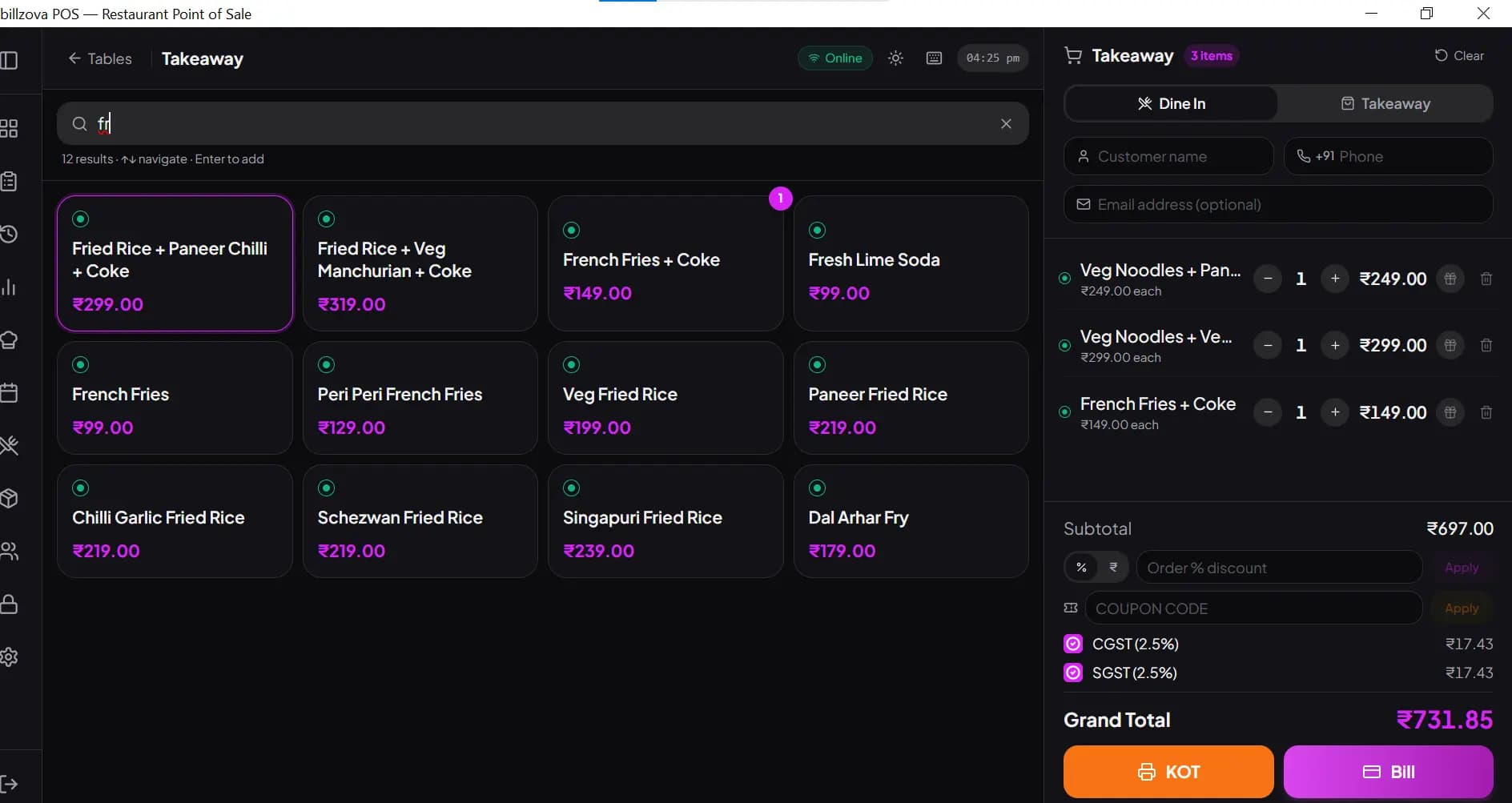
There is a name, phone and optional email field right on the billing screen. When a bill is settled with a 10-digit mobile number, billzova creates the customer — or, if that number is already saved, links the bill to the existing customer. Phone number is the key, so the same person is never saved twice.
- Name + mobile number on the bill — nothing else to fill
- Saved automatically when the bill is settled
- Same number = same customer, every visit
- Works for dine-in, takeaway and delivery bills
- Optional email and GSTIN for business customers
Find any customer — and their past bills
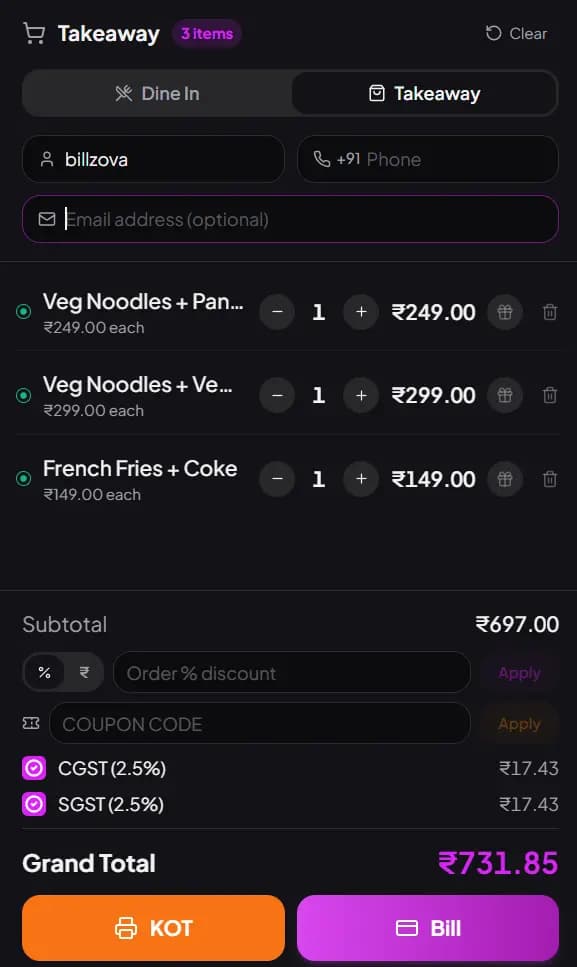
The Customers page in the dashboard lists everyone you have billed with a phone number. Search by name, phone or email, add notes, fix a spelling, or add a customer by hand. On the Android app, open a customer to see their recent bills, or pick a saved customer straight onto a new bill.
- Search by name, phone or email
- Recent bills for each customer (Android app)
- Pick a saved customer at billing (Android app)
- Notes field for preferences ("less spicy", "Jain")
- Only owners and managers can delete customers
Send the bill to the customer's WhatsApp
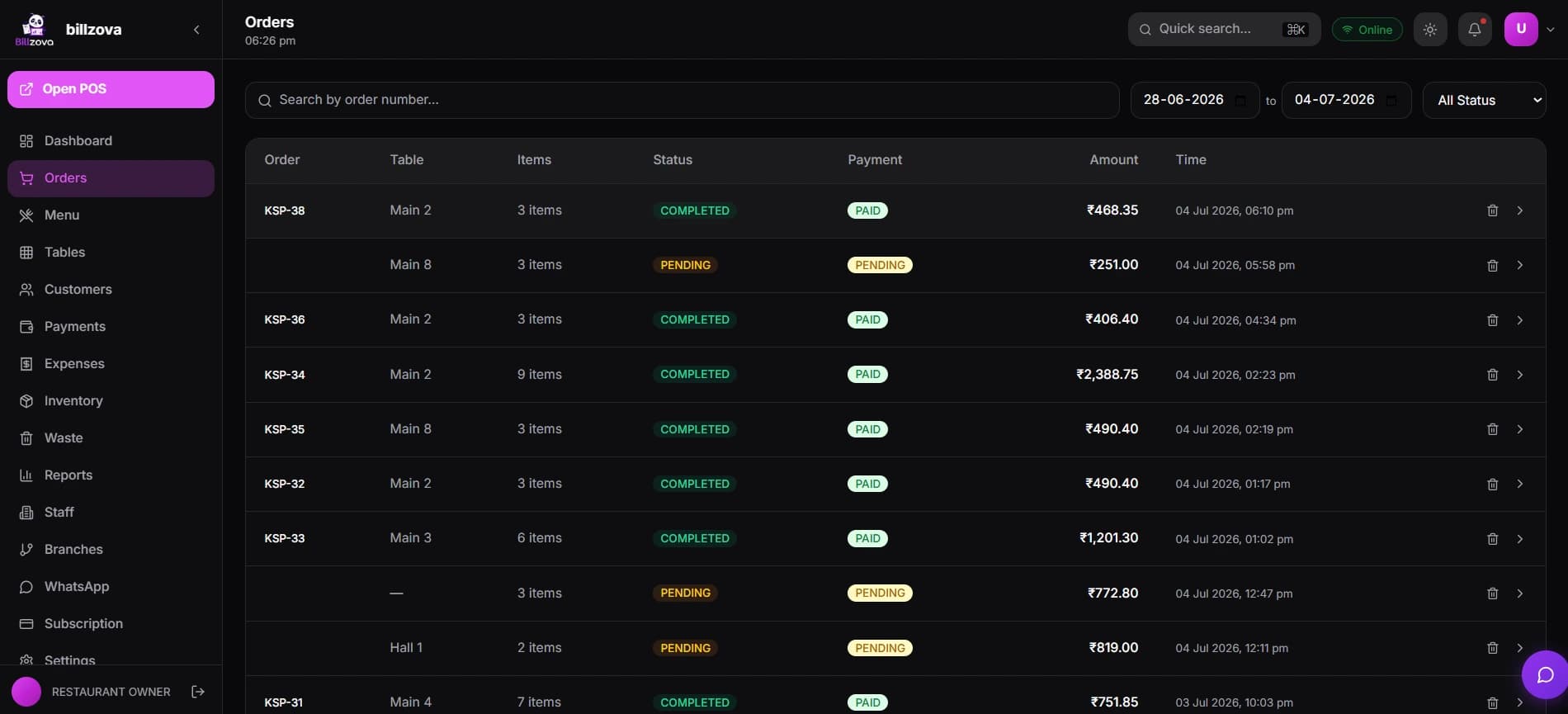
Switch on "WhatsApp Invoice" when you settle, and the bill — items, GST and total — goes to the number on the bill. The customer keeps a digital copy, and the number is the same one that identifies them in your customer list. Owners can make WhatsApp sending the default for every bill.
- Bill sent to the customer's WhatsApp from the billing screen
- Itemised, with the GST split shown
- Owner can switch it on for every bill
- Monthly WhatsApp allowance depends on your plan
Reward regulars at the counter
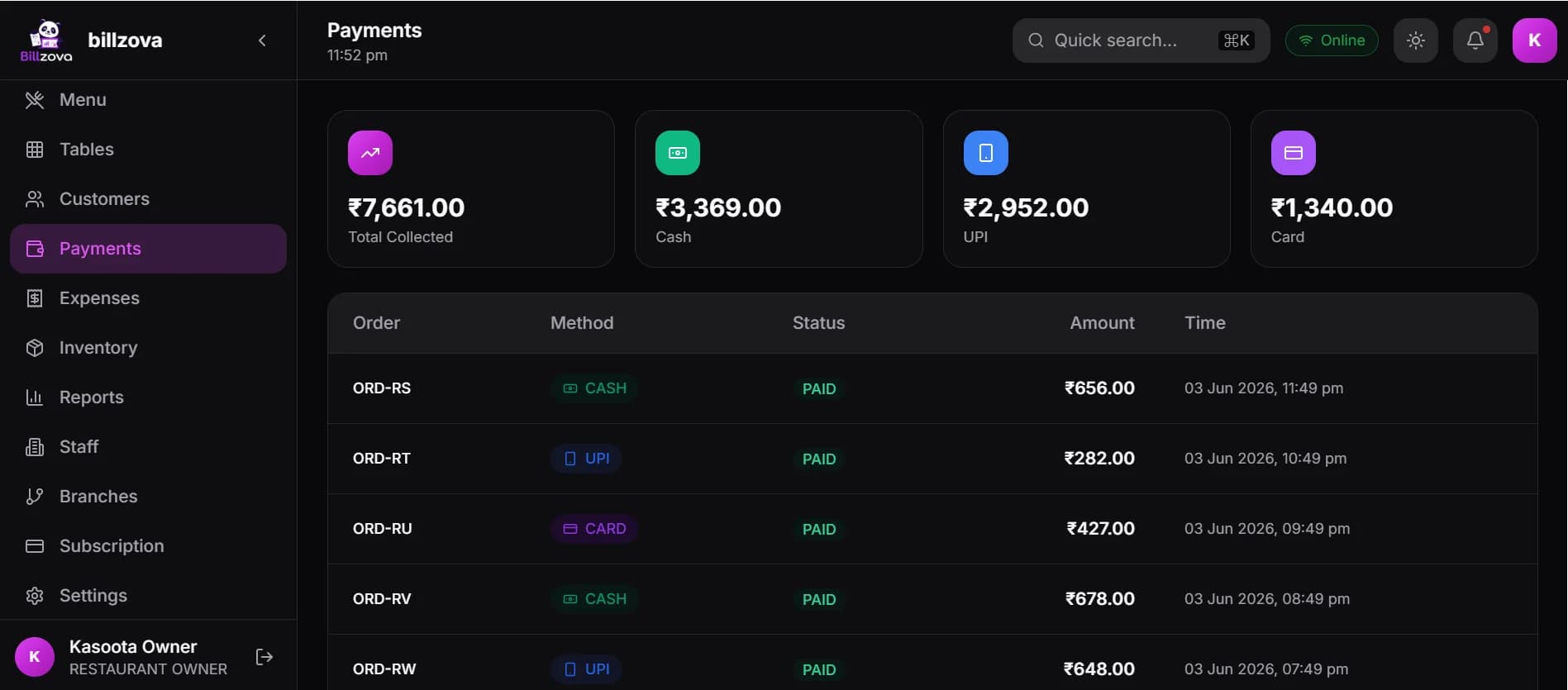
Give a whole-bill discount in % or ₹, discount a single item or mark it free (NC) with a reason, or let the cashier type a coupon code you created — like DIWALI15 or REGULAR10. A happy-hour window can apply a % discount automatically during the hours you set.
- Bill discount in % or ₹
- Item discount or NC (no charge) with a reason
- Coupon codes: % or ₹ off, typed at checkout
- Automatic happy-hour discount for a time window
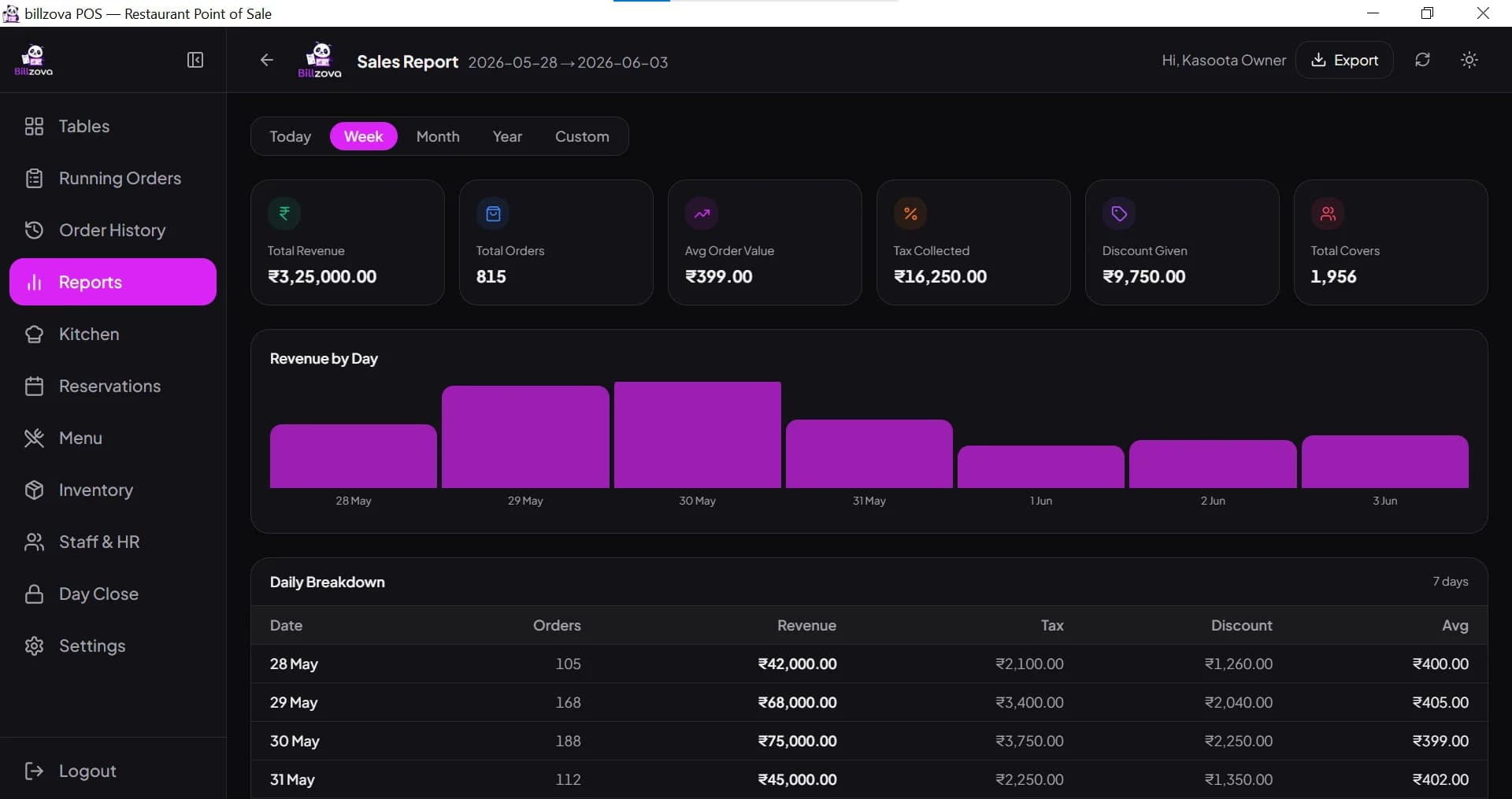
- Discounts show on the bill and in reports
Your customer data, downloadable any time
Owners and managers can export the customer list as CSV or Excel from the dashboard's data export centre, filtered by when customers were added. Use it for your own records, your accountant, or to message customers who have agreed to hear from you.
- CSV or Excel export
- Name, phone, email and GSTIN columns
- Filter by date added
- Restricted to owners and managers
In the product
See every screen
Real product screenshots — not stock illustrations.
Compared
Phone numbers in a diary vs billzova
Diary / staff phones
- Numbers scattered across notebooks and phones
- No link between a customer and what they ordered
- Bills on paper the customer loses
- Discounts given from memory, never recorded
- List walks out when a staff member leaves
billzova customer records
- One list, filled from every bill with a phone number
- Each bill linked to the customer
- Bill on the customer's WhatsApp
- Discounts and coupons recorded on the bill
- List belongs to the restaurant — export any time
FAQ
Frequently asked questions
What is restaurant CRM software?▾
Do my staff have to enter customer details separately?▾
Can I see what a customer ordered before?▾
Does billzova have loyalty points?▾
Can billzova send offers to all my customers automatically?▾
How do coupon codes work in billzova?▾
Can I export my customer list?▾
Is the CRM a paid add-on?▾
Start billing in 10 minutes.
Full access to every feature. Cancel anytime. ₹399/month after your free trial.