Restaurant & QSR Billing Software in Kharar
— how a self-service tandoor counter bills on billzova.
Twilight Tandoor is a self-service counter in Kharar, Punjab — packaged snacks and cold drinks on one side, hot tandoor food on the other. Every bill, whatever the mix, runs through billzova.
The struggle
Sound familiar?
A packed shelf of snacks, billed one by one
Chips, drinks and packaged snacks sit right at the counter — every item needs to be found and rung up fast, or the self-service queue backs up.
Hot food and packaged snacks, different tax rates
Hot tandoor food and a packet of chips off the shelf aren't always taxed at the same rate — working that out by hand at a busy counter invites mistakes.
Self-service means billing can't be the bottleneck
Customers serve themselves and head straight to the counter — if billing is slow, the queue is what they remember.
The counter
Inside Twilight Tandoor
A self-service counter in Kharar, Punjab, on an upper floor with a view over the town — packaged snacks and cold drinks on one side, tandoor and hot food on the other. Two very different kinds of billing, at the same counter, every day.
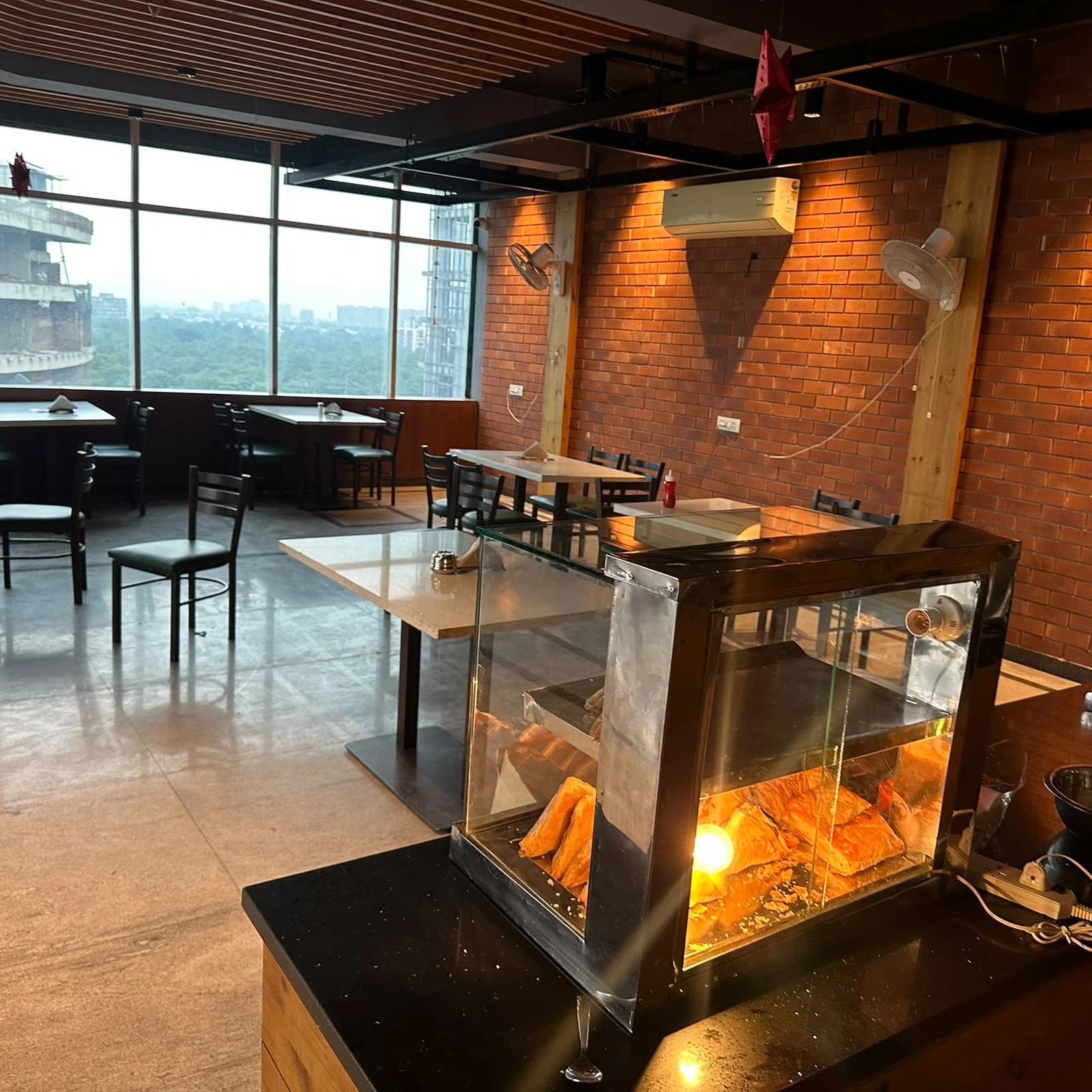
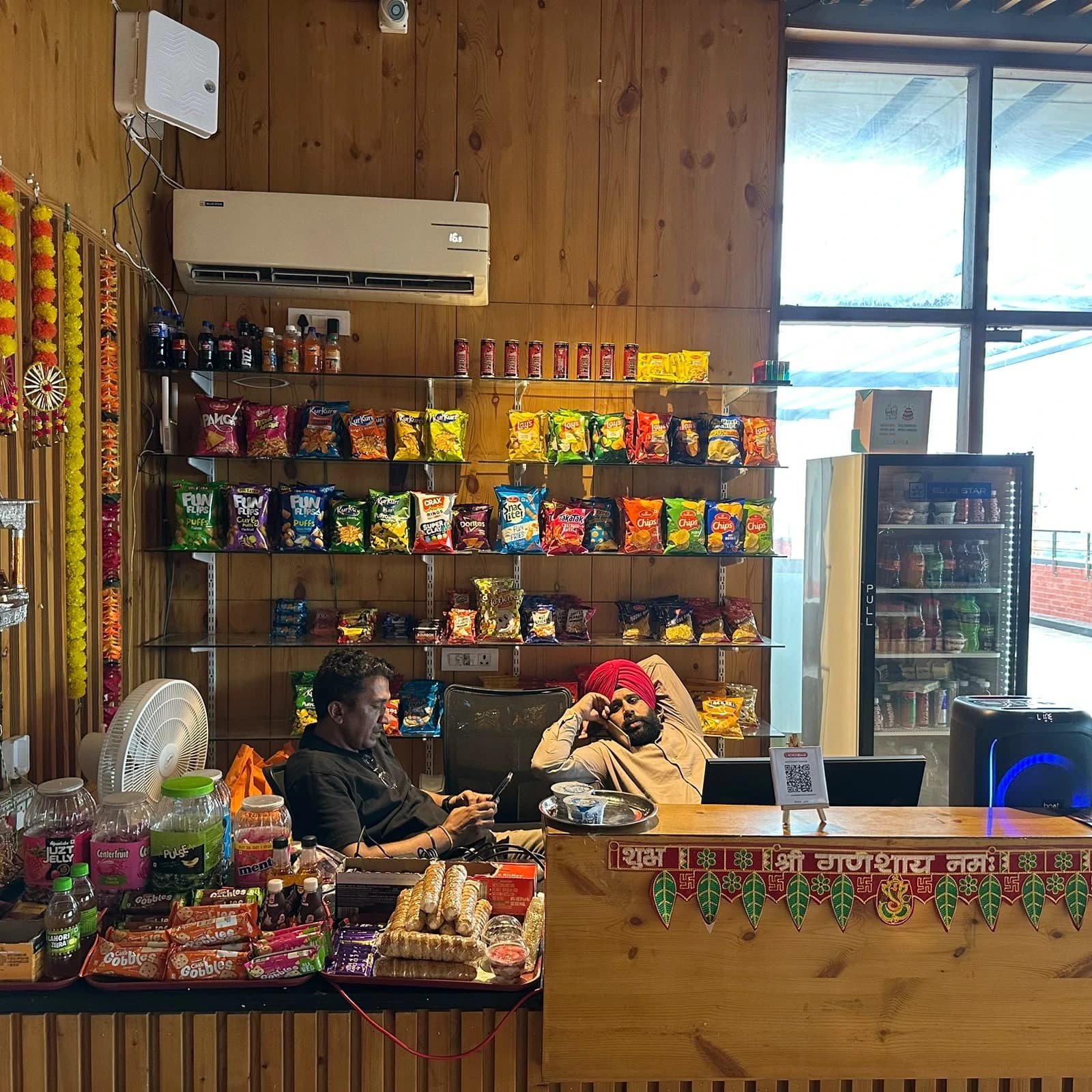
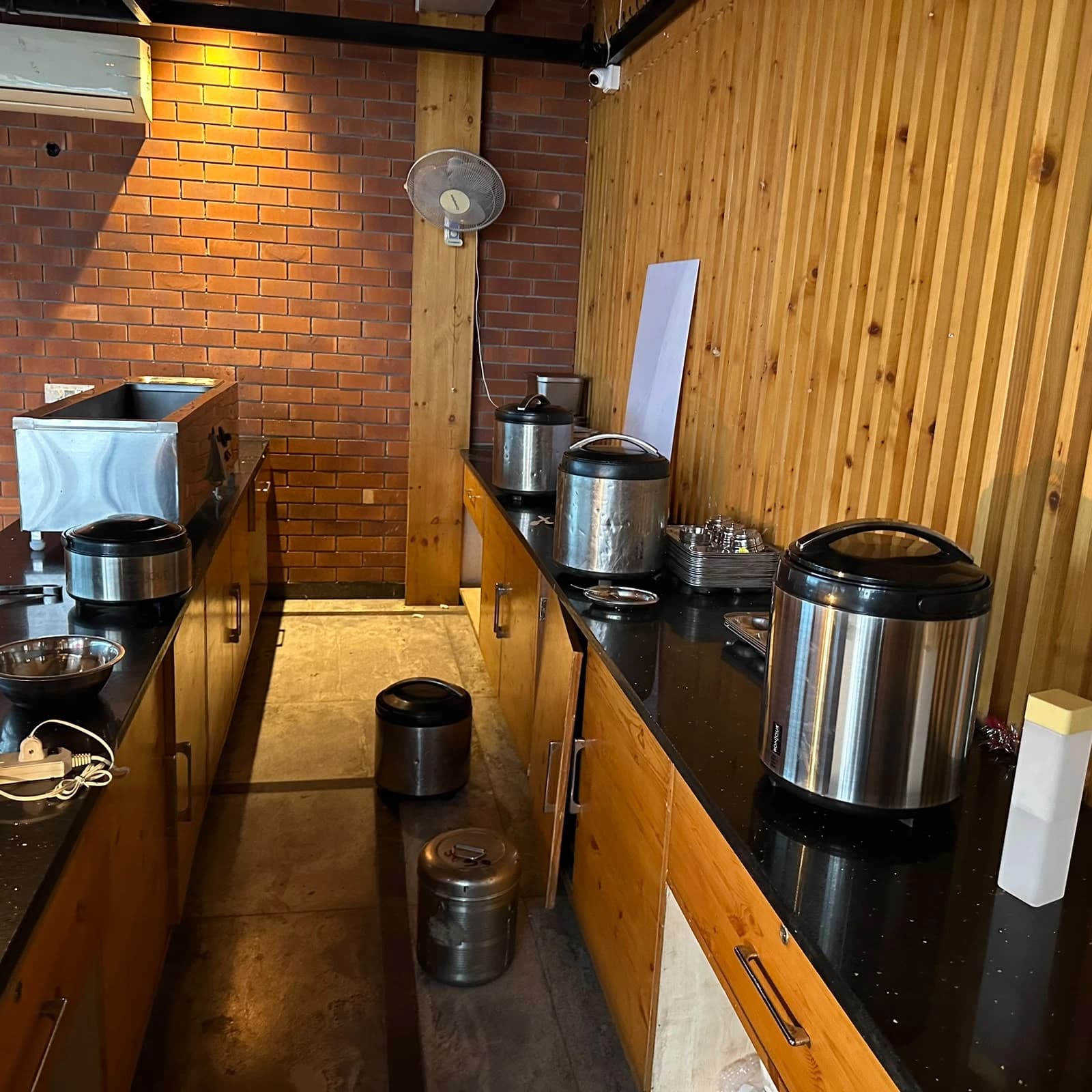
Shop No. 01, Shivalik Estate, Sector 127, Kharar, Punjab 140301
Billing for a growing tri-city town
What Running a Food Counter in Kharar Actually Looks Like
Kharar sits just beyond Mohali, in Sahibzada Ajit Singh Nagar (Mohali) district, as one of the fast-growing towns around Chandigarh — alongside Zirakpur and Mohali itself. New residential sectors, students and commuters mean a lot of customers who want something quick: a snack between classes, a takeaway on the way home, a cold drink on a hot afternoon.
That is exactly where a self-service format works — and where billing gets harder to do by hand. A counter like Twilight Tandoor sells packaged chips and cold drinks from the shelf next to hot tandoor food from the kitchen, and the two can carry different GST rates. Getting that right on a busy counter, bill after bill, is a repeatable mistake waiting to happen unless the rate is set once per item and applied automatically.
Connectivity is the other local reality. In fast-built new sectors, broadband is often still being laid and mobile data slows down at peak hours. The billzova Windows desktop app keeps billing and printing without internet and syncs to the dashboard when the connection returns, so a slow network doesn't stop the queue. (The web POS and the kitchen display screen need internet.)
GST, FSSAI and licences
Compliance basics for a Kharar food business
GST is national. There is no Punjab-specific GST rate for restaurants or food counters. A sale to a customer at your counter in Kharar is a sale within Punjab, so the GST on the bill is split into two equal halves: CGST (central) and SGST (Punjab). billzova prints that split, your GSTIN and a sequential bill number on every bill.
Mixed menus need care. Restaurant service is commonly taxed at 5% without input tax credit, while packaged goods have their own GST rates. Whether a packaged item sold at your counter is taxed as part of the restaurant service or at its own rate depends on how you sell it — ask your CA, then set that rate once on the item in billzova.
Not GST-registered yet? billzova can switch GST off so bills print as a plain bill at menu price, and switch it back on when your GSTIN arrives.
FSSAI and local licences. Every food business needs FSSAI basic registration or a state licence, depending on turnover — check current limits on the FSSAI portal or with the district Food Safety Officer. billzova can print your FSSAI number on the bill. Trade and health licensing runs through the local municipal council and is separate from anything billing software does.
General information only, not tax or legal advice. Confirm what applies to your business with your CA.
Support
Help by phone and WhatsApp, wherever you are in Punjab
billzova supports restaurants remotely across India. Call or WhatsApp +91 8869997605 for setup, menu import or printer questions, or email info@billzova.com. Prefer to see it first? Book a free demo or download the Windows app and start the 30-day free trial.
Last updated: October 2026
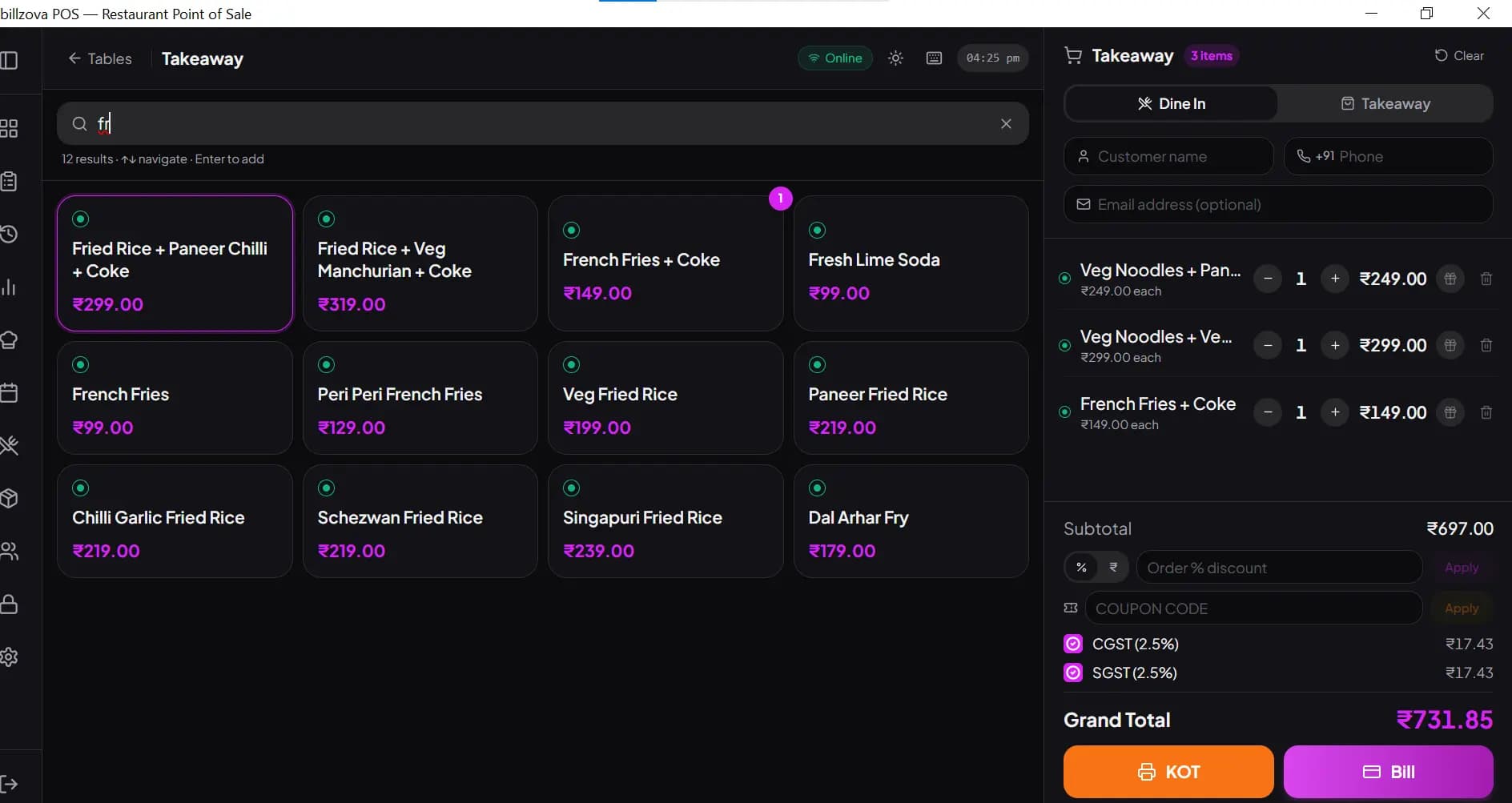
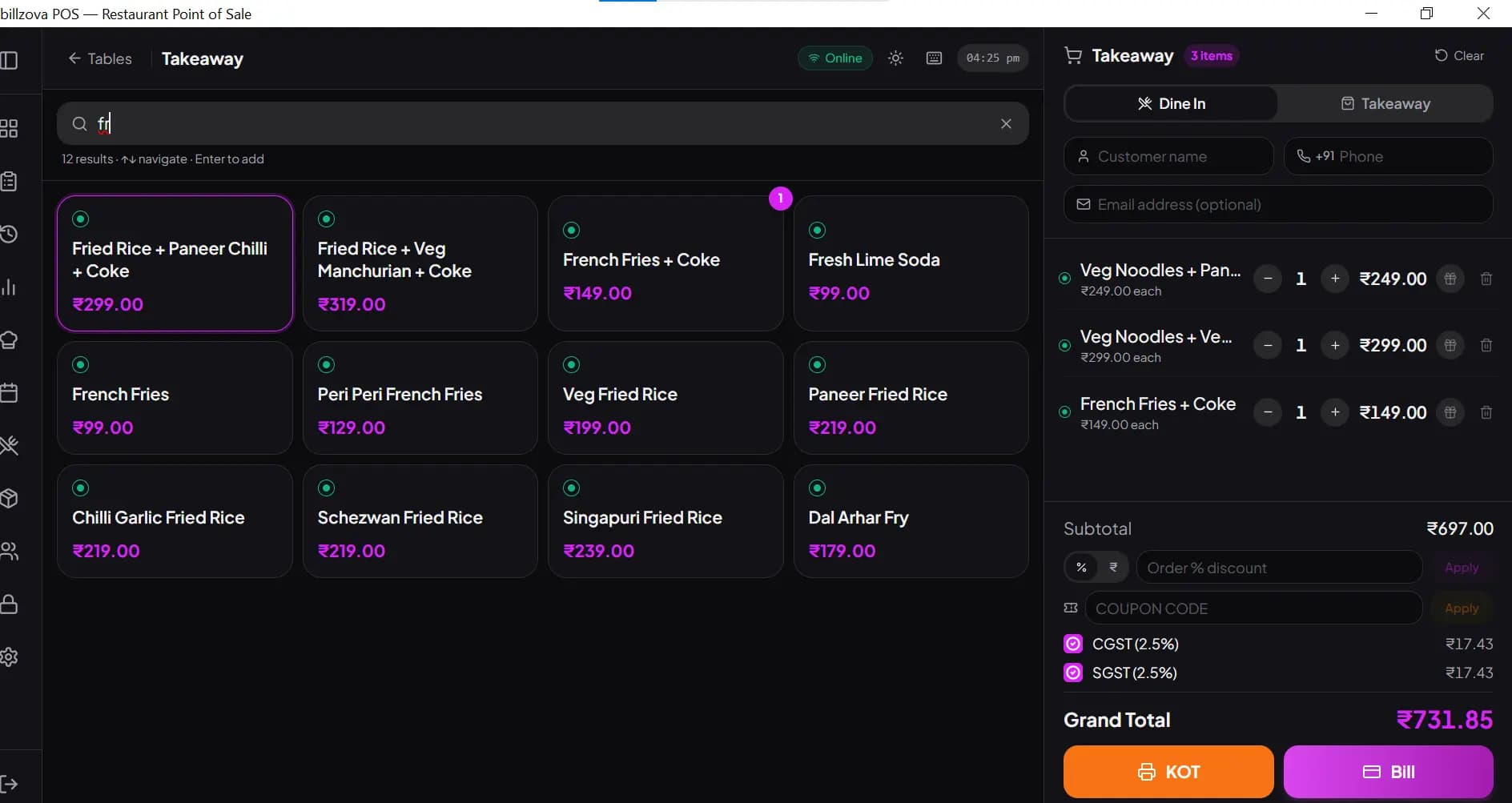
Type a few letters, press Enter
Give items short codes and the cashier adds them by typing the code and pressing Enter — or a few letters of the name. Enter on an empty search adds one more of the last item, and a touch grid is there for anyone who prefers tapping.
- Short codes and name search
- Enter adds the highlighted item
- Enter on an empty search repeats the last item
- Decimal quantities (e.g. 0.5) for loose items
- Touch-friendly item grid
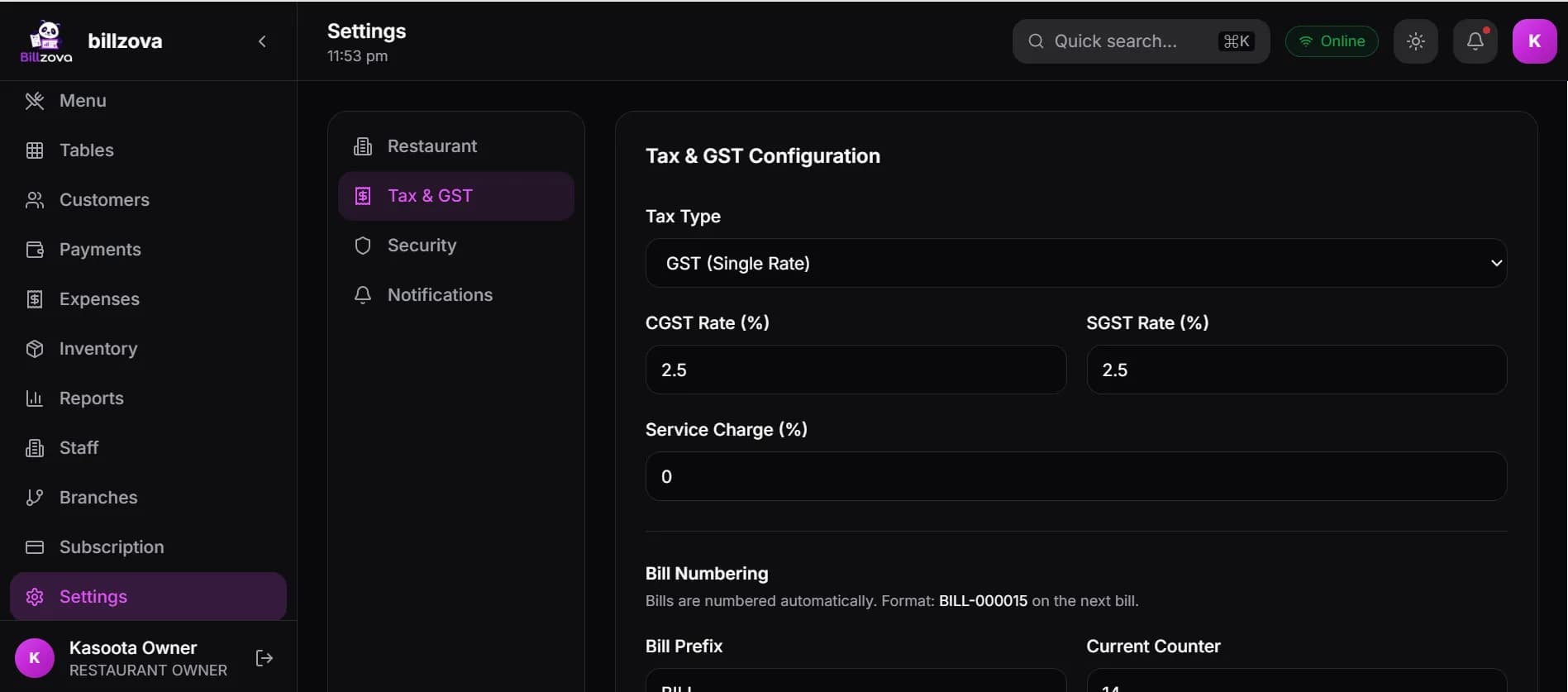
One bill, more than one tax rate
Each menu item can carry its own GST rate. Put packaged items and kitchen items on the same bill and billzova taxes each line at its own rate, showing CGST and SGST for every rate on the printed bill.
- GST rate set per menu item
- Restaurant default rate for everything else
- CGST + SGST shown for each rate
- Your GSTIN and FSSAI number on the bill
- Sequential bill numbers
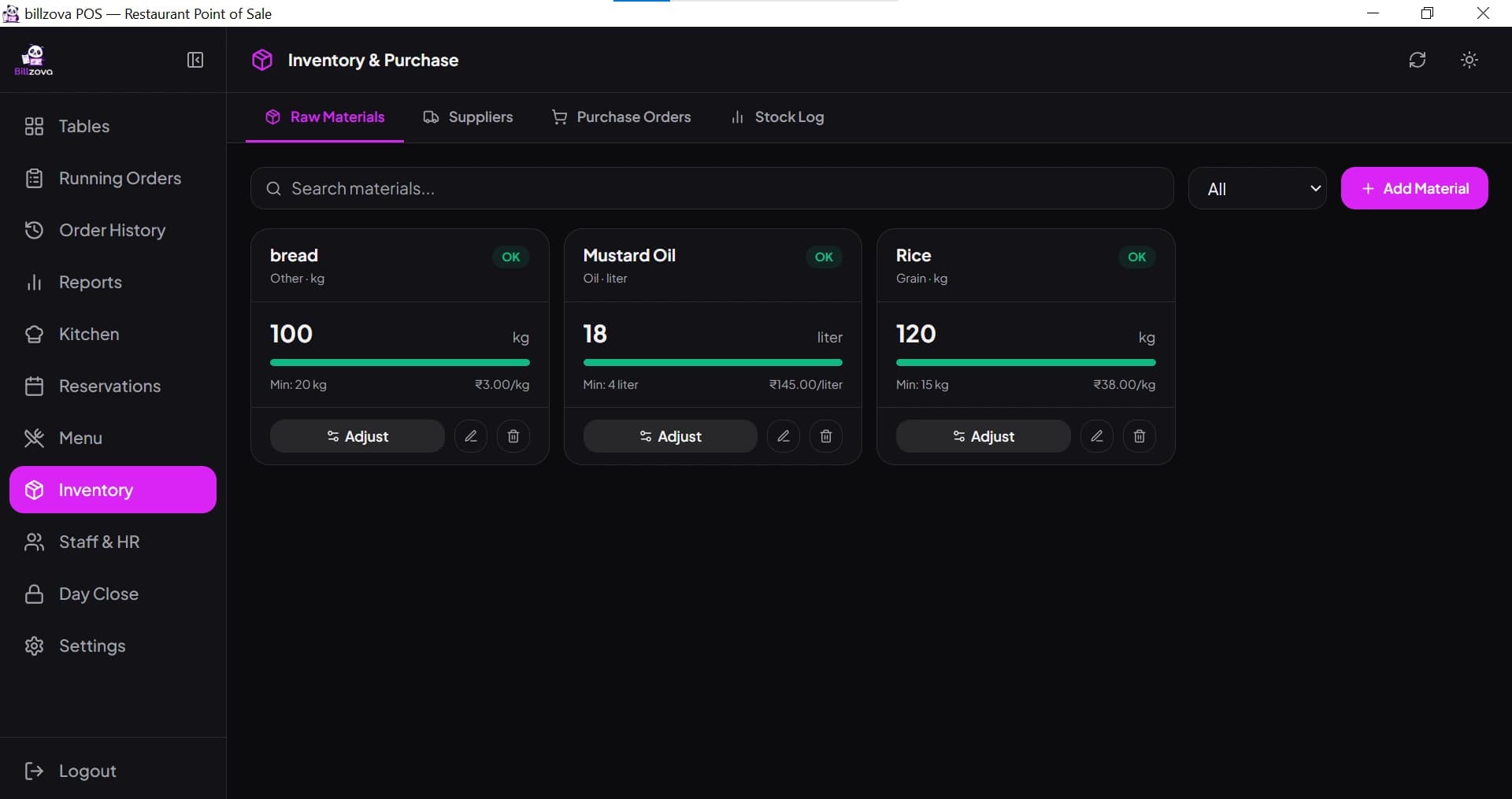
Know what's left before the shelf is empty
Track raw materials and packaged items as stock items with a minimum level. Link them to menu items with a recipe — one piece per packet, grams per tandoori plate — and each sale deducts them. Anything below its minimum is flagged as low.
- Stock items with a minimum level
- Recipe-linked deduction on every sale
- Low items flagged in the inventory list
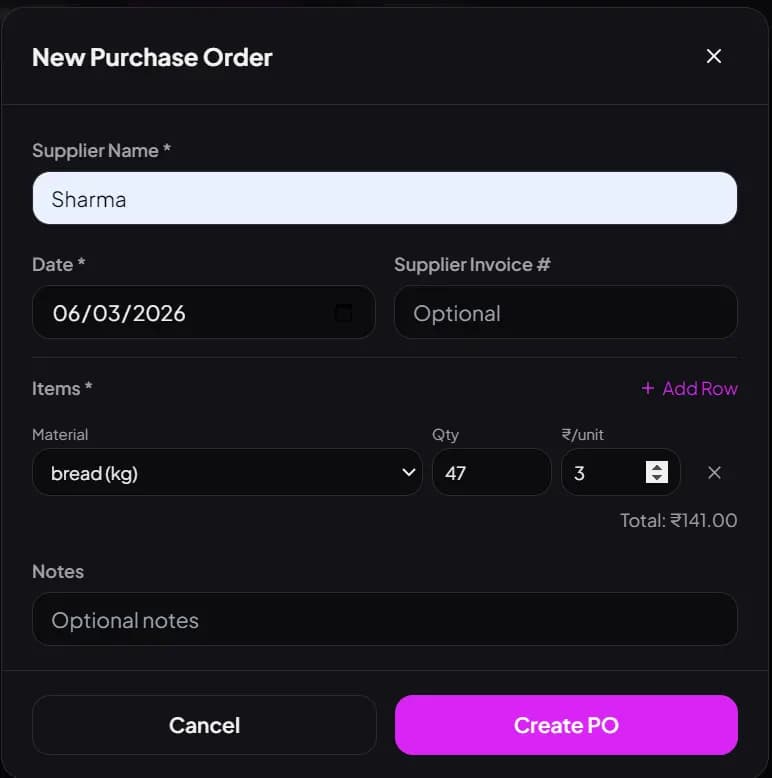
- Purchase orders and suppliers
- Stock export to CSV
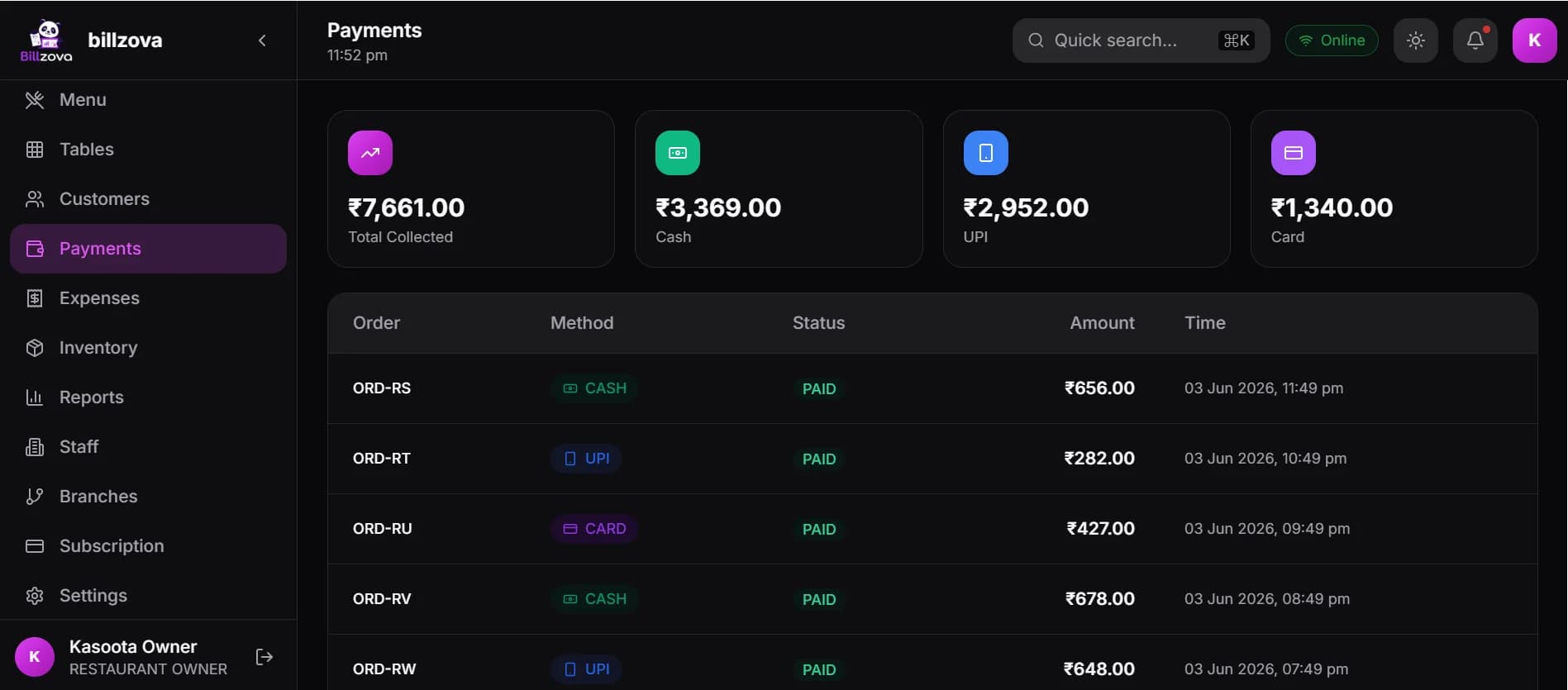
Payment that keeps up with the queue
Cash, UPI and card are one tap each on the payment screen, or split one bill across them. The day-close report gives the totals for each payment mode, so the drawer and the bank both reconcile.
- Cash, UPI and card on one screen
- Split payments
- Bill printed as soon as payment is confirmed
- Payment-mode totals at day close
- Works offline on the Windows app
In the product
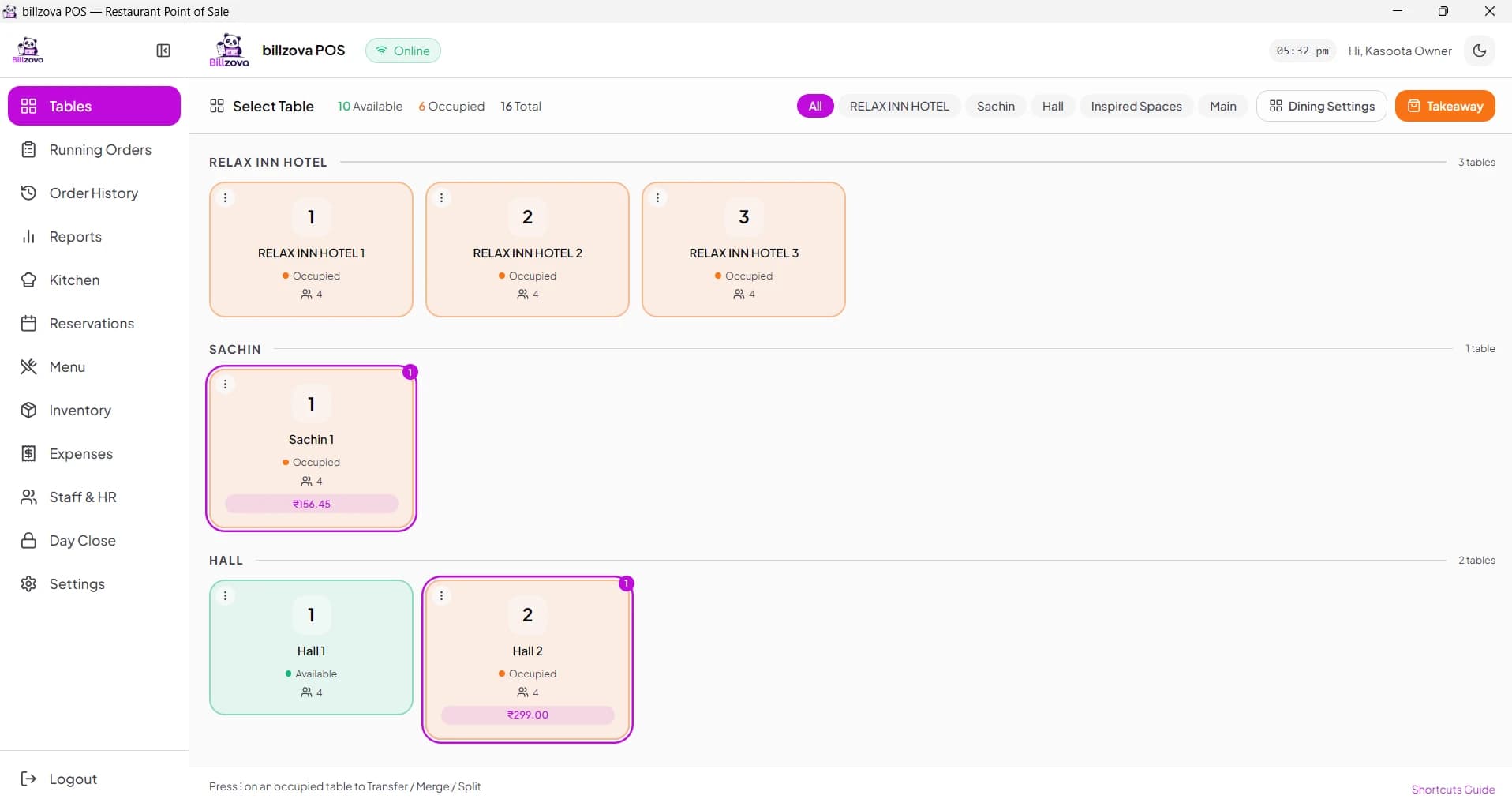
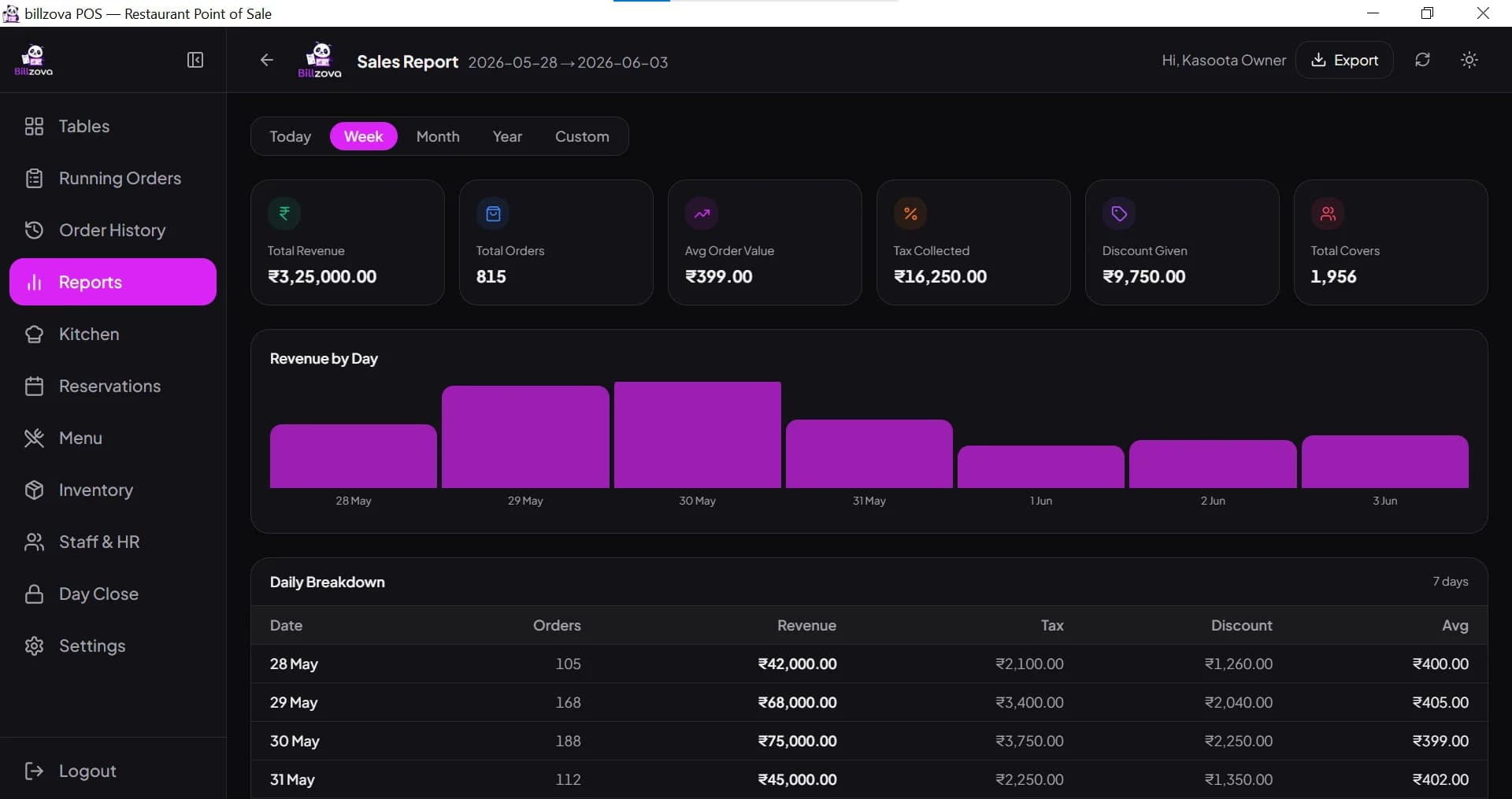
See every screen
Real billzova product screens — the same software Twilight Tandoor bills on every day.
Compared
Manual billing vs billzova for a self-service counter
Manual / legacy billing
- Every item looked up or written down by hand
- Different tax rates worked out at the counter
- No real view of what's left on the shelf
- Billing bottlenecks at a self-service counter
- Snacks and kitchen sales in separate books
billzova
- Short code + Enter for any item
- GST rate set once per item, applied every time
- Stock deducted per sale, low items flagged
- One-tap cash, UPI or card
- One dashboard for the whole counter
FAQ
Frequently asked questions
Is Twilight Tandoor a real billzova customer?▾
Can one bill mix packaged snacks and hot tandoor food at different GST rates?▾
Can billzova keep a self-service queue moving?▾
How does GST work on a bill in Kharar, Punjab?▾
Can billzova track stock of packaged snacks?▾
What if the internet drops at the counter?▾
How do I get support in Punjab?▾
What's the monthly cost for a counter like Twilight Tandoor?▾
Start billing in 10 minutes.
Full access to every feature. Cancel anytime. ₹399/month after your free trial.