Hotel & restaurant billing software —
tables, KOT and GST bills in one place.
Built for Indian eating places — the family “hotel”, dhaba, restaurant or the restaurant inside a hotel. Bill tables and parcels, send KOTs to the kitchen, charge 5% or 18% GST per item and keep billing when the internet drops. ₹399/month, 30-day free trial.
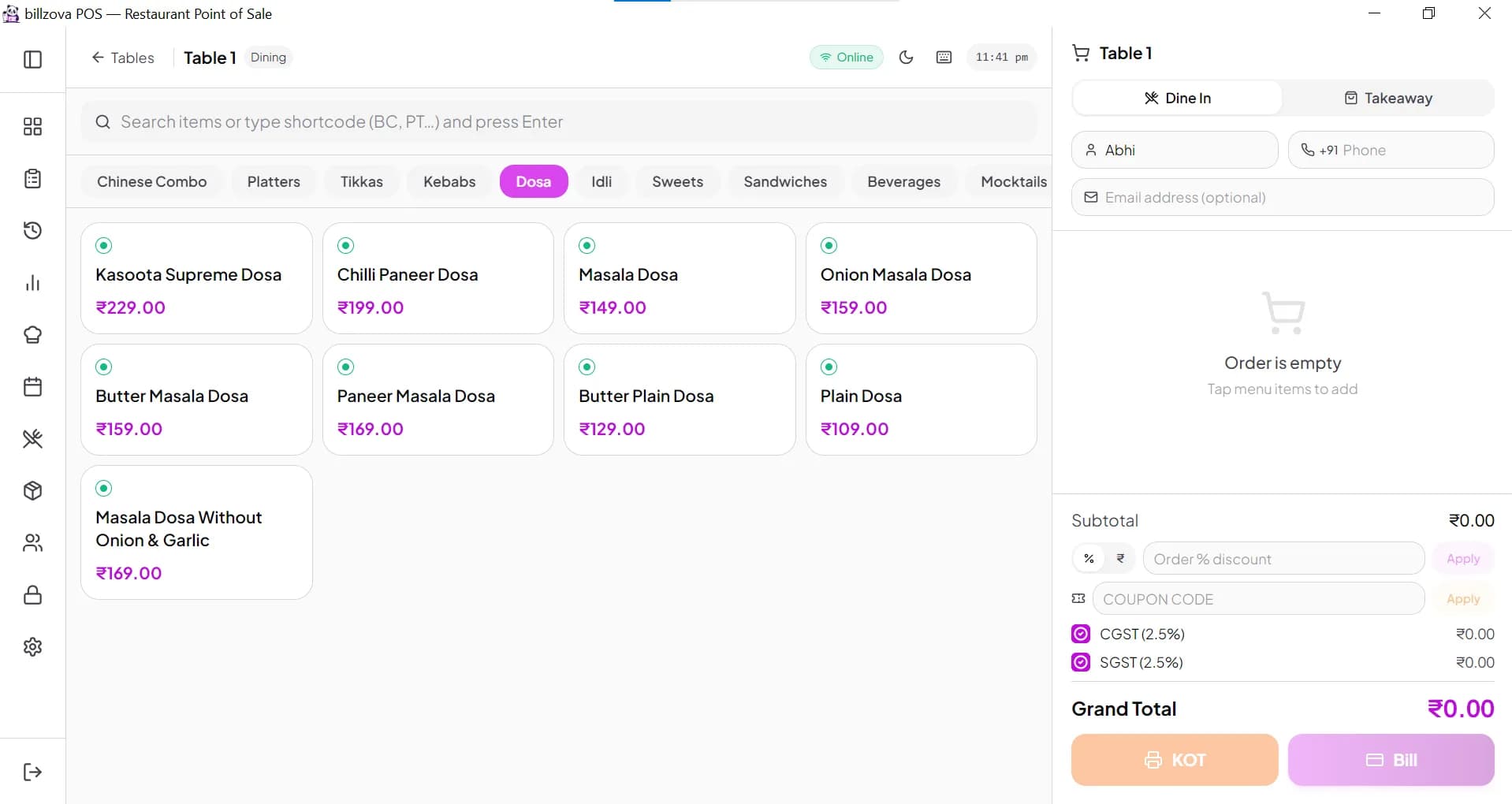
Restaurant billing — not room booking
In much of India, “hotel” means a place to eat. That is what billzova is for: the restaurant, dhaba, family hotel or the restaurant inside a lodging hotel. billzova has no room booking, check-in, guest folio or front-office features, and it cannot post a food bill to a room. If you need room bookings and check-in, you need hotel management (PMS) software; billzova handles the restaurant and food billing side.
GST
GST for hotel restaurants: 5% or 18%?
Restaurant service in India is taxed at one of two rates, depending on where the restaurant is.
| Where the restaurant is | GST rate | Input tax credit |
|---|---|---|
| Stand-alone restaurant, dhaba or eating “hotel” (AC or non-AC), including parcels | 5% (2.5% CGST + 2.5% SGST) | No input tax credit |
| Restaurant in a hotel that is not a specified premises | 5% | No input tax credit |
| Restaurant in a specified premises (any room supplied above ₹7,500 per unit per day in the previous financial year, or declared by the hotel) | 18% (9% CGST + 9% SGST) | With input tax credit |
What changed on 1 April 2025. The old test used the hotel's “declared tariff”. Notification No. 05/2025-Central Tax (Rate), dated 16 January 2025, replaced it from 1 April 2025: a premises is a specified premises for a financial year if, in the preceding financial year, it supplied hotel accommodation with the value of supply of any unit above ₹7,500 per unit per day, or if the hotel files a declaration opting in. So the rate for this year depends on what rooms actually sold for last year (notification text).
Stand-alone restaurants stay at 5%. The 56th GST Council (3 September 2025) recommended making it clear that a stand-alone restaurant cannot declare itself a specified premises to charge 18% with input tax credit (GST Council press release). Alcoholic drinks are outside GST and taxed by the state, so set GST to 0% on those items and handle state tax as your CA advises.
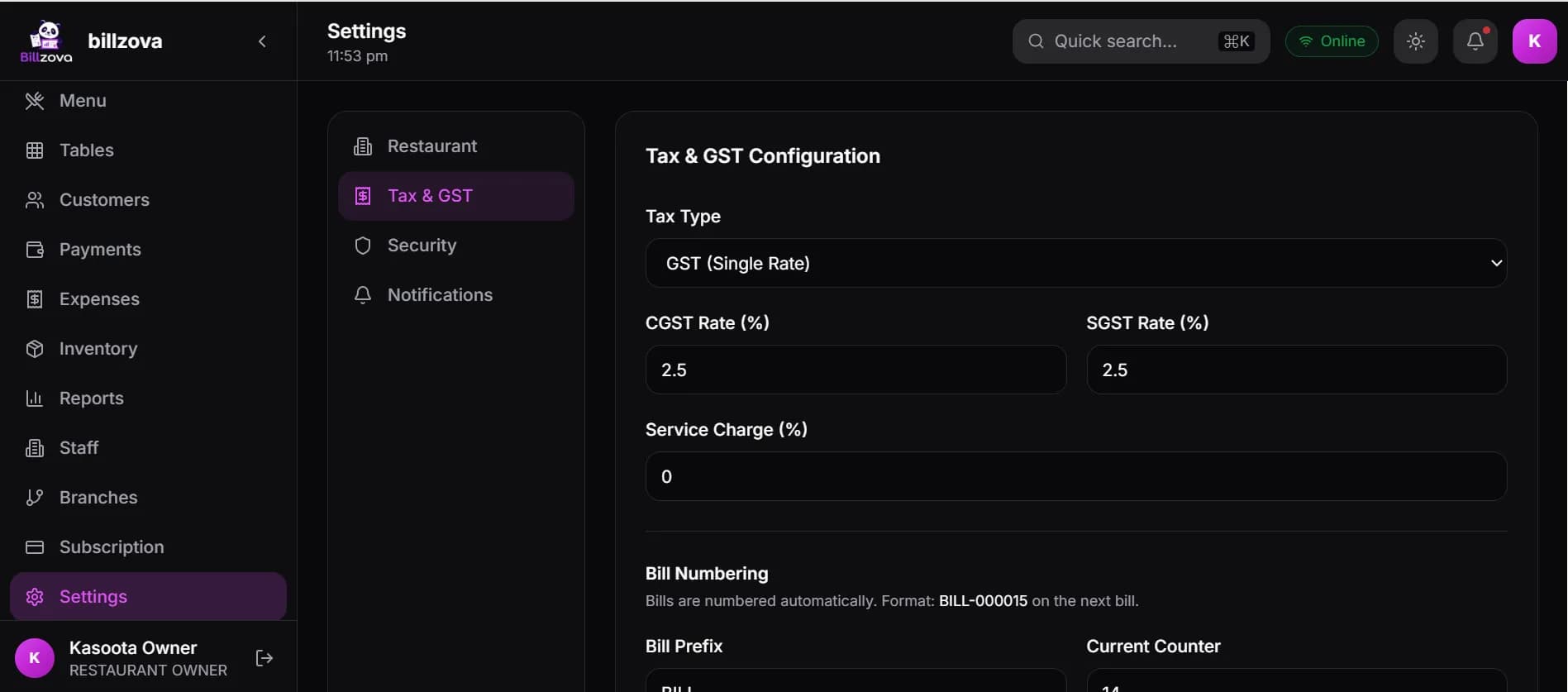
How billzova handles it. Set your restaurant's default CGST and SGST (2.5% + 2.5%, or 9% + 9%), and override the rate on any item. Prices can include or exclude GST. This is general information, not tax advice — confirm your rate with your CA. More on GST billing.
Service charge — optional, as the rules require
The Central Consumer Protection Authority's guidelines of 4 July 2022 say a hotel or restaurant cannot add a service charge to the bill automatically or by default, and must tell customers it is voluntary (PIB, Ministry of Consumer Affairs). billzova follows that: service charge is off until the owner switches it on and sets the %, and even then the cashier adds it to a dine-in bill only when the customer agrees. The screen labels it “optional — ask the customer”, and the printed bill shows it on its own line marked “optional”.
Good to know before you start
- • Works offline on Windows. Bills and KOTs keep printing when the internet is down and upload when it returns. The kitchen display needs internet.
- • No room booking or room billing. Food billing only.
- • No station-wise KOT routing. Each KOT goes out as one ticket; billzova does not split tandoor and Chinese to different printers.
- • No Swiggy / Zomato orders. QR table orders and orders from your own website can come in; aggregator orders don't.
- • No loyalty points. Customers are saved with visits and spend; discounts and coupon codes are available.
- • Several outlets? Multi-branch is set up on request on a custom plan.
Compare with our full restaurant POS software page, see how KOT printing works, read about dine-in restaurants, or check pricing.
Every table, every floor, at a glance
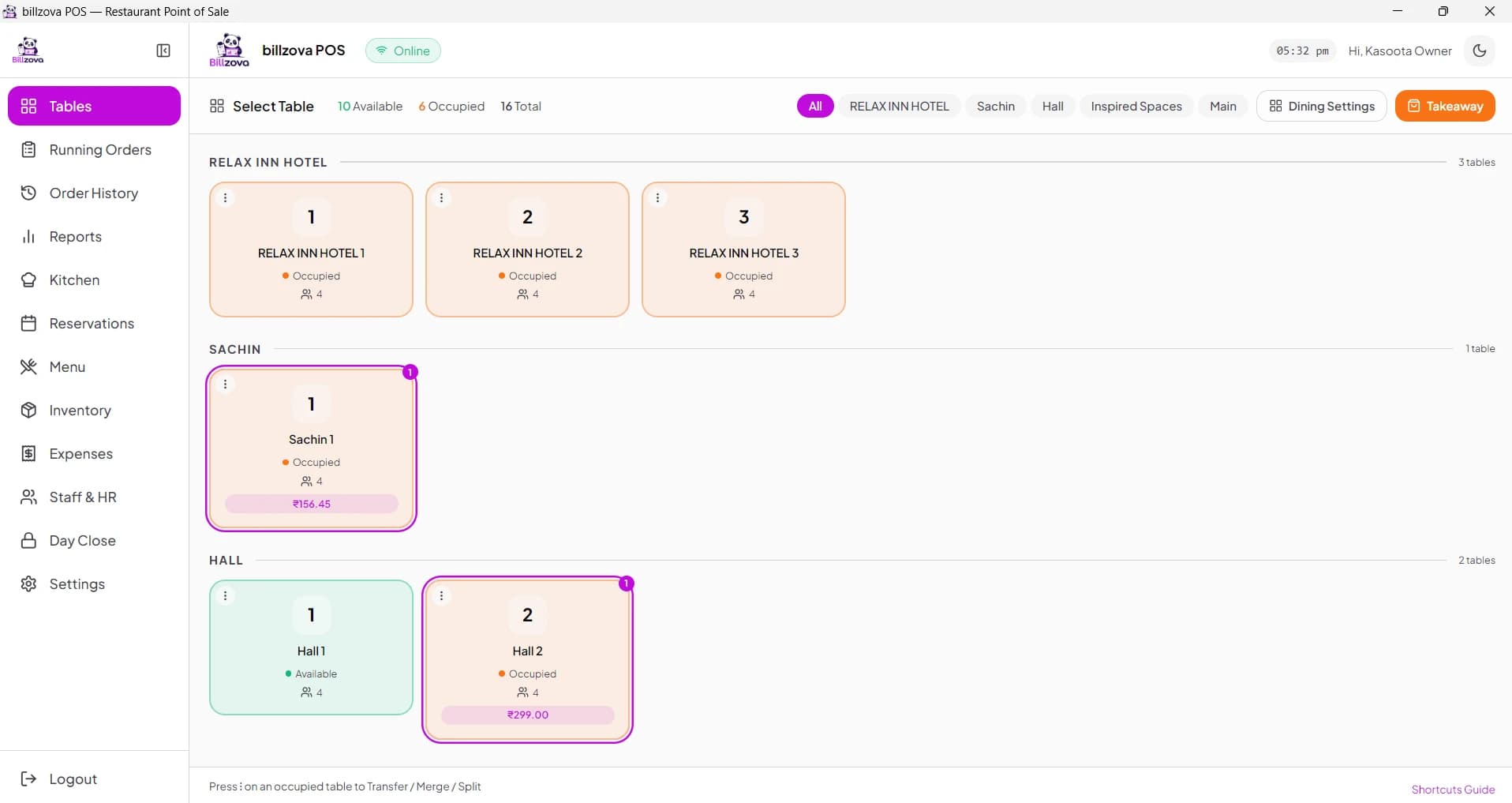
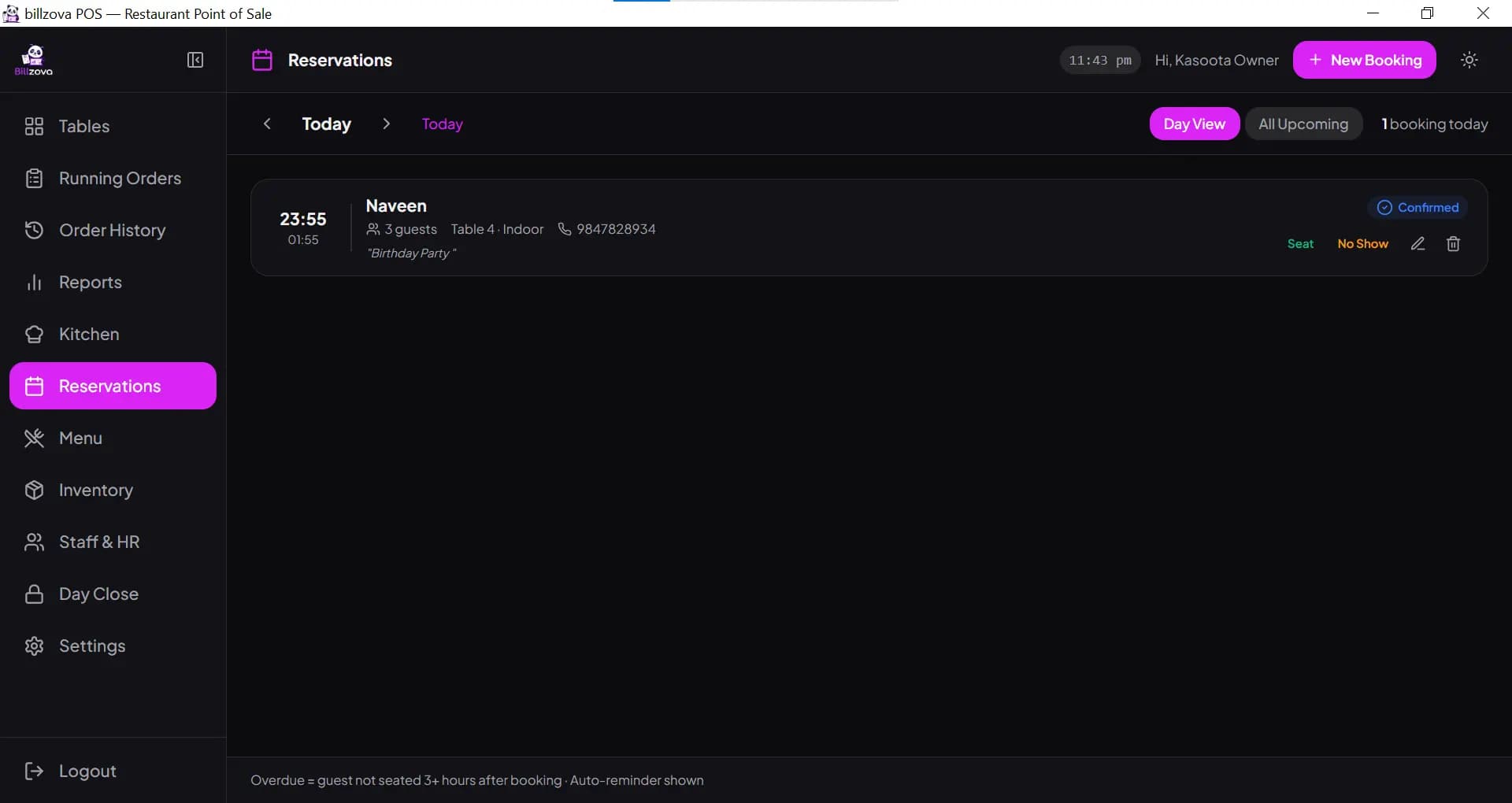
Add your tables with a name, number, seats and section — ground floor, AC hall, family section, garden. Open a table, add items, and its running order stays there until you print the bill.
- Tables grouped by section or floor
- Running orders kept per table
- Table reservations with date, time and party size
- Dine-in, takeaway and delivery on the same screen
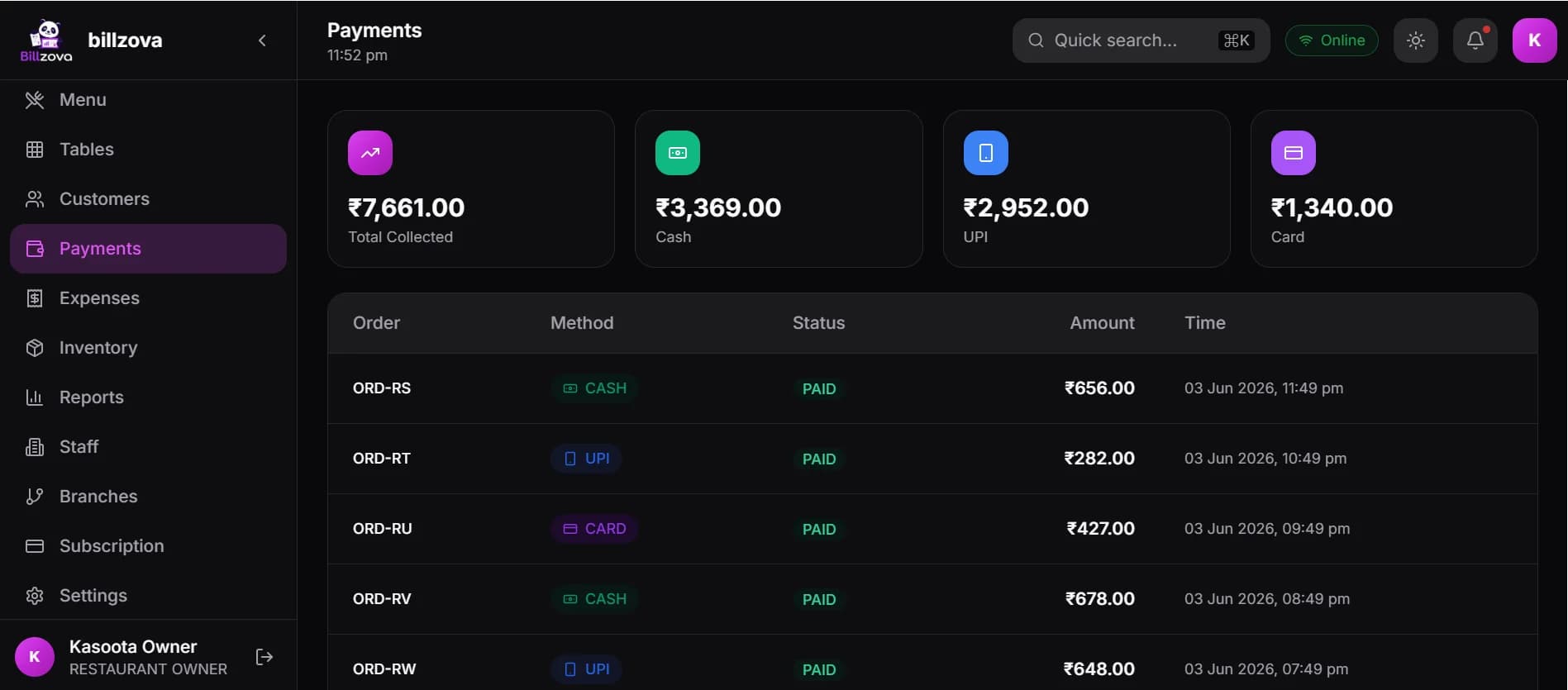
- Split payment across cash, UPI and card
KOT to the kitchen in one tap
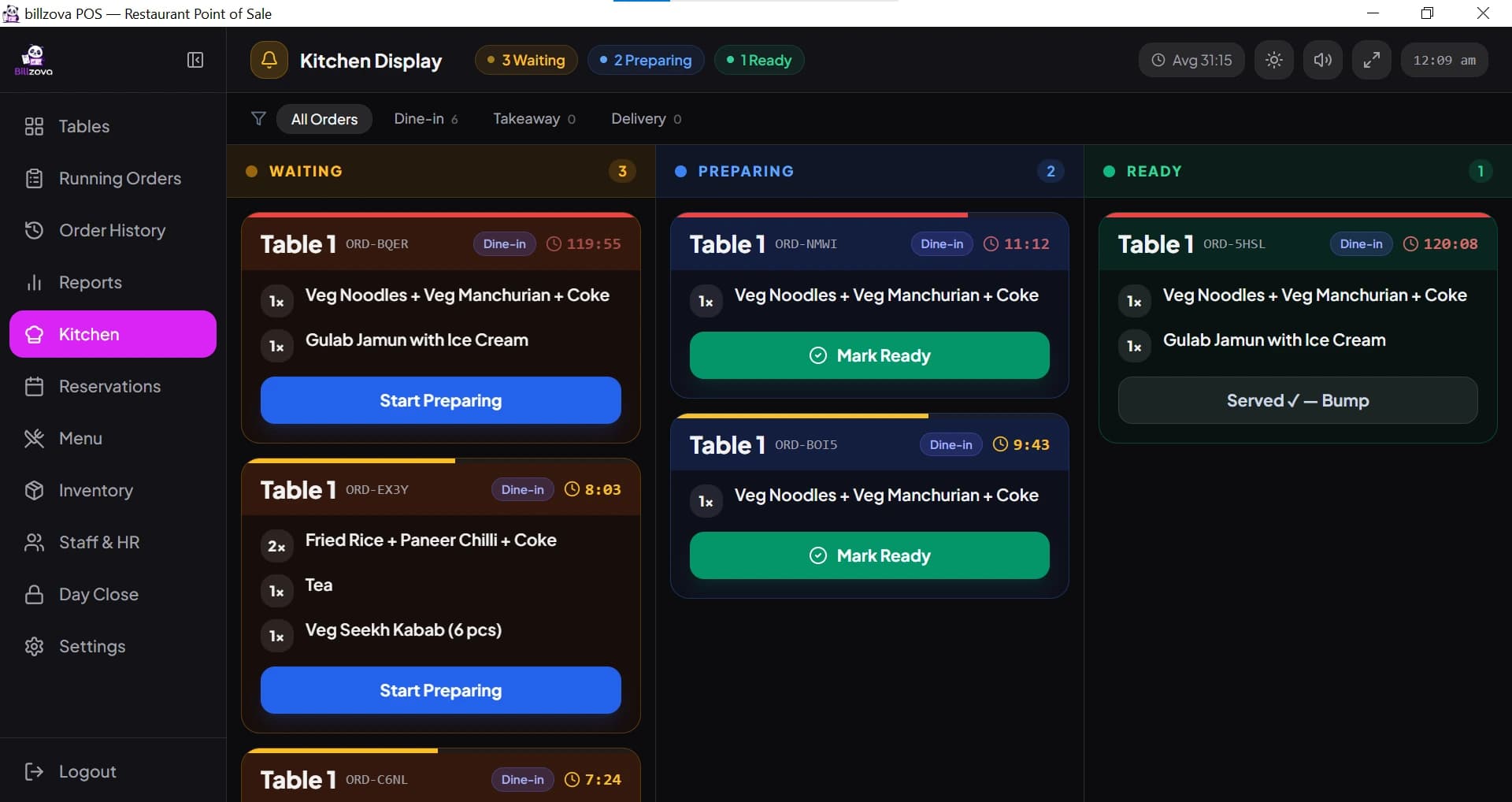
Tap KOT and the order prints on your thermal printer with the table number in large letters. It also appears on the kitchen display with Waiting, Preparing and Ready columns. When a table orders more, only the new items go to the kitchen.
- KOT to a 58mm / 80mm thermal printer
- Kitchen display on a PC, tablet or browser (needs internet)
- Only new items on add-on KOTs
- Item notes like “less spicy” on the KOT
- Retry or reprint a KOT if needed
Parcel counter without the confusion
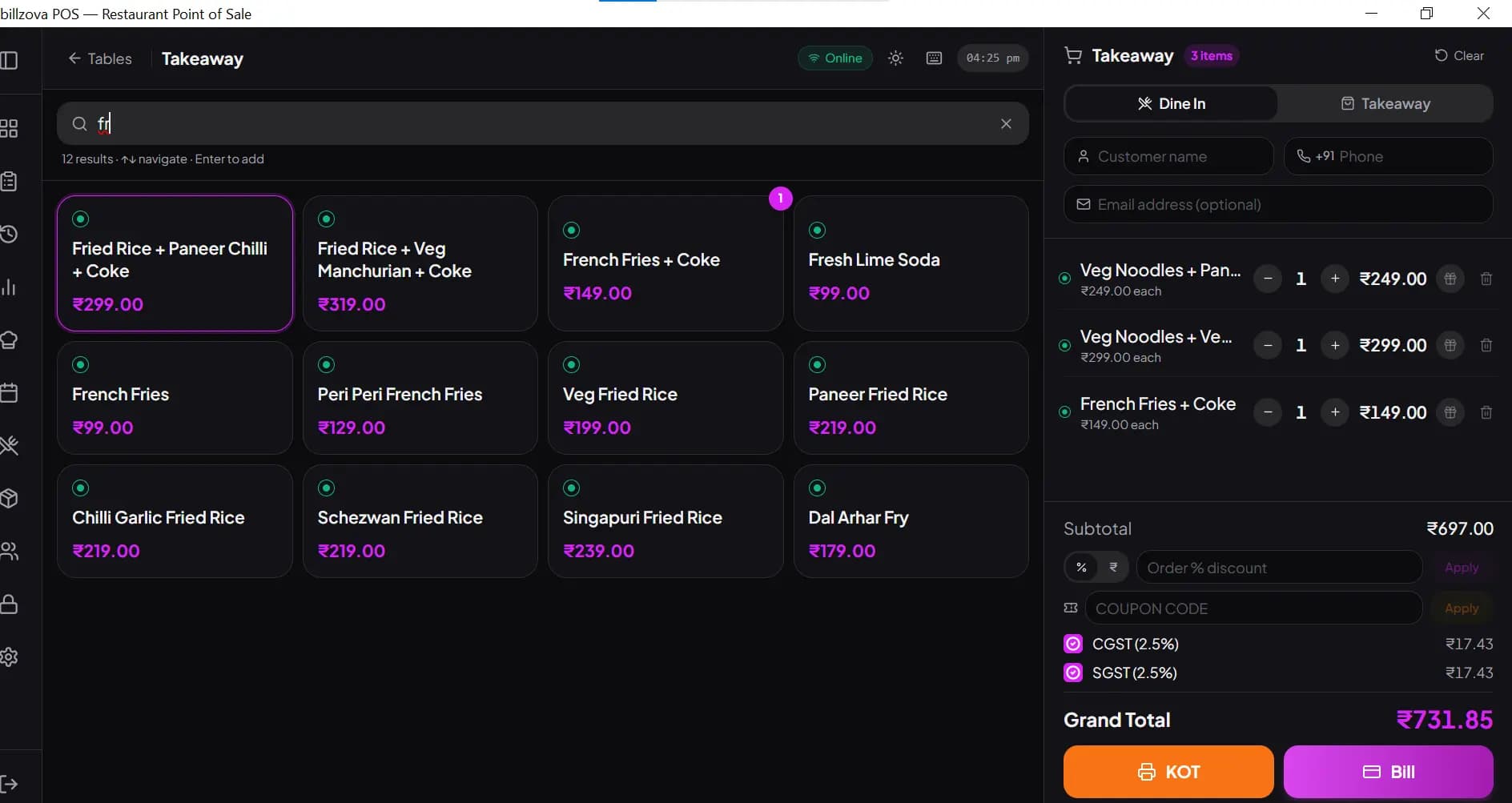
Switch the bill to Takeaway and bill a parcel in seconds. Turn on token numbers and the token prints on both the bill and the KOT, so the kitchen and the counter call the same number.
- Takeaway and delivery orders
- Token numbers on bill and KOT
- Search by name or short code, press Enter
- Bill on WhatsApp (monthly message allowance applies)
Staff logins, and reports you can trust
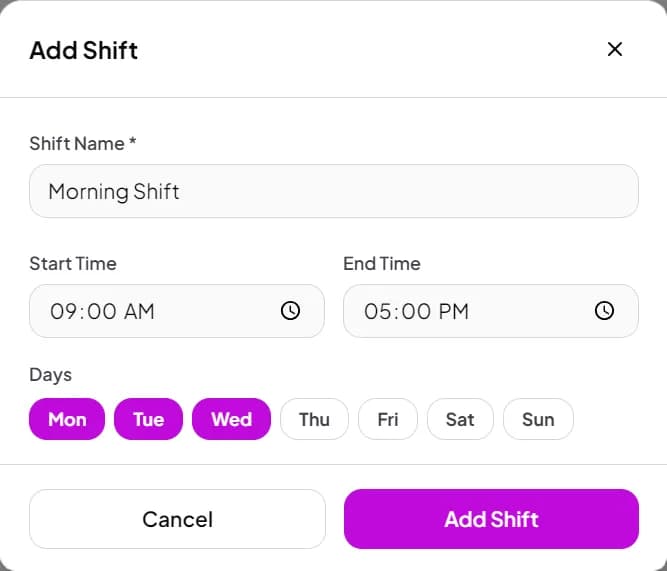
Give each person their own email and password login as Manager, Cashier or Kitchen staff, and switch individual permissions on or off. At night, close the day and see cash, UPI and card totals against the cash you counted.
- Owner, Manager, Cashier and Kitchen roles
- Per-person permissions (reports, bill history, menu, stock)
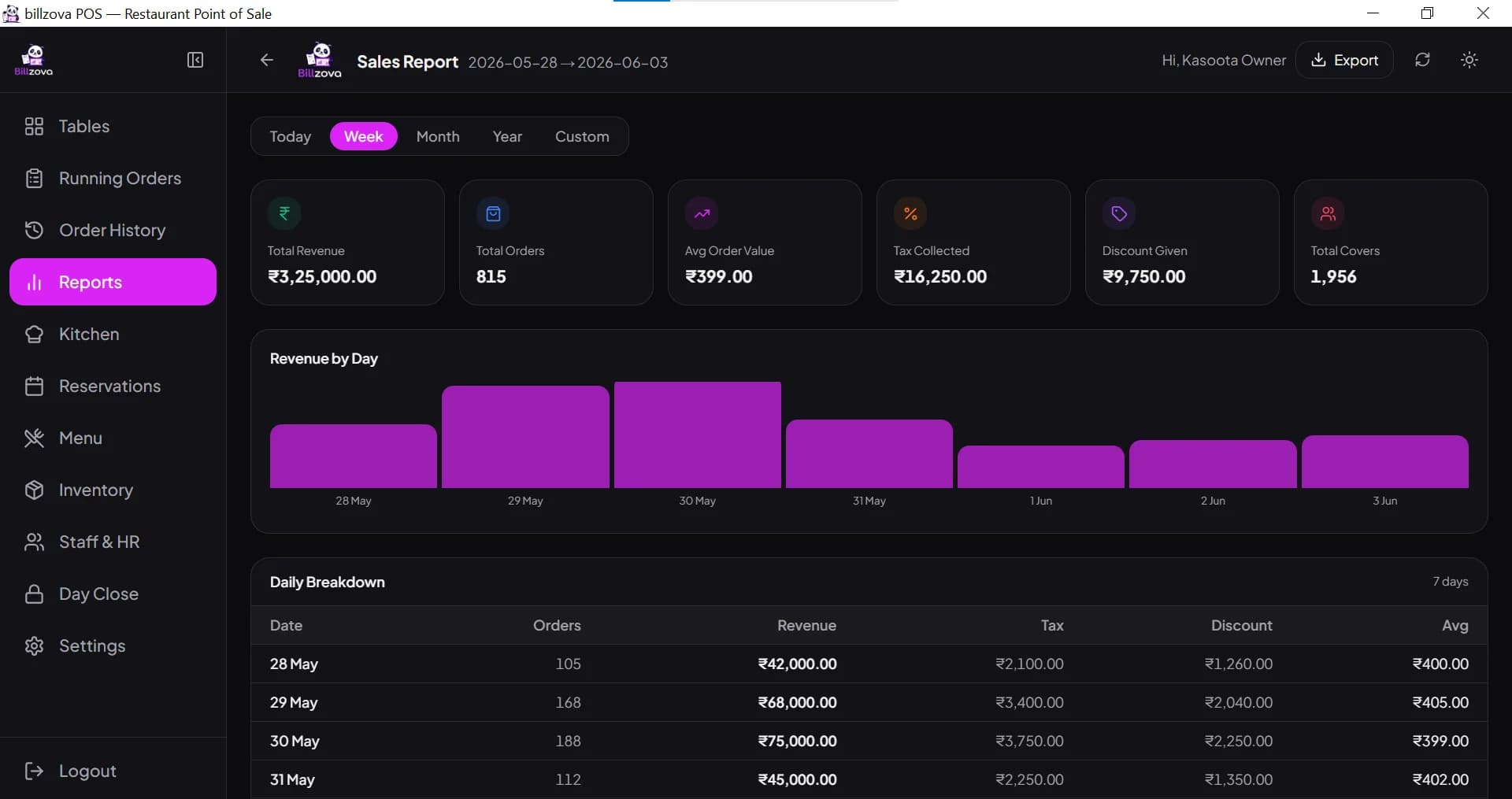
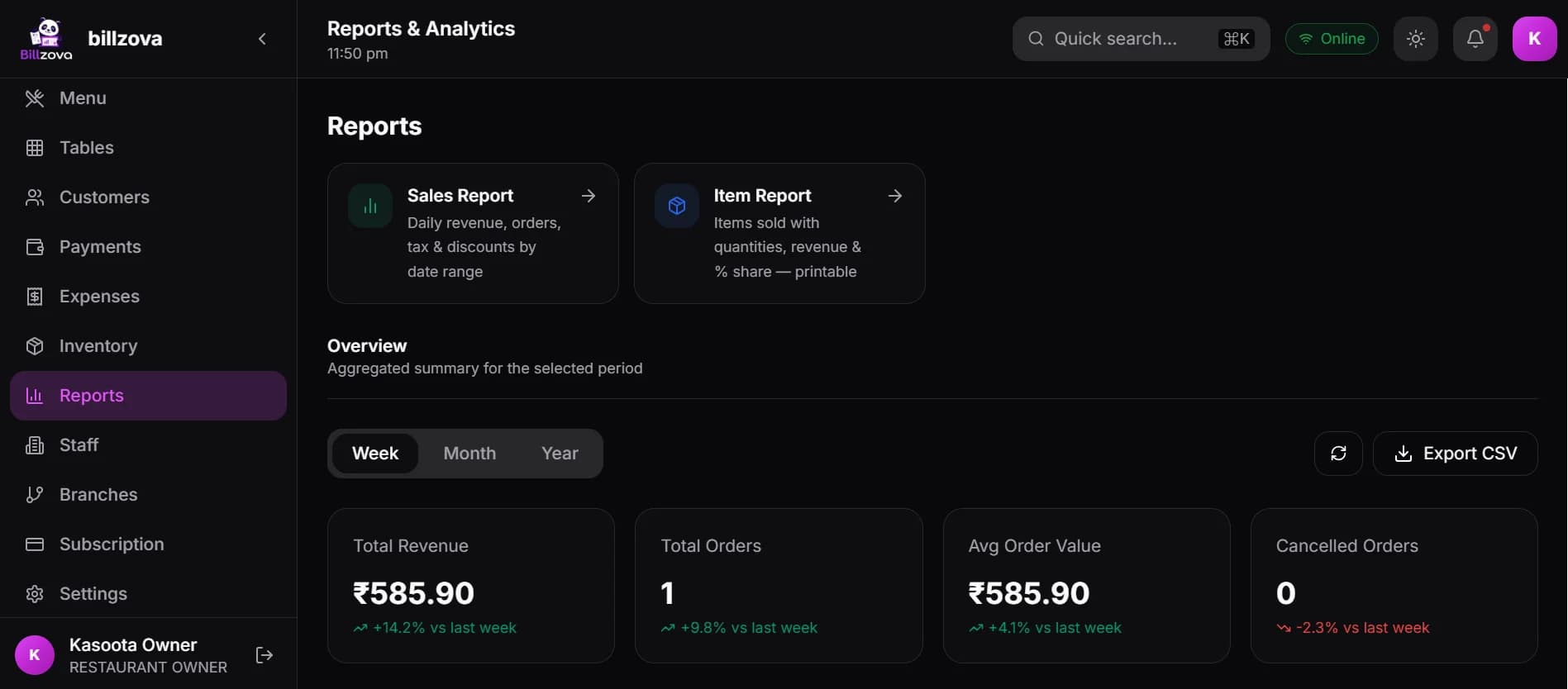
- Billing, sales and item-wise reports
- GSTR-1 and GSTR-3B reports
- Day close with cash variance
In the product
See every screen
Real product screenshots — not stock illustrations.
Compared
Handwritten KOTs and bill book vs billzova
Handwritten KOTs and bill book
- Waiter writes the KOT, cashier rewrites the bill
- GST worked out by hand
- Missed items when a table orders more
- No record of which dishes sell
- Cash mismatch found only at night
billzova
- One order becomes the KOT and the bill
- GST applied per item automatically
- Add-on KOTs with only the new items
- Item-wise sales report
- Day close shows expected vs counted cash
FAQ
Hotel & restaurant billing — frequently asked questions
Is billzova hotel management software?▾
Can I post a restaurant bill to a guest’s room?▾
What GST should a hotel restaurant charge?▾
Can billzova bill at 18% GST?▾
Can I add a service charge?▾
What is hotel KOT software?▾
What do I need as a “billing machine” for a small hotel?▾
Does it work without internet?▾
How much does it cost?▾
Start billing in 10 minutes.
Full access to every feature. Cancel anytime. ₹399/month after your free trial.