Cafe billing software
that keeps the morning rush moving.
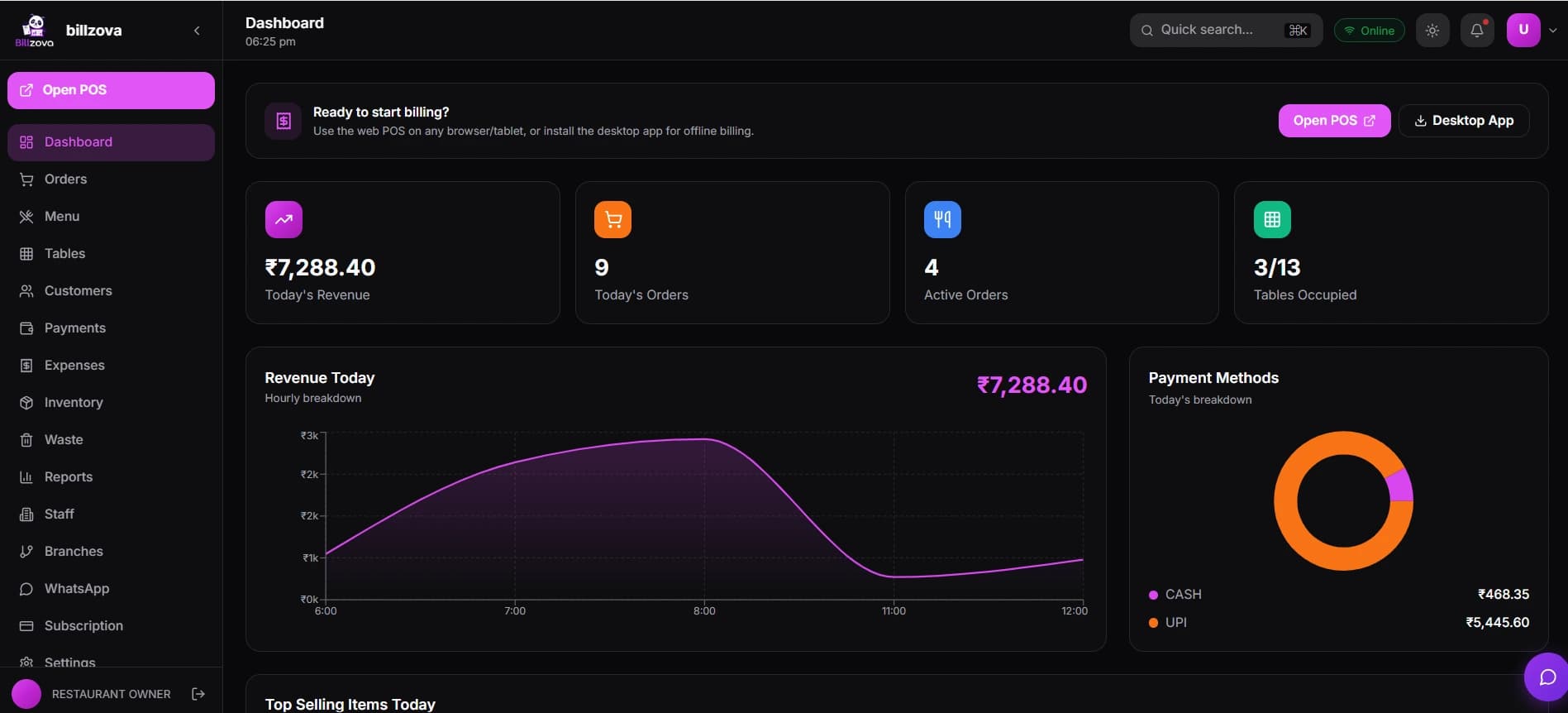
billzova is cafe and coffee shop billing software for India — fast counter billing, add-ons like oat milk or an extra shot, takeaway tokens, GST-correct invoices, and billing that keeps going offline, all in one app. ₹399/month, first month free.
Problems cafe owners face
Sound familiar?
Morning rush, one slow till
A single till can't keep up with peak-hour demand — customers walk out instead of waiting in a growing queue.
Modifier mistakes
Oat milk, extra shot, no sugar, decaf — written down by hand, they get lost or misread, and the wrong drink goes out.
Manual billing, GST risk
Manual tax calculation, or software that doesn't split CGST/SGST correctly, creates discrepancies that surface at audit time.
Inventory wastage nobody's tracking
Milk, syrups and beans go unaccounted for, quietly eating into margin with no record of why.
No loyalty, no return
Customers come once. Without tracked loyalty, there's no real way to turn a first visit into a regular.
No real visibility into what sells
Without item-level reports, it's a guess which drinks are actually driving revenue.
How billzova solves it
Every one of those problems traces back to a counter running on manual entry, or generic billing software built for a sit-down dinner instead of a coffee rush. billzova is built around cafe-specific mechanics — drink add-ons, takeaway tokens, fast search — plus the same GST, inventory and offline reliability every business genuinely needs.
Feature overview
Everything a cafe counter needs, in one plan
Find it, tap it, print it
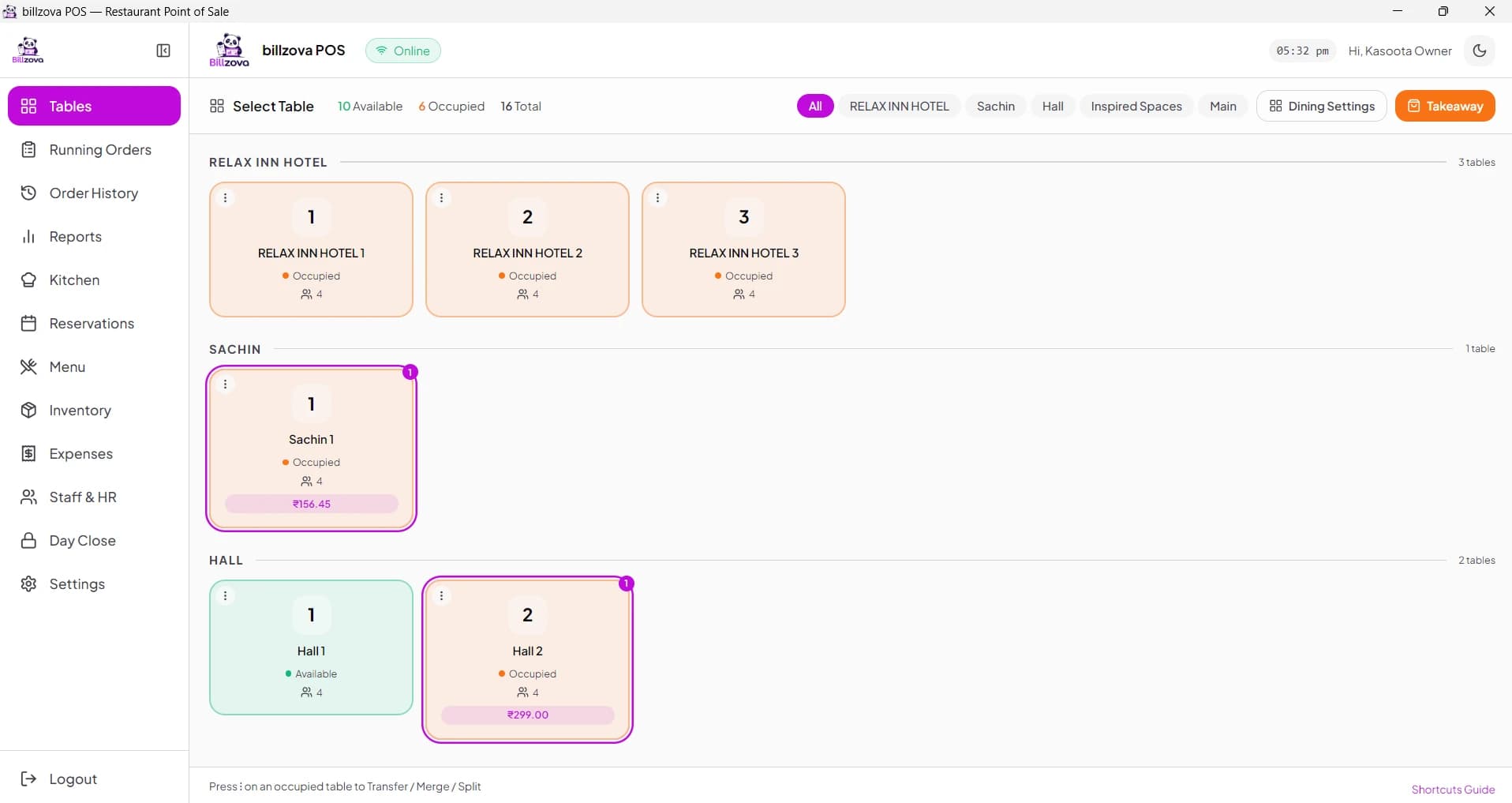
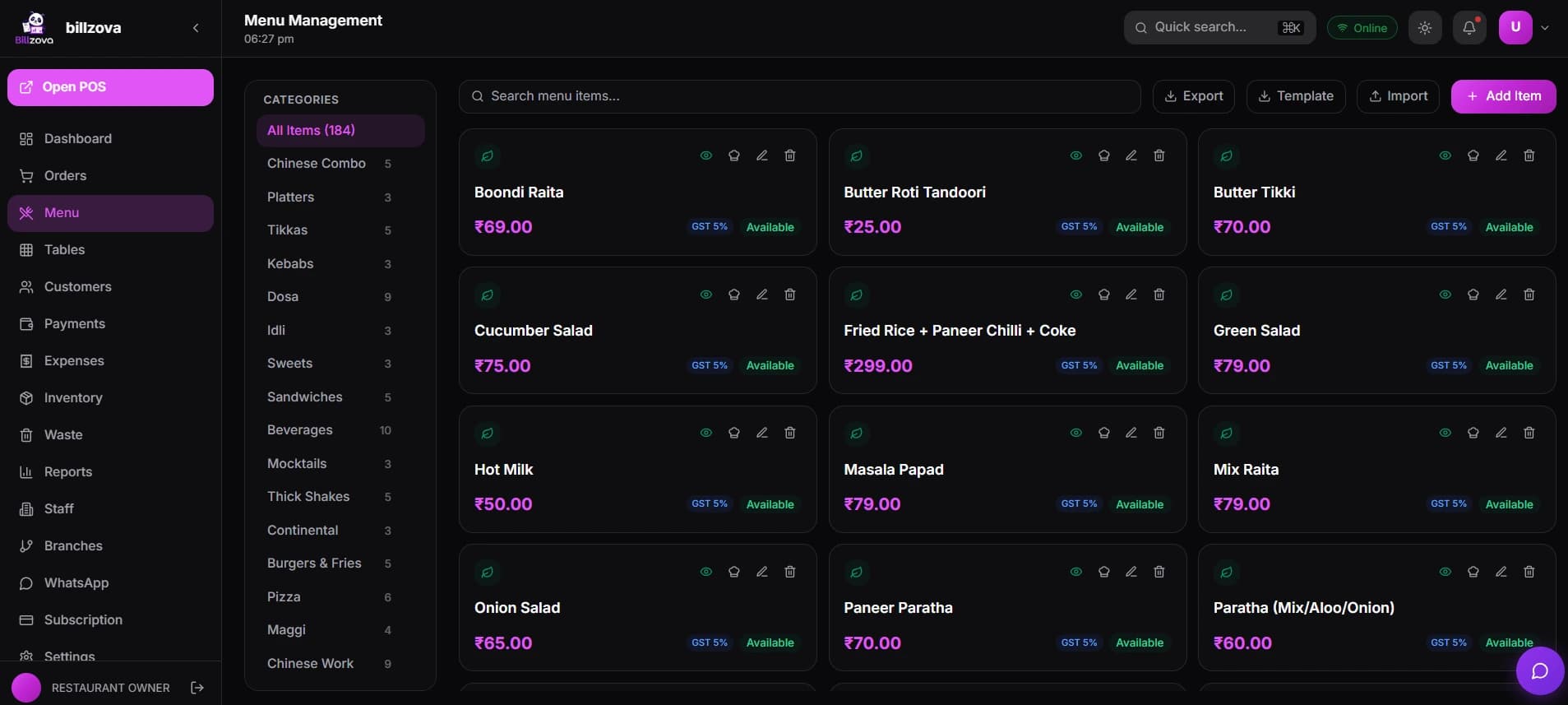
A touch-friendly menu grid, and a search that finds an item from part of its name, its short code or a barcode scan. Drinks with sizes sit on one tile. Built for a counter where speed during the morning rush matters more than anything else.
- Touch-friendly menu grid
- Search by name or short code (type "cap" → cappuccino)
- Barcode scanner for packaged items
- Small / regular / large on one tile
- Bill from a Windows PC, an Android phone or a browser
A correct GST invoice on every single cup
CGST and SGST are calculated and split automatically on every bill, with your GSTIN, correct item-wise tax rates, and sequential invoice numbering — generated the same way regardless of who's at the counter or how busy the queue is.
- CGST + SGST auto-split on every bill
- GSTIN and correct tax rates printed automatically
- Sequential, audit-ready invoice numbering
- Same invoice sent on WhatsApp when you add the customer's number
- GST-ready Excel exports for filing and your CA
Add-ons the way a barista needs them
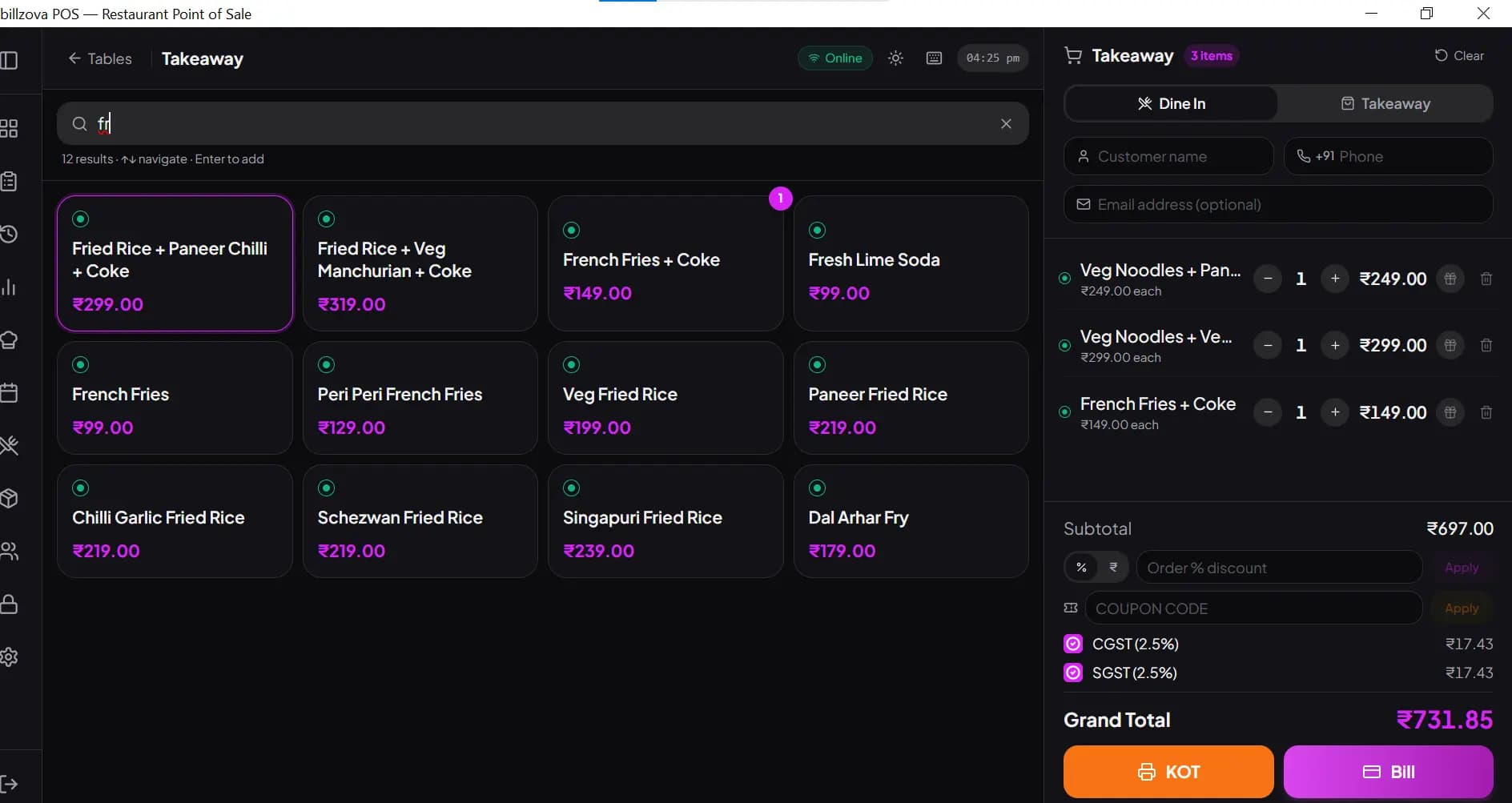
Build add-on groups — oat milk, almond, soy, decaf, extra shot, hazelnut syrup — each option with its own price, and attach them to the drinks they belong to. A group can pop up as soon as the drink is added, and a note like "less sugar" prints under the drink on the KOT.
- Add-on groups, reusable across the menu
- Each option with its own price, added to the bill
- A group can open as soon as the drink is added
- Notes print under each item on the KOT
- No handwritten slips to misread
Takeaway and dine-in from one screen
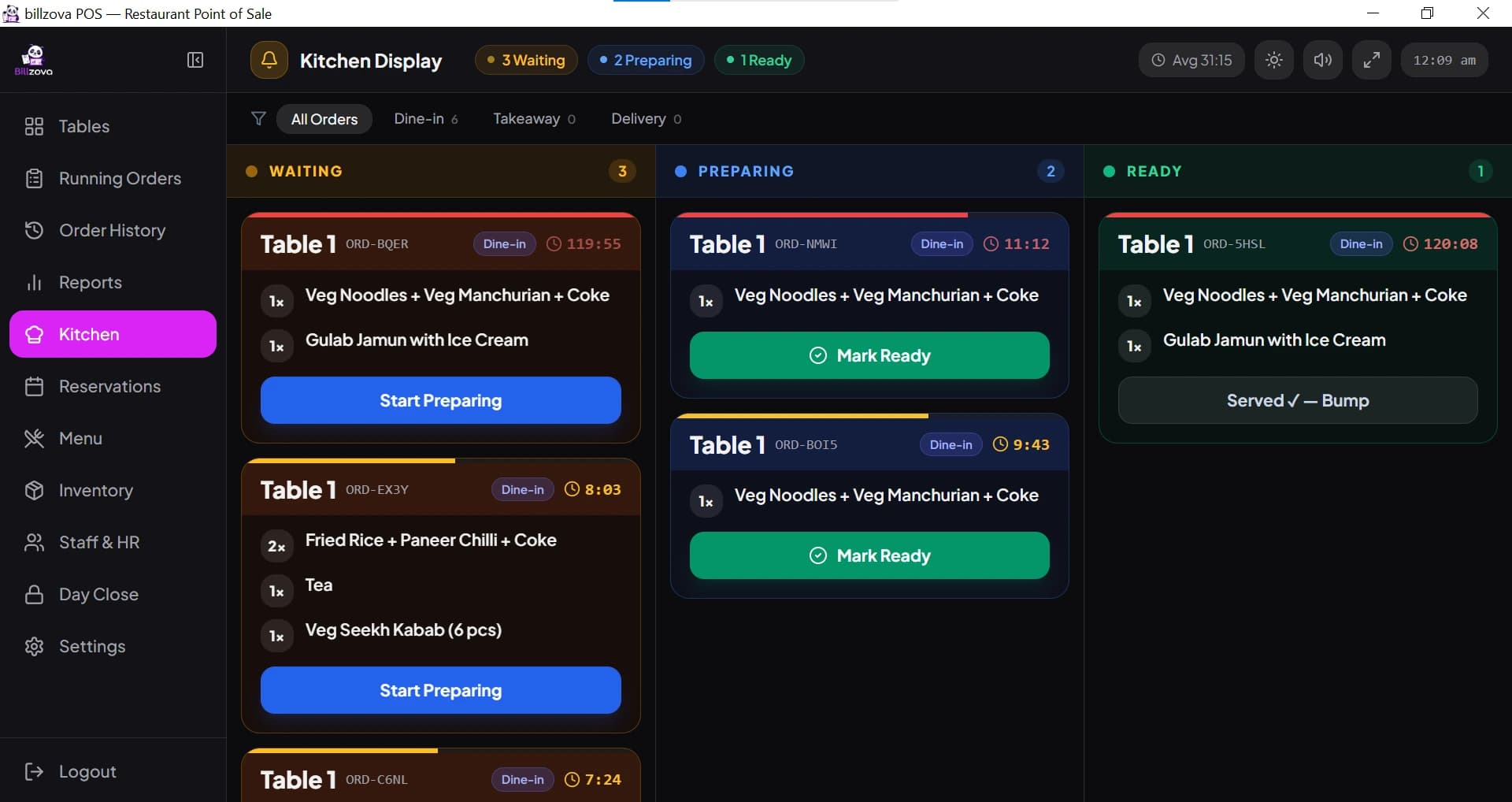
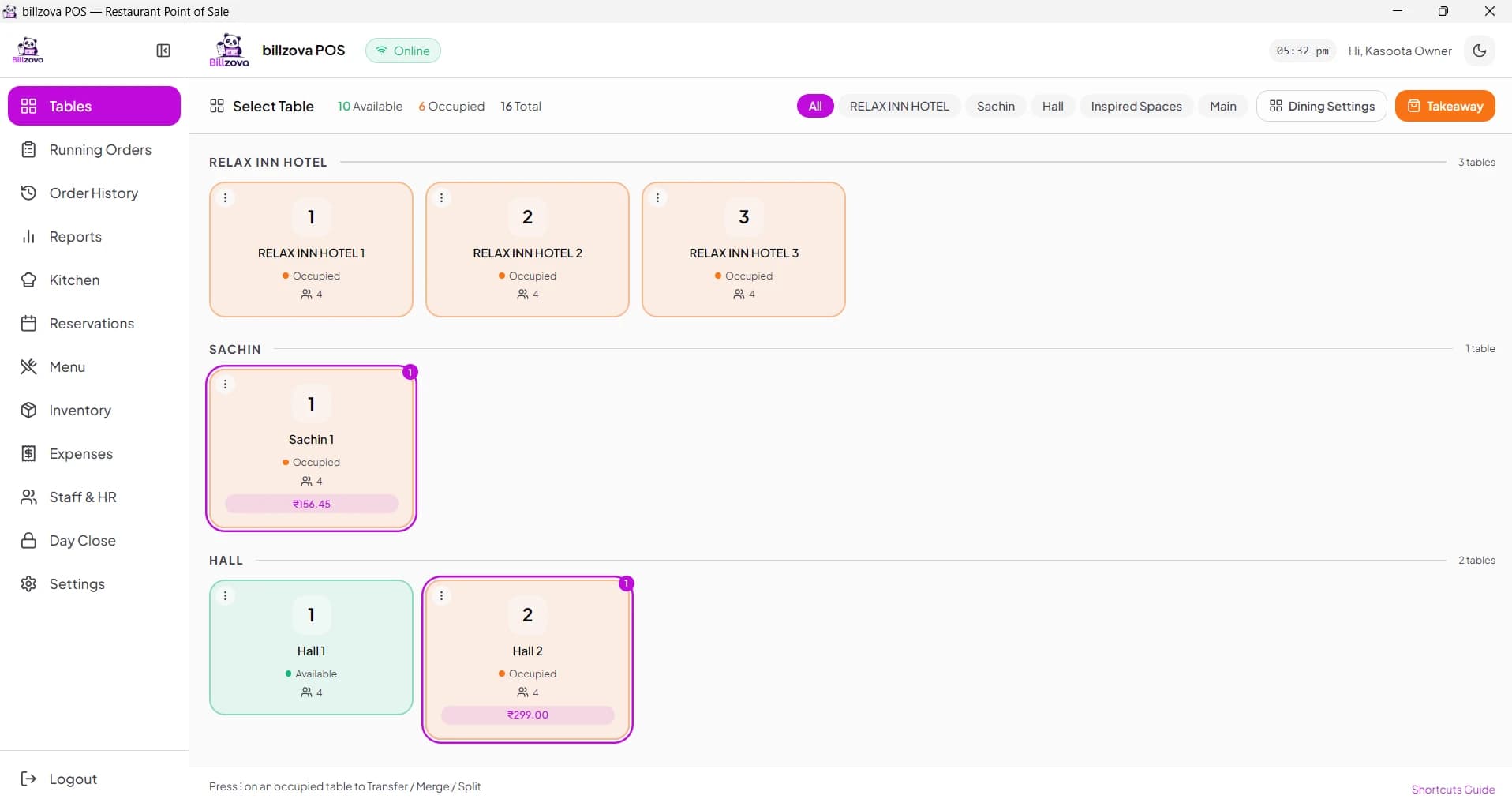
Dine-in tables and takeaway orders run side by side on the same billing screen. Turn on token numbers and every takeaway order gets a token that prints big on the KOT; the kitchen display shows each order and lets the kitchen mark it ready.
- Token numbers for takeaway orders
- Token printed big on the KOT
- Kitchen display — orders marked ready
- Table billing alongside counter and takeaway
- Split a bill or move an order between tables
Turn a first-time visitor into a regular
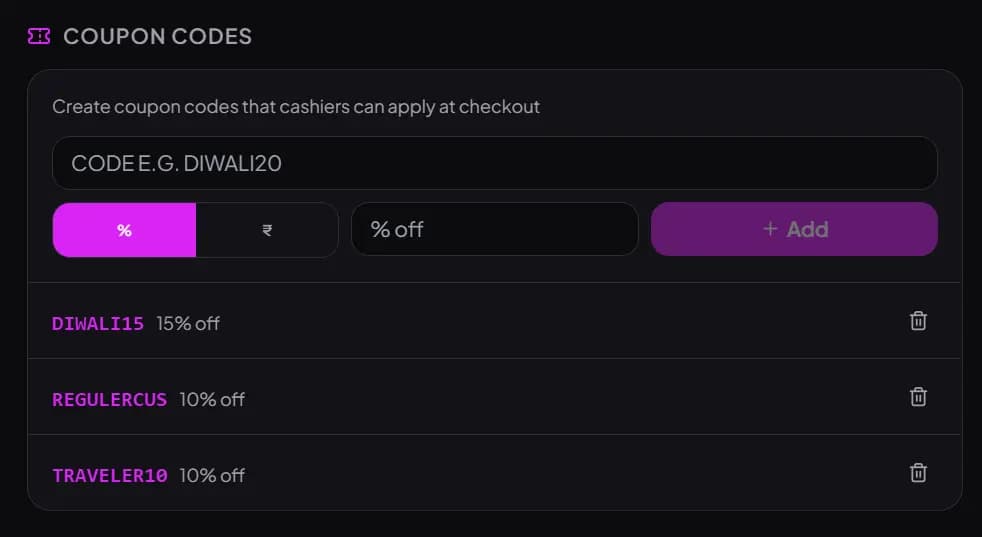
Customers are tagged by phone number automatically, with visit count and lifetime spend building up with zero manual entry. Generate coupon codes for offers, and let happy-hour discounts apply automatically between configured times.
- Automatic customer identification by phone number
- Visit count and lifetime spend per customer
- Coupon codes for offers
- Happy-hour discounts applied automatically
- Full customer database exportable to Excel any time
Know the real cost behind every cup, not a guess
Link each drink to a recipe of raw materials — coffee, milk, syrup — and stock deducts automatically on every sale instead of a manual count. Low-stock alerts warn before you actually run out, and recipe costing shows the real margin per item.
- Recipe-linked auto stock deduction on every sale
- Real per-drink cost and margin, not an estimate
- Low-stock alerts before ingredients run out mid-rush
- Purchase order and supplier tracking built in
- Waste logged by reason for real shrinkage visibility
Works online day to day — never stops when the connection drops
After one first online login, the Windows app keeps your menu, tables and settings in a local database on the PC. It works online normally and keeps billing and printing GST invoices when the internet drops, syncing back once you're reconnected.
- Full offline billing and GST invoicing — not a degraded mode
- Local database on the PC — no internet needed at the counter
- Automatic sync to your account once you're back online
- Staff can log in offline after their first online login
- Built for patchy Indian connectivity
Real-time reports, not a week-old spreadsheet
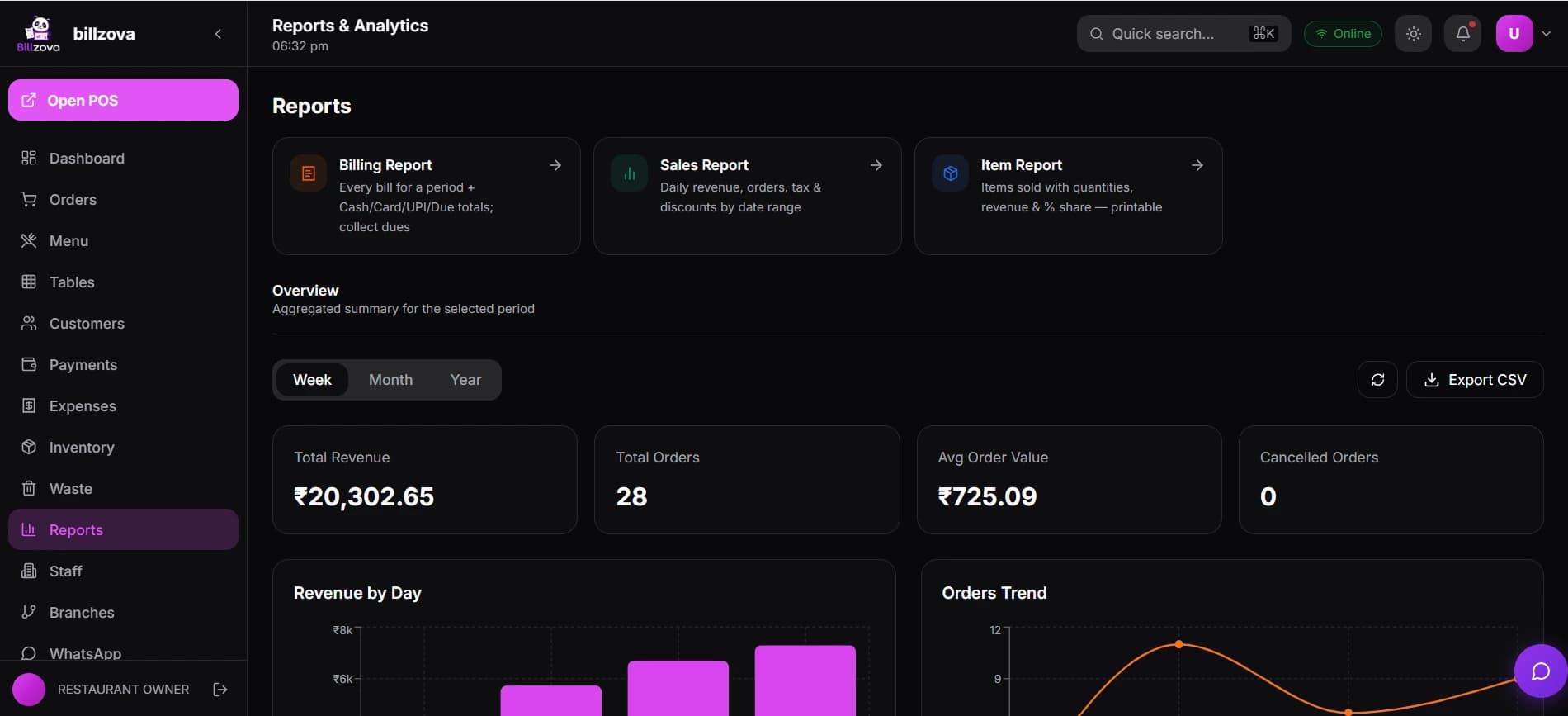
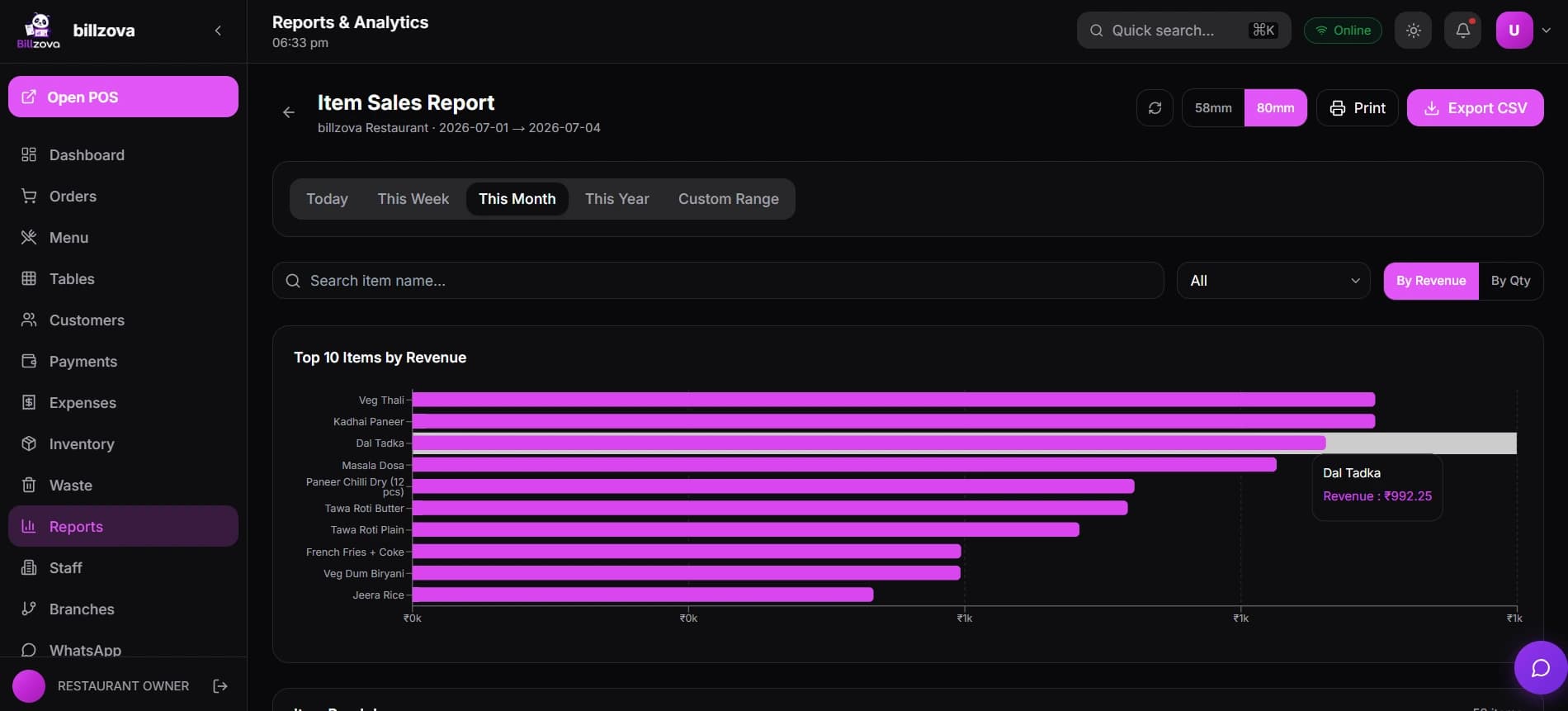
Daily and item-wise sales, sales by payment method and shift reports, all in real time and exportable to Excel — so at closing time you see exactly what came in as cash, UPI and card.
- Daily and item-wise sales reports
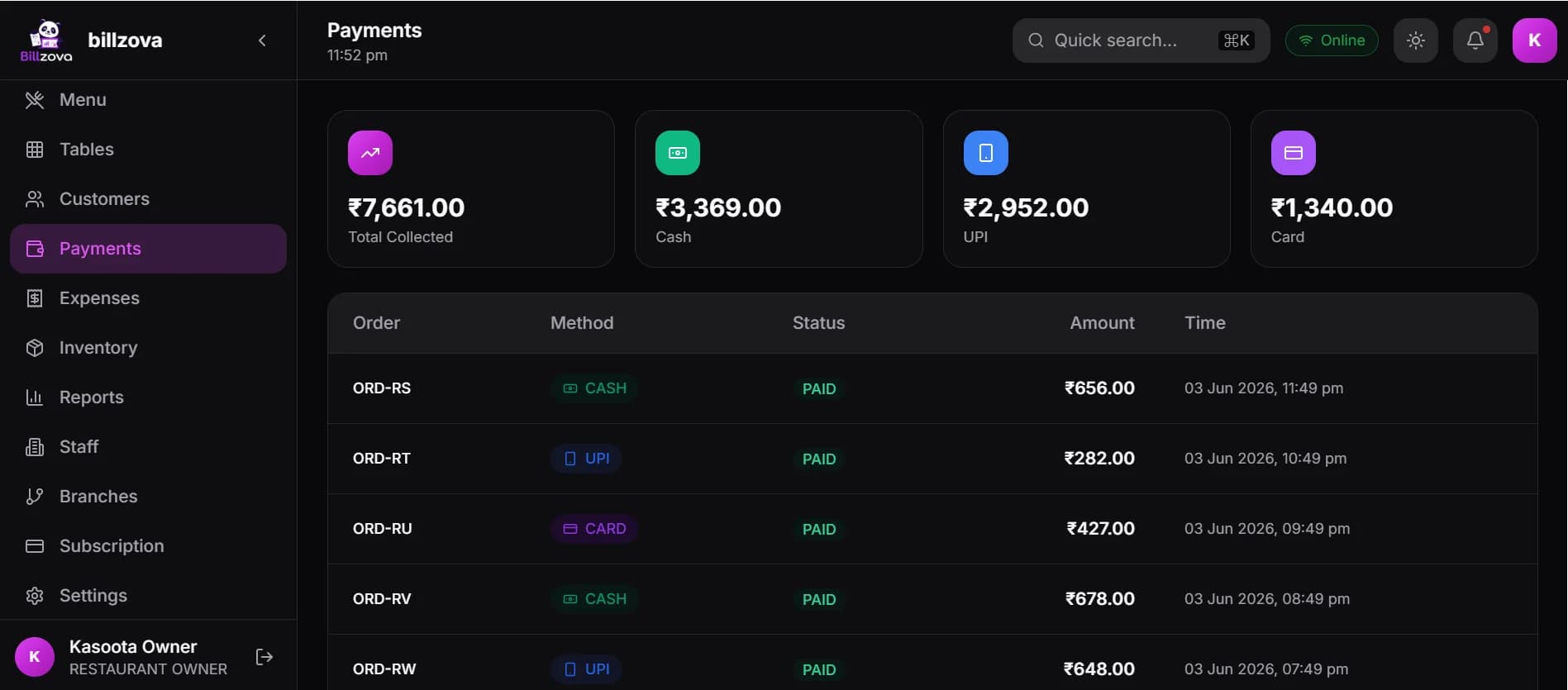
- Day-end sales by cash, UPI and card
- Real-time visibility, not end-of-week reporting
- Multi-branch consolidated view alongside per-branch detail
- Excel export for any report, ready for your CA
Also included
More that's already in your ₹399/month
Thermal Printer Support
58mm and 80mm thermal printers — the common sizes at cafe and coffee shop counters.
QR Self-Ordering
Diners scan a table QR to browse the menu and order directly — alongside counter ordering.
Multi-Branch Management
One shared menu with branch-specific items and one consolidated dashboard across every outlet — switched on for your account on request.
Multi-Payment
UPI, cash and card, including a split of them on one bill.
Data Export
One-click Excel export for sales, inventory, staff and customer data, with per-role permissions.
Billing Audit
Flags unusual deleted-invoice patterns per staff member — a genuine early-warning signal, not an accusation.
Staff Roles & Shifts
Role-based access, an individual login for every staff member, and shift tracking tied to that login.
End to end
The complete cafe counter workflow
A different shape from a restaurant floor or bakery counter — drink add-ons and a dine-in/takeaway split are the parts that make a cafe genuinely different.
Customer Walks In
A customer arrives at the counter, or is seated at a table for dine-in.
Order Taken
The order is punched in seconds on the touch-optimised menu grid — dine-in or takeaway.
Add-ons
Milk type, extra shot, syrup — add-ons are picked in the same flow, and their prices are added to the bill.
Instant KOT
The ticket prints for the kitchen or prep counter immediately, with any note under each drink.
Coffee Preparation
The drink is prepared against a ticket the barista can actually read correctly, every time.
Billing
The bill is generated with GST calculated correctly, ready to settle.
Payment
UPI, cash or card — or a split of them — recorded on the bill.
WhatsApp Invoice
The same GST invoice sent to the customer's WhatsApp when you add their number.
Inventory Updated
Ingredient stock deducts automatically per recipe, based on what was actually sold.
Reports
Every order feeds live into the day's sales reports, by item and by payment method.
Built for your format
Every kind of cafe, one plan
Coffee Shops
The core this page is built around — fast counter billing and drink add-on groups for a genuine espresso-bar rush.
Tea Cafes
The same add-on groups cover tea-specific variations — milk type, sugar level, ginger or masala — with the same speed at the counter.
Dessert Cafes
Recipe costing matters more here — knowing the real margin on a dessert with several ingredient components, not just the counter price.
Bakery Cafes
A counter combining bakery items and coffee needs weight-based billing alongside drink add-ons — our dedicated bakery page covers the weight-billing side in depth.
See Bakery POS →Quick Service Cafes
Takeaway token numbers printed big on the KOT, with tables and takeaway on one screen — what a quick-service cafe counter needs, covered directly above.
Franchise Cafes
Consistent pricing and reporting across locations, with each outlet keeping its own independent offline billing — the multi-branch structure covered in the features above.
See Multi-Branch Management →Specialty Coffee Shops
Higher-margin, lower-volume pours still benefit from real recipe costing — knowing the actual bean-and-milk cost behind a premium pour-over matters at a premium price point.
Coworking Cafes
A cafe counter serving a coworking space still needs the same fast billing and repeat-customer tracking — repeat regulars are the entire business model here.
In the product
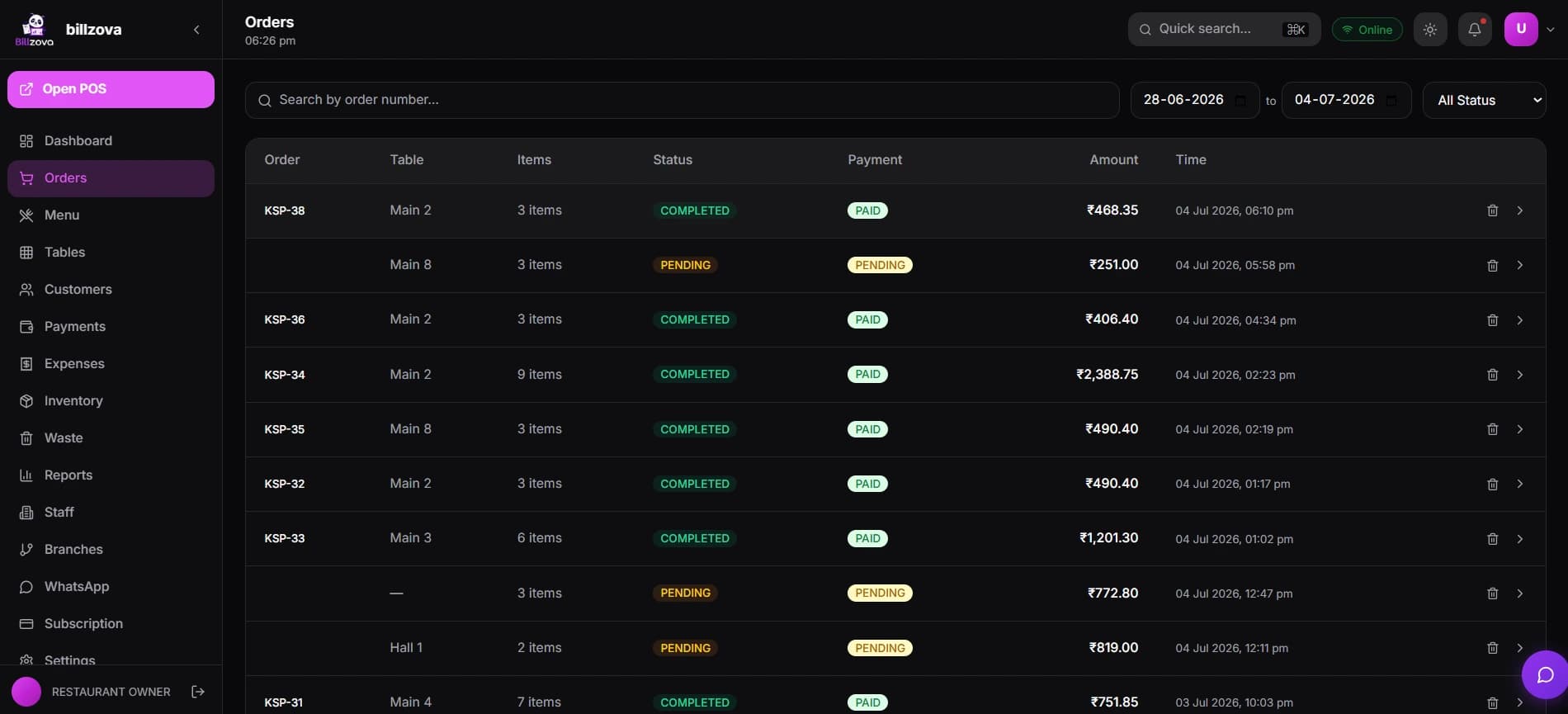
See every screen
Real product screenshots from an actual cafe customer — not stock illustrations.
Why choose billzova
What actually matters when comparing cafe billing systems
Not a takedown of any one vendor — these are the questions worth asking whichever software you're evaluating.
| What to check | billzova | Ask other vendors |
|---|---|---|
| Offline billing | Full billing & GST invoicing offline on Windows | Do billing and KOT keep working with no internet? |
| Speed | Search by name, short code or barcode | How many taps is a typical order? |
| Add-ons | Add-on groups, each option with its own price | Priced add-ons, or only free-text notes? |
| GST invoicing | CGST/SGST auto-split on every bill | Is the GST split automatic? |
| Pricing | Flat ₹399/month, every feature included | Is it priced per terminal, user or module? |
| Hardware | 58mm/80mm thermal, Windows, Android, web | Do you have to buy their hardware? |
| Ease of use | Under 2 minutes to install, billing same day | Can you start without a demo call? |
| Support | Included in the one plan | Is support in every plan? |
| Scalability | Same plan; more branches on request | Is multi-branch a separate tier? |
Beyond billing
How this actually helps a cafe grow
Reduce queues
Fast search and add-ons in the same tap keep the line moving during exactly the hours that matter most.
Increase repeat customers
Automatic phone-based tracking and coupons turn first-time visitors into regulars without a separate CRM.
Increase average order value
An add-on group that opens with the drink makes upsells (extra shot, syrup, oat milk) a natural part of billing, not an afterthought.
Reduce wastage
Recipe-linked stock deduction and wastage-reason logging turn invisible shrinkage into a specific, trackable cost.
Improve service speed
Instant KOTs with the note under each drink mean baristas spend time making drinks, not decoding handwriting.
Improve customer satisfaction
Correct orders, faster service and a clear takeaway token compound into real repeat business.
Before you choose
How to choose cafe billing software
Questions worth asking any vendor — including us — before you commit.
Common mistakes cafe owners make when choosing software
- • Picking generic billing software with no priced add-ons, then working around it with handwritten notes anyway.
- • Not testing actual counter speed during a simulated rush before committing.
- • Assuming "offline mode" is complete without checking whether KOT and GST invoicing actually keep working.
- • Ignoring loyalty and coupon tools entirely, then wondering later why repeat visits aren't growing.
FAQ
Cafe owner FAQ
Which is the best billing software for a cafe in India?▾
Is billzova fast enough for the morning rush?▾
Can it handle takeaway and dine-in together?▾
Does billzova support GST billing for cafes?▾
Can billzova print KOTs for the kitchen or prep counter?▾
Will billing stop if my cafe's WiFi is patchy?▾
How do drink add-ons work?▾
Can billzova manage repeat customers and offers?▾
Does billzova track cafe inventory — coffee beans, milk, syrups?▾
What thermal printer sizes does billzova support?▾
How much does billzova cafe billing software cost?▾
Can I send a customer their GST invoice on WhatsApp?▾
Does billzova accept UPI, cash and card together?▾
Can billzova support a cafe with dine-in seating and table service?▾
Does billzova offer real-time sales reports for a cafe?▾
Is billzova suitable for a small, single-counter cafe — not just a chain?▾
Can I run more than one cafe branch from billzova?▾
Does billzova support QR code ordering for cafe tables?▾
Can billzova track staff shifts at a cafe counter?▾
Is my cafe's data backed up with billzova?▾
Can billzova export my cafe's sales and customer data?▾
What devices does billzova cafe software run on?▾
How long does it take to set up billzova at a cafe counter?▾
Does billzova detect unusual billing activity at a busy counter?▾
Can billzova apply happy-hour discounts automatically?▾
Explore more
Keep the queue moving.
Fast billing, drink add-ons, GST invoices — one plan, ₹399/month, first month free.