Restaurant POS software India
that runs your whole operation.
billzova is online + offline restaurant management software for India — billing, GST, tables, KOT, inventory, staff and reports in one app instead of five disconnected tools. Rated 5.0/5 by Indian restaurants. ₹399/month, first month free.
Why it matters
Why modern restaurants need POS software
A restaurant running on a paper register or a generic billing app can absolutely stay in business — plenty do. What it can't do is answer, on any given day, exactly which dishes are actually profitable, whether GST is being calculated correctly on every single bill, or what a specific shift's cash actually reconciles to without a manual count. Those aren't small gaps; they're the difference between running a restaurant and reacting to one.
Manual operations also don't scale gracefully. A single owner tracking everything personally can absorb the gaps through sheer attention — but the moment more than one person is handling billing, or a second branch opens, the informal system that worked at small scale starts producing real discrepancies: a bill without correct CGST/SGST, inventory nobody actually counted, a shift's cash that doesn't match anyone's memory of the day.
A real restaurant POS system replaces that with structure that doesn't depend on any one person remembering to do it right: GST calculated the same way on every bill regardless of who's billing, stock that deducts itself instead of relying on a manual count, and reports that reconcile automatically instead of requiring someone to tally cash by hand at close. That's the actual case for restaurant management software — not novelty, just removing the places where a manual system quietly breaks down as a restaurant grows.
End to end
The complete restaurant workflow
From a reservation to a business decision — one connected system, not five disconnected tools.
Reservation
A guest books ahead, tied to a real table with a Confirmed → Seated status flow, or walks in directly.
Table Allocation
The floor view shows which tables are free by section, so seating takes seconds, not a walk around the room.
Captain Ordering
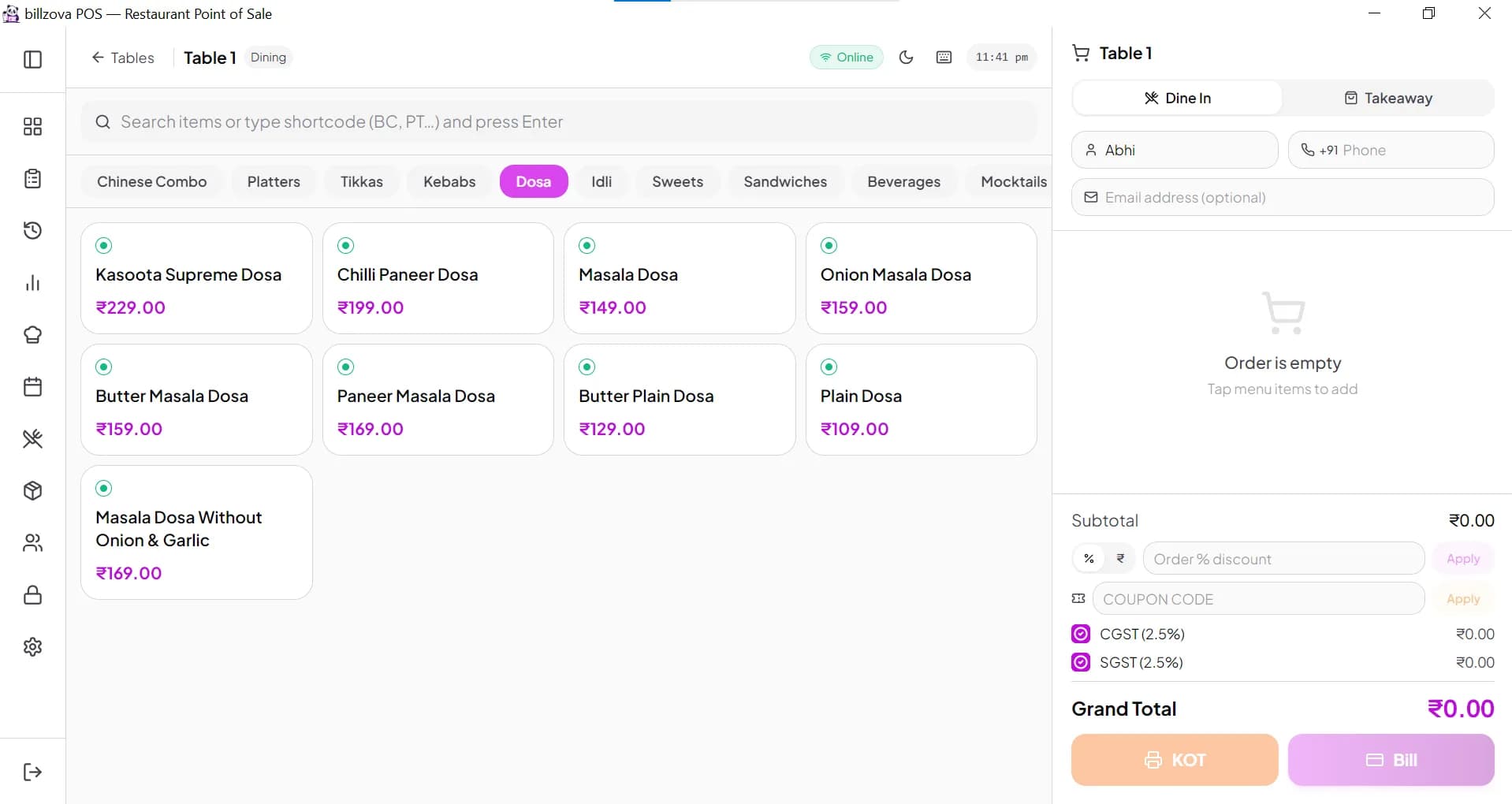
The order is punched tableside on a tablet, or taken at the counter — either way, in seconds.
Kitchen
Dishes are prepared against the ticket, with recipe-linked stock deducting automatically as they go.
KOT
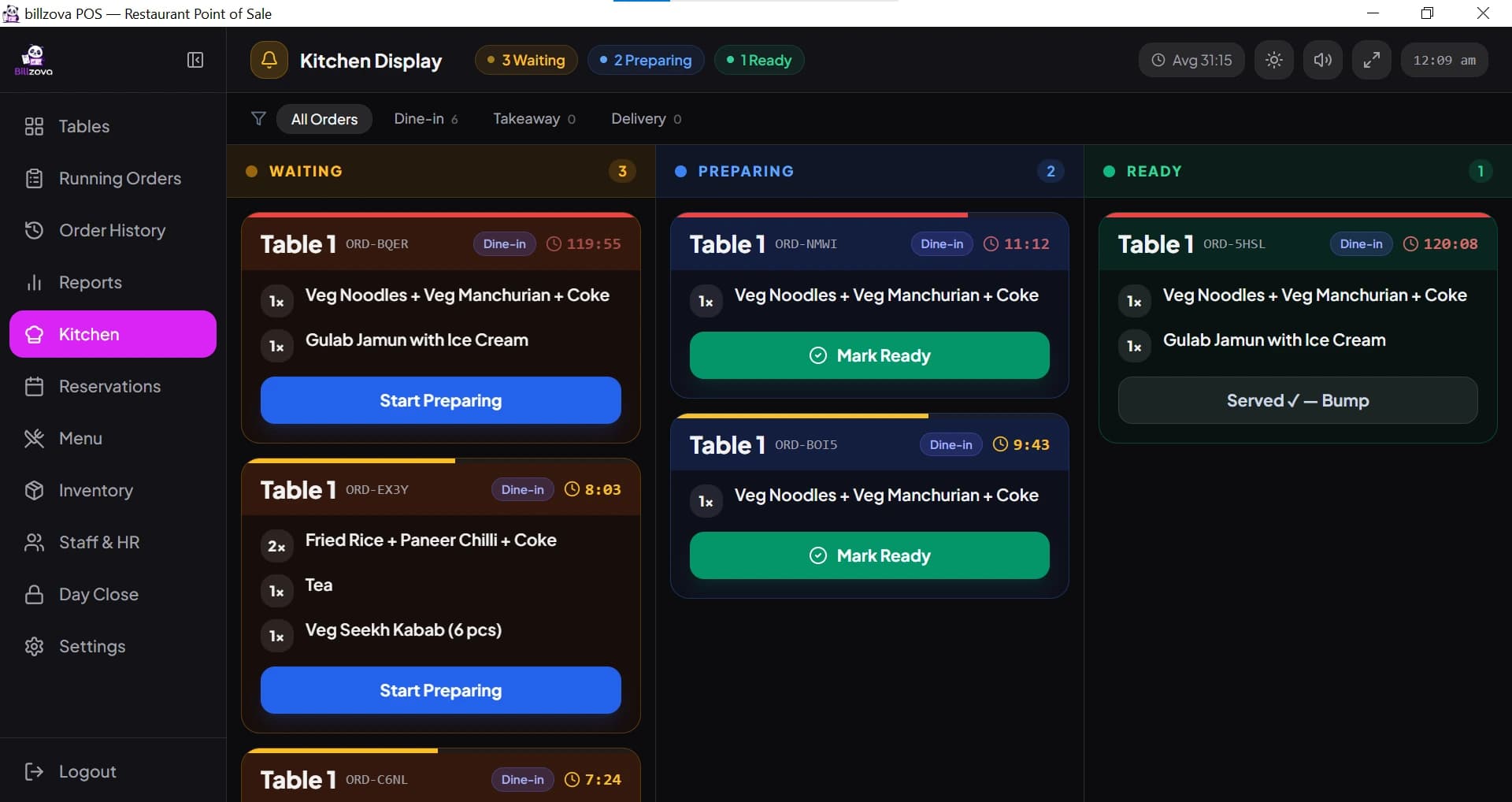
The kitchen order ticket prints instantly at the kitchen printer, or appears on the kitchen display.
Billing
The bill is generated, ready to split or settle however the table needs.
GST Invoice
CGST/SGST calculated and split correctly, GSTIN and sequential numbering included automatically.
Inventory Deduction
Stock updates in real time based on what was actually sold, not a manual end-of-day count.
Reports
Every order feeds live into sales, staff and inventory reports, tied together by a one-click day-close.
Business Insights
Item-wise margins, repeat-customer trends and branch comparisons turn daily numbers into real decisions.
Core features
Everything in one restaurant POS system
GST-correct billing, every time, regardless of who's at the counter
CGST and SGST are calculated and split automatically on every invoice, with your GSTIN, correct item-wise tax rates, and sequential invoice numbering — exactly the structure GST law requires, generated the same way whether it's billed by an owner or a first-day cashier.
- CGST + SGST auto-split on every bill
- GSTIN and correct item-wise tax rates, automatically
- Sequential, audit-ready invoice numbering
- Same compliant invoice sent automatically over WhatsApp
- GST-ready Excel exports for filing and your CA
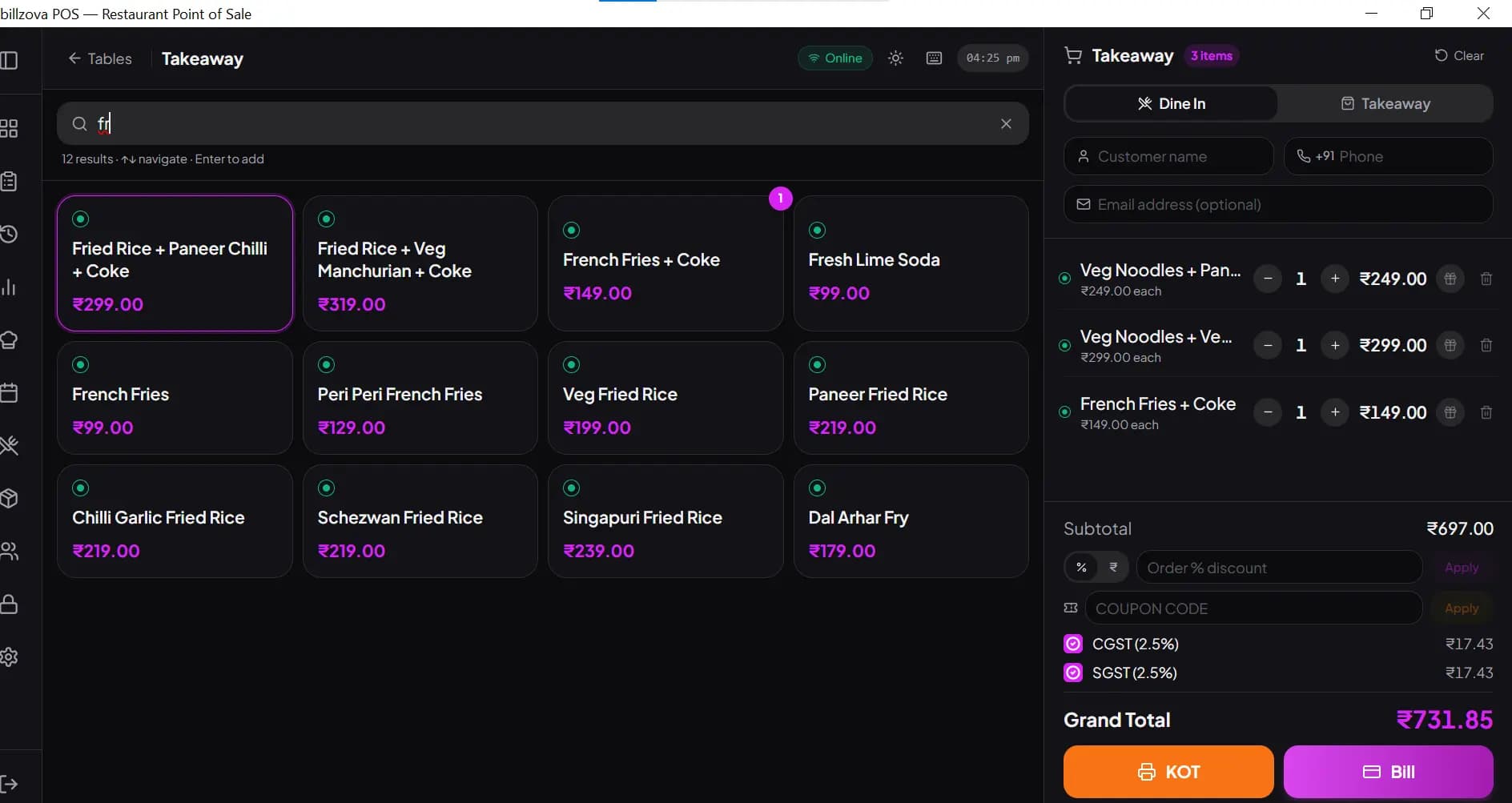
A live floor view, and captains who order straight from the table
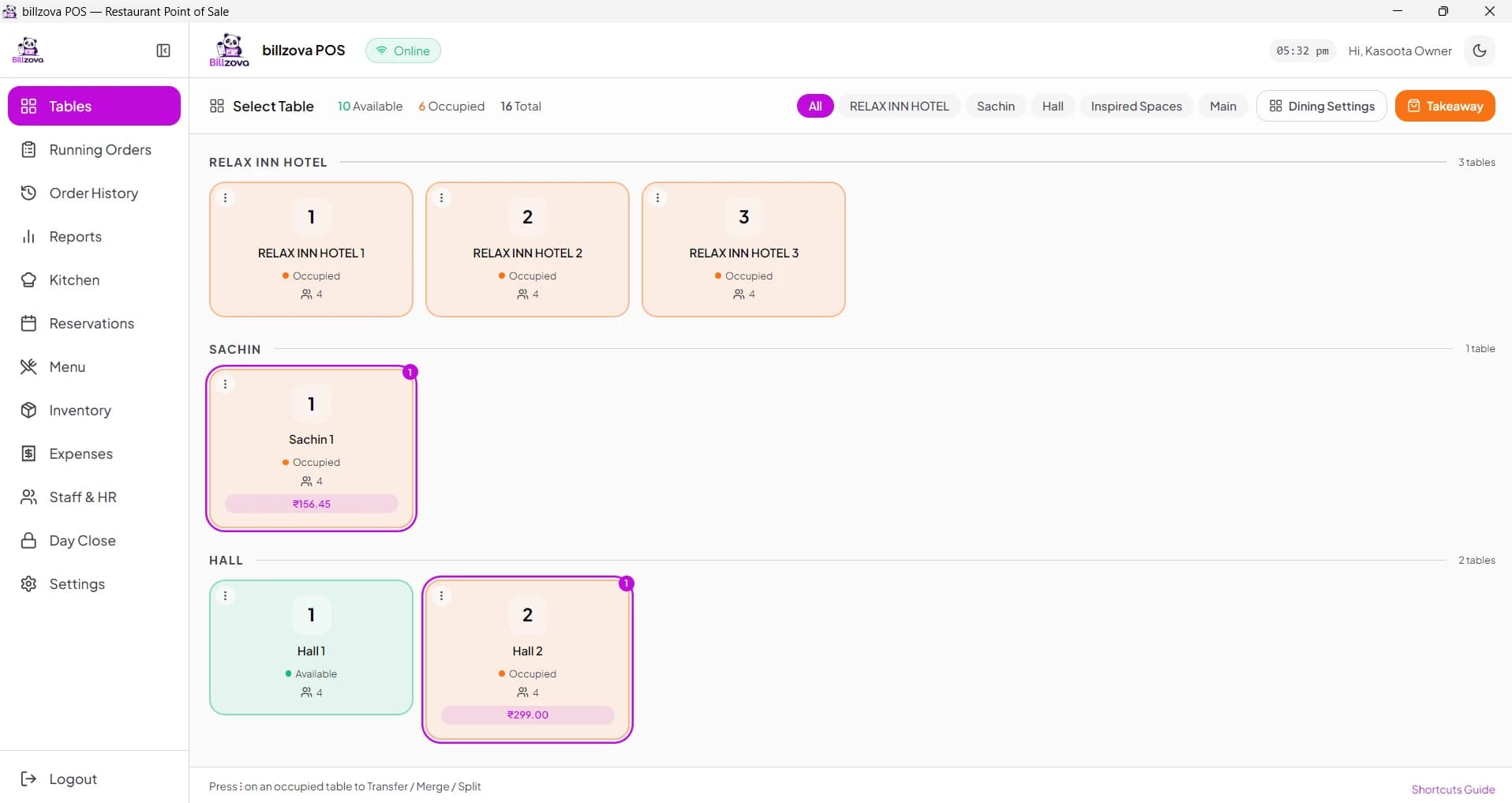
Table status by section, updated automatically with every bill. Reservations tie to a real table with a genuine status flow, and captains take orders tableside on a tablet that syncs directly to the kitchen — no walking back to a fixed terminal.
- Live floor view by section, occupied vs. free at a glance
- Merge or split tables for larger or smaller parties
- Reservations tied to a real table, with double-booking warnings
- Captain tableside ordering, synced instantly to the kitchen
- Table status updates automatically with billing — no manual step
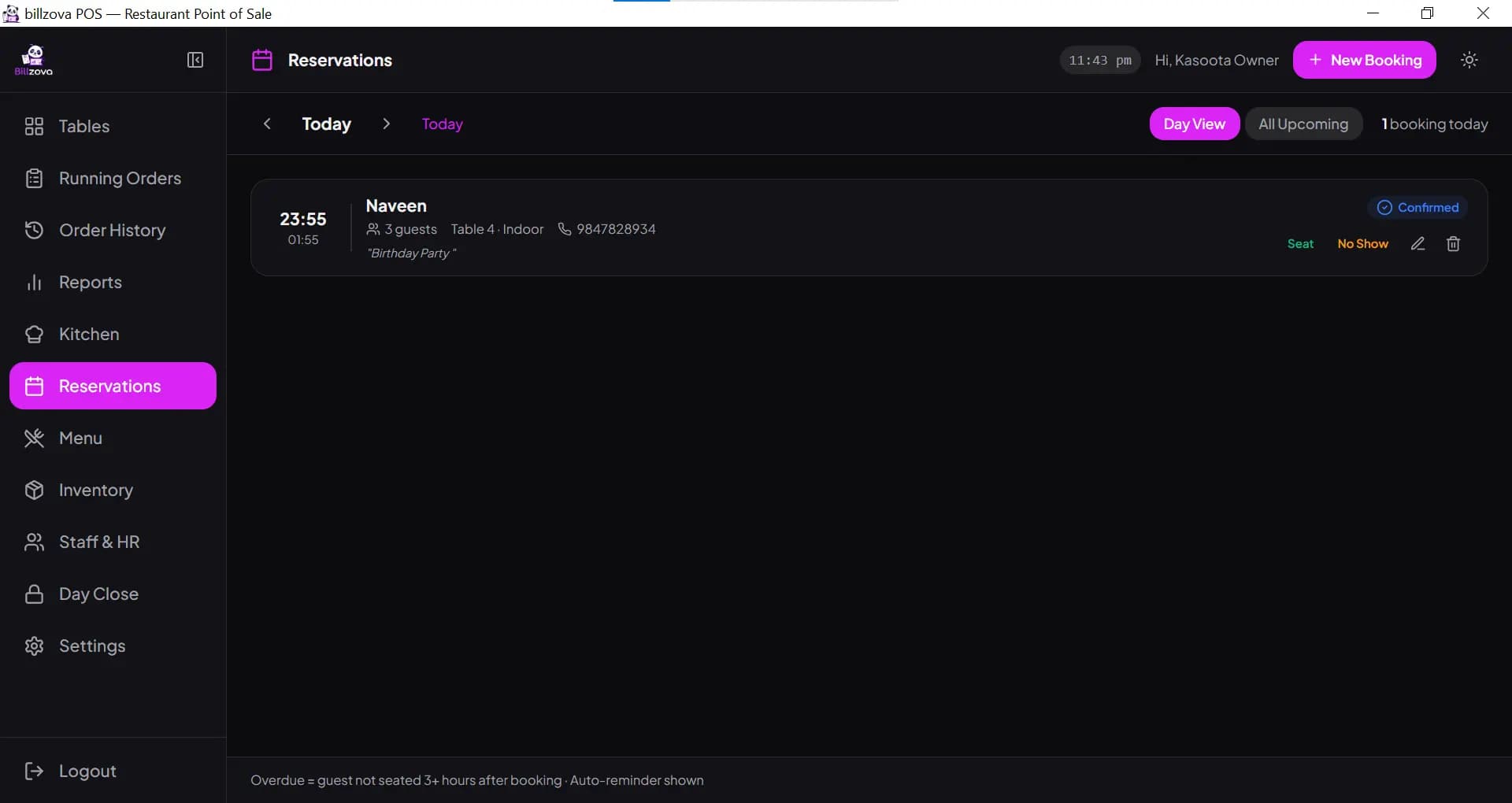
Kitchen tickets that fire the instant an order is punched
No paper slip walked to the kitchen, no handwriting to misread. The KOT prints at the kitchen printer the moment the order is saved — and a live kitchen display can sit alongside or instead of a printer, with Waiting, Preparing and Ready columns and urgency timers.
- Instant KOT printing the moment an order is punched
- Kitchen display with Waiting / Preparing / Ready columns
- Urgency timers and bump-to-clear on every ticket
- Optional live kitchen display
- Cuts the mismatch errors paper KOTs cause
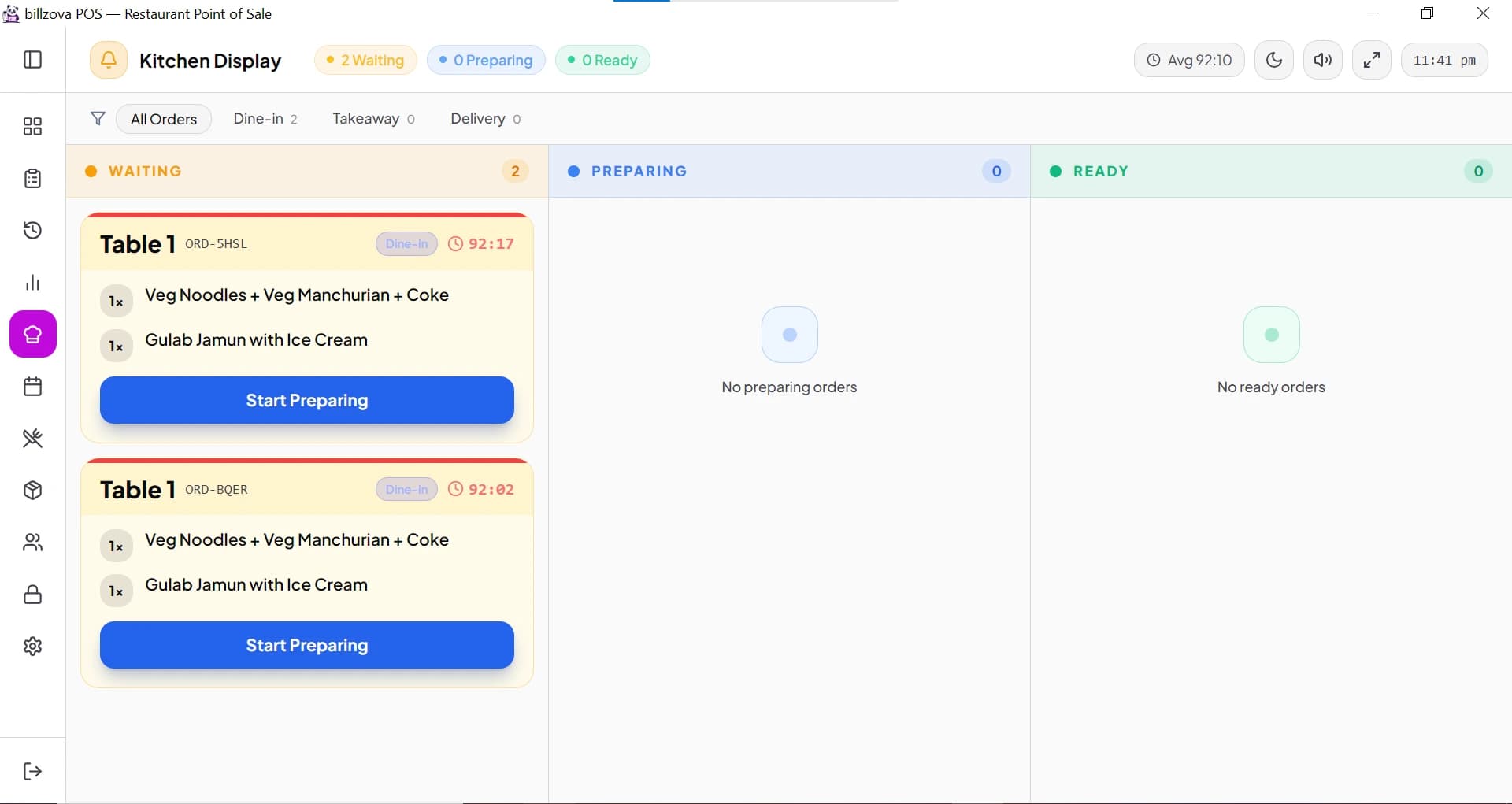
Real food cost, not a guess at month-end
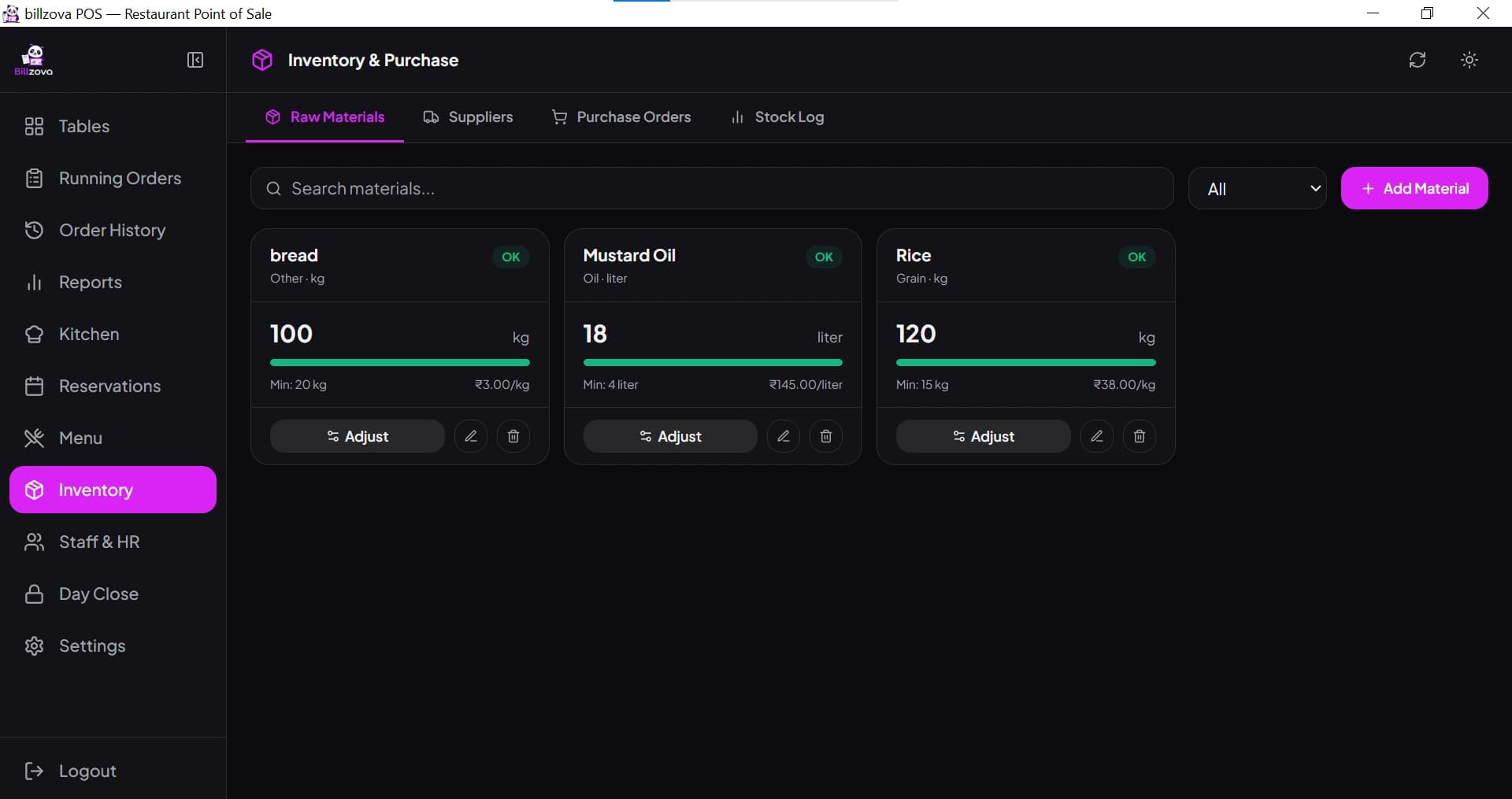
Link each dish to a recipe of raw materials, and stock deducts automatically with every sale instead of a manual count. Low-stock alerts warn before you actually run out, and recipe costing shows the real margin behind every menu item, recalculating when an ingredient's price changes.
- Recipe-linked auto stock deduction on every bill
- Low-stock alerts before you run out mid-service
- Real per-dish cost and margin, not a spreadsheet estimate
- Purchase order and supplier tracking built in
- Waste and wastage-reason tracking for real shrinkage visibility
Works online day to day — never stops when the connection drops
After one initial online login, billzova keeps your whole restaurant — menu, tables, staff, tax rules — in a local database on the PC. It works online normally and switches to full offline billing, KOT and GST invoicing automatically the instant it needs to, syncing back once the connection returns — not a degraded mode with features quietly disabled.
- Full offline billing, KOT and GST invoicing — not degraded
- Local database on the PC — no internet needed at the counter
- Automatic cloud backup and sync once you're back online
- Staff can log in offline after their first online login
- Built around real Indian connectivity, not a best-case assumption
Reports that reconcile, not just numbers on a screen
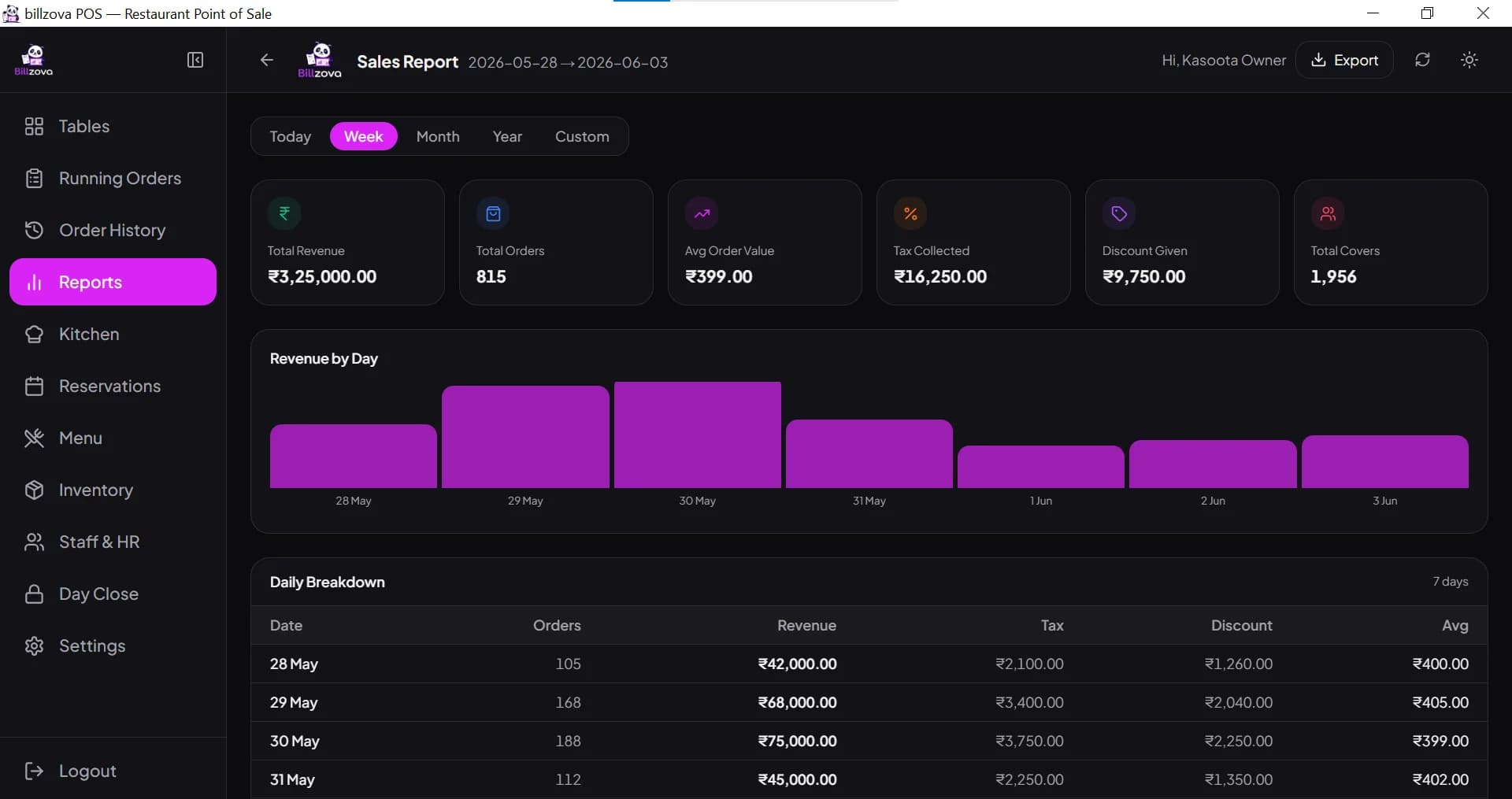
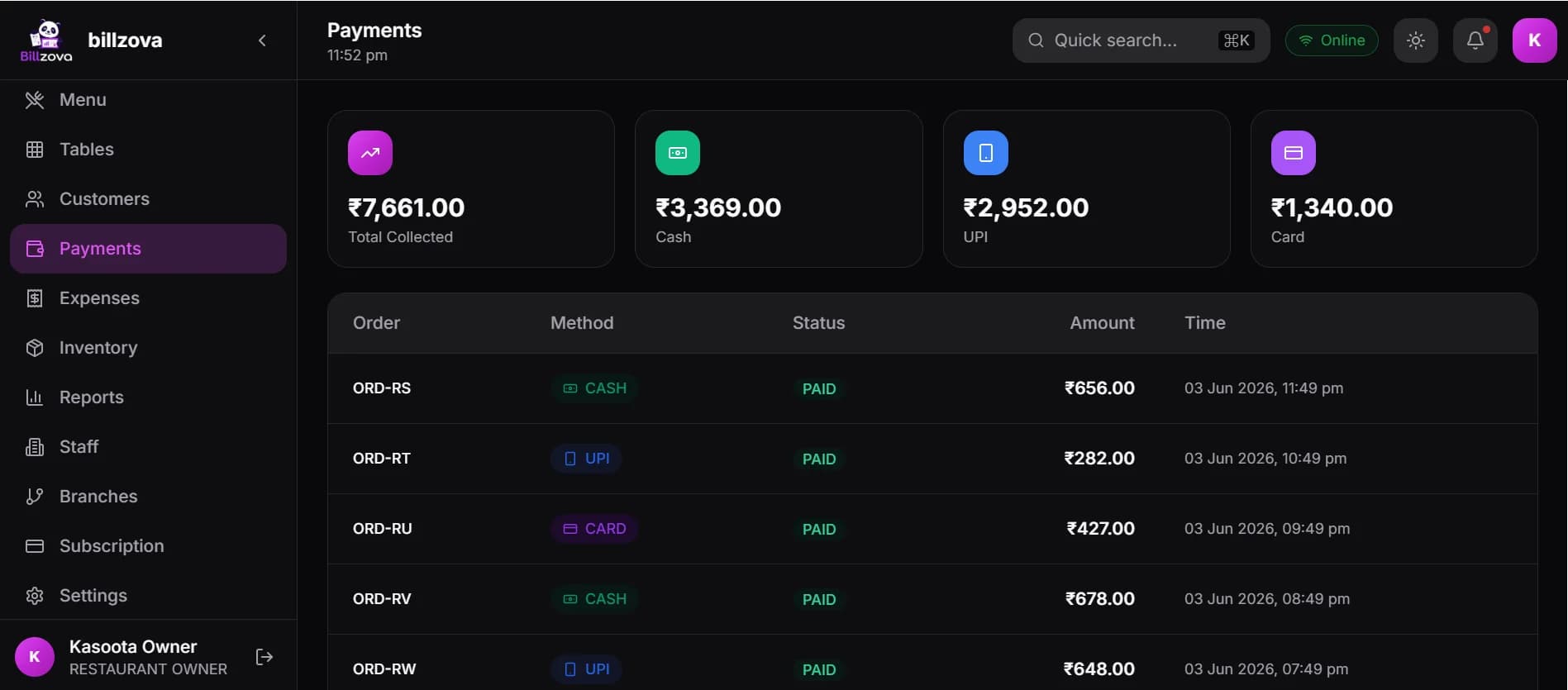
Daily sales, item-wise performance and shift reports, all exportable to Excel. A one-click day-close report reconciles cash, UPI and card automatically at closing time, replacing manual tallying that rarely matches on the first try.
- Daily, item-wise, and shift-wise sales reports
- One-click day-close (Z-report) reconciliation
- Cash, UPI and card reconciled automatically
- Multi-branch consolidated reporting alongside per-branch detail
- Excel export for any report, ready for your CA
A customer database that builds itself from real billing data
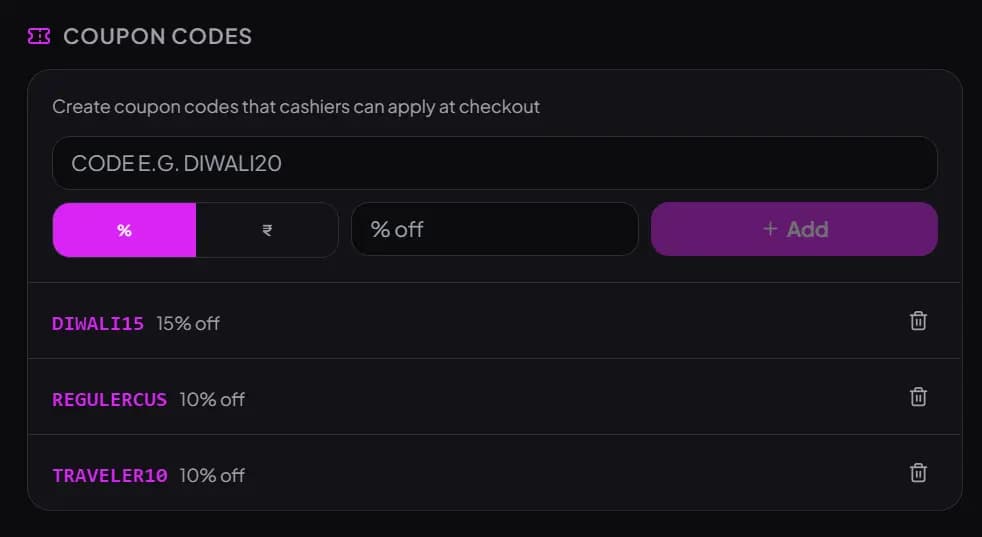
Type a phone number at checkout — a new customer's profile is created automatically, a returning one's visit history and total spend load instantly. Discounts and coupon codes run on top of that same real data, not a disconnected marketing tool.
- Automatic customer identification by phone number
- Visit count, total spend and history with zero manual entry
- Bills sent to the customer on WhatsApp
- Coupon code campaigns with conditions and redemption tracking
- Full customer database exportable to Excel any time
Group dining, handled the way it actually happens
Move the dishes a guest wants onto their own bill, merge two tables for a big party, or move an order to another table. Every bill gets its own GST, and each can be paid by UPI, cash, card or a split of them — with the totals by payment method in your day-end report.
- Split bill: move chosen dishes onto a second bill
- Each bill with its own correct GST
- Merge tables for larger parties, move an order between tables
- UPI, cash and card, including mixed payments on one bill
- Payment-method totals in the day-end report
Role-based access, and your data safe both ways
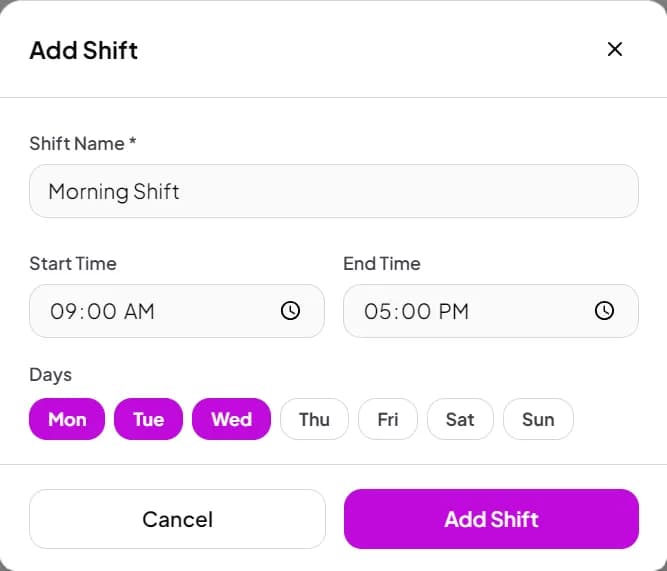
Add staff with their own login and role-based permissions controlling exactly who can discount, void, or see reports. Bills live in a local database on the PC for offline resilience, and sync to your cloud account automatically once you're online — a copy in both places, not a trade-off.
- Role-based permissions per staff member
- Individual logins, switched off instantly on staff exit
- Local database on the PC for offline billing
- Automatic cloud backup the moment you're back online
- Digital attendance via login/logout, exportable for payroll
Also included
More that's already in your ₹399/month
QR Self-Ordering
Diners scan a table QR to browse the menu and order directly — alongside captain and counter ordering, not a replacement for GST billing.
Multi-Branch Management
One shared menu with branch-specific items, scoped manager access, and one consolidated dashboard across every outlet — switched on for your account on request.
WhatsApp Invoicing
The same GST-compliant bill sent automatically to the customer's WhatsApp — no separate app, no manual step.
Web Dashboard
Check live sales, reports and inventory from any phone, tablet or laptop browser, wherever you are.
Billing Audit
Flags unusual deleted-invoice patterns per staff member — a genuine early-warning signal, not an automatic accusation.
Multi-User Roles
Up to 50 staff accounts included, each with role-based access — no extra per-seat licensing to negotiate.
Built for your format
Which restaurant POS fits your format?
The features above cover the common ground every format needs. A few formats have different-enough needs that they get their own dedicated, deeper page.
Fine Dining & Casual Dining
Full-service, table-based restaurants are what the features above are built around directly — table management, captain ordering, instant KOTs and split bills for a busy dine-in floor.
QSR & Fast Food
Combo pricing, token queues, and sub-10-second counter billing matter more than table management for a QSR — our dedicated QSR page covers that specific workflow.
See QSR POS →Cafe
A coffee-and-counter format needs fast counter billing and drink add-ons more than table management — our dedicated cafe page goes deeper on that specific setup.
See Cafe POS →Bakery
Weight and loose-quantity billing, plus recipe costing for real margins, are bakery-specific priorities our dedicated bakery page covers directly.
See Bakery POS →Cloud Kitchen
A delivery-only operation has a genuinely different shape — a live kitchen display instead of a floor to manage, no table management at all. Our dedicated cloud kitchen page covers that model specifically.
See Cloud Kitchen POS →Bar & Pub
Running tabs per table or guest, liquor stock tracking, and happy-hour pricing are needs a bar or pub has that a standard dine-in restaurant doesn't — our dedicated page covers those directly.
See Bar & Pub POS →Food Court
Multiple independently-owned stalls sharing tables and a QR ordering flow, without a shared till, is a genuinely different model — our dedicated food court page explains how that works.
See Food Court POS →Pizzerias
Topping and crust modifiers, delivery & takeaway billing, and combo pricing for a pizza-plus-drink deal are pizza-specific needs our dedicated pizza page covers directly.
See Pizza POS →Multi-Branch Chains
One shared menu with branch-specific items, scoped manager access per outlet, and one consolidated dashboard — each branch still keeps its own independent offline billing.
In the product
See every screen
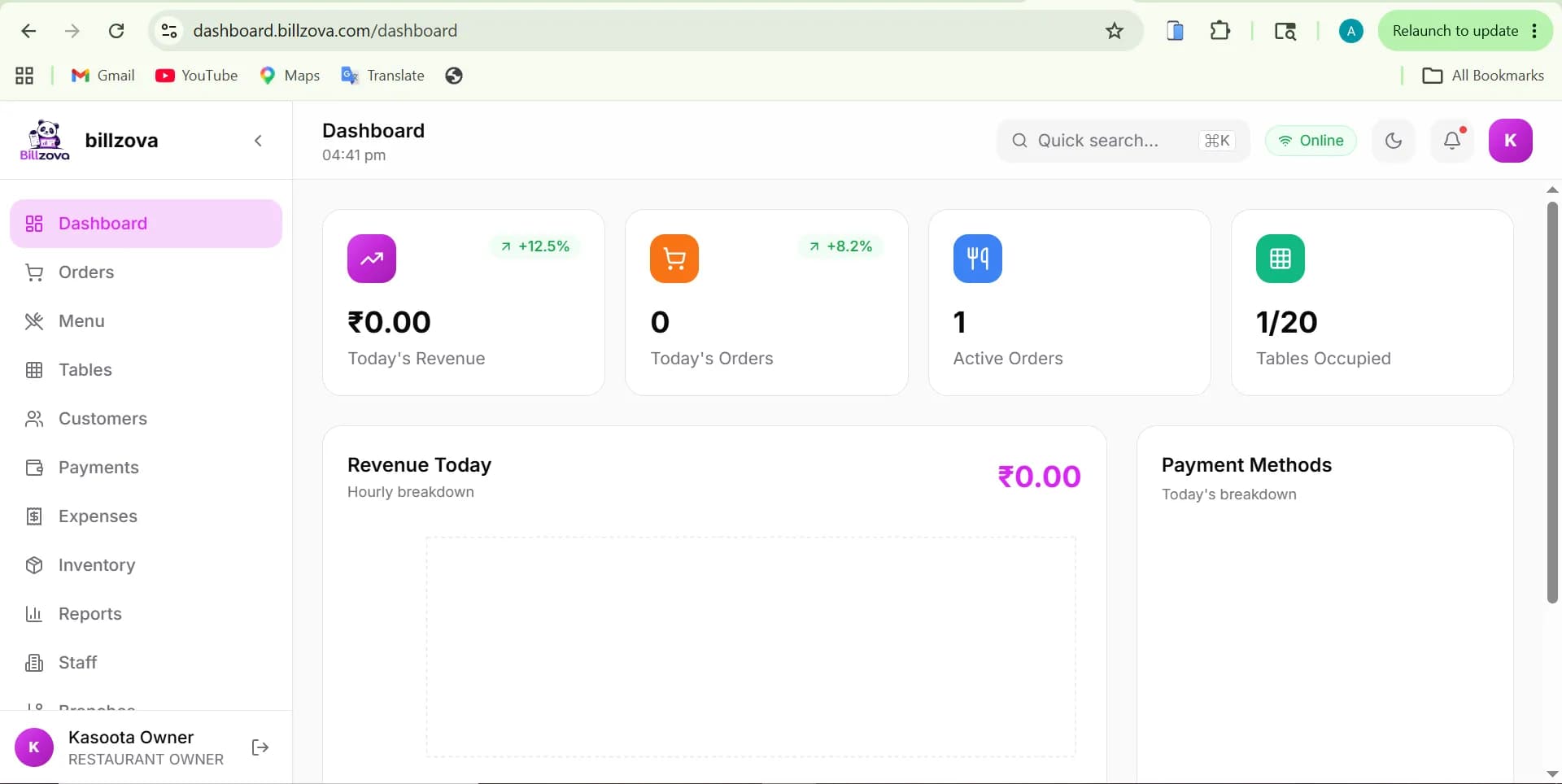
Real product screenshots — not stock illustrations.
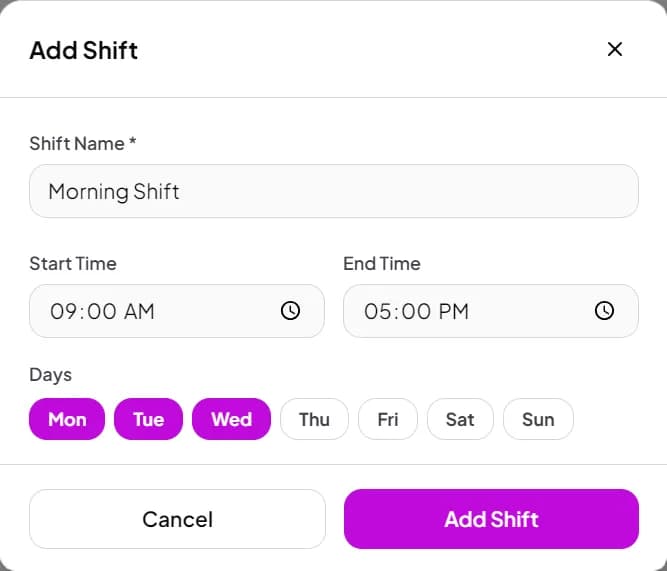
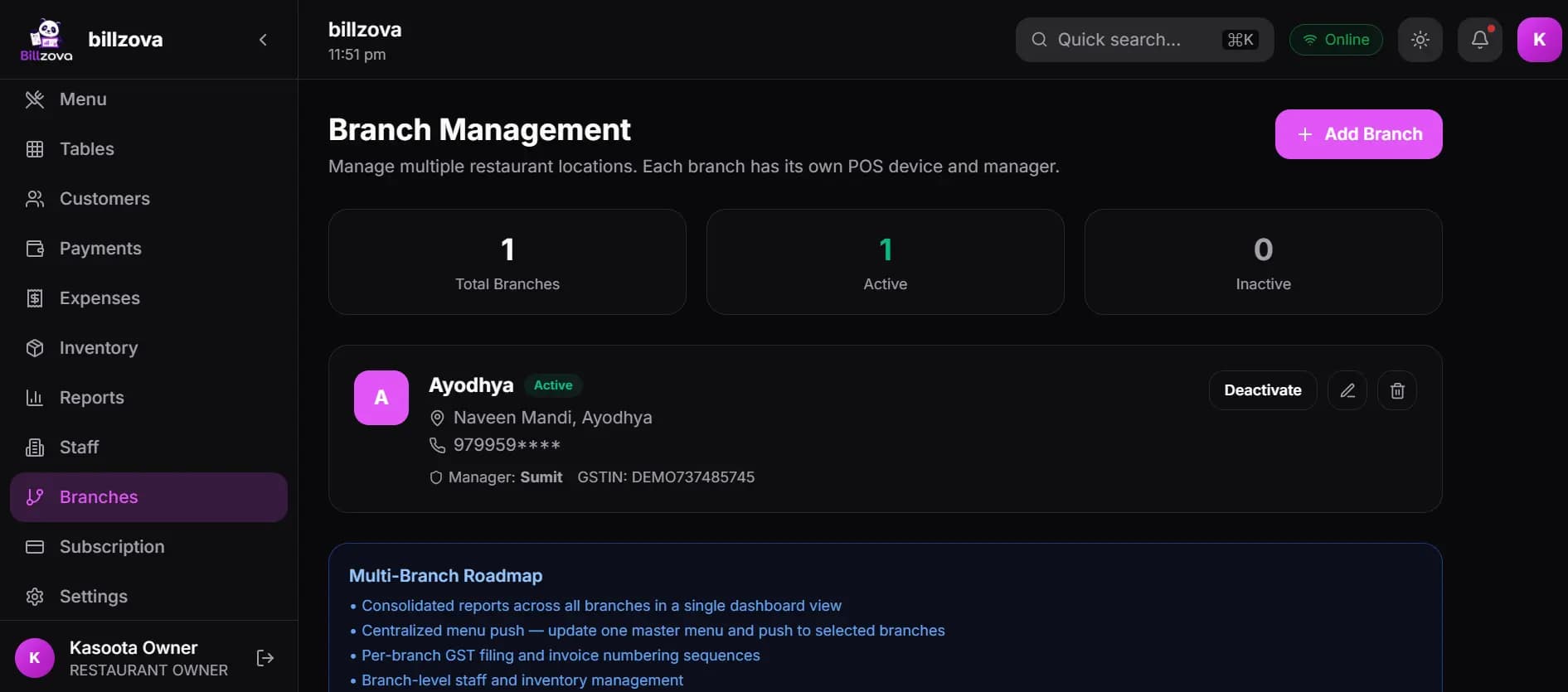
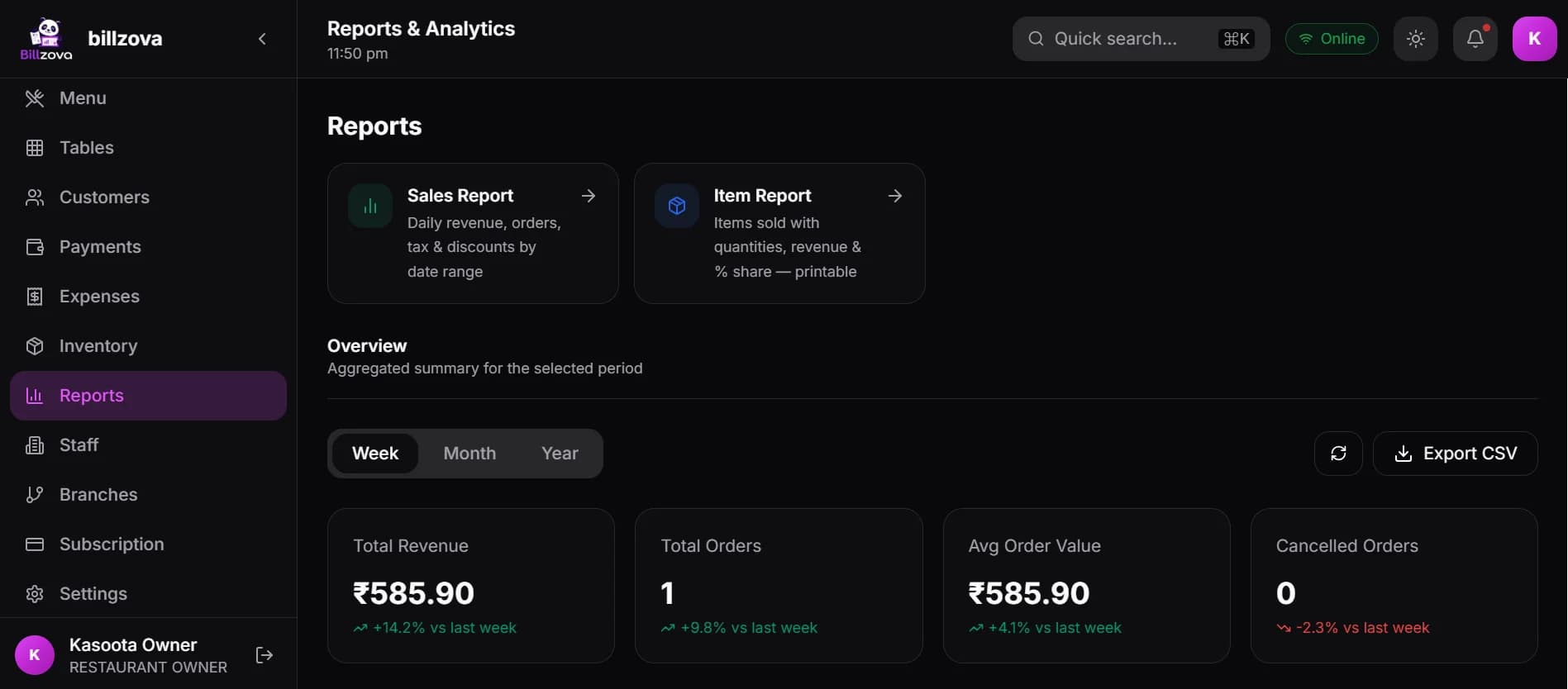
Why choose billzova
What actually matters when comparing restaurant software
Not a takedown of any one vendor — these are the dimensions worth checking against whatever you're evaluating.
| What to check | billzova | Typical alternative |
|---|---|---|
| Offline billing | Full billing, KOT & GST invoicing offline | Often degraded or stops entirely |
| Pricing | Flat ₹399/month, every feature included | Per-terminal or per-module add-ons |
| GST invoicing | CGST/SGST auto-split on every bill | Varies — some require manual setup |
| Hardware | 58mm/80mm thermal, Windows, Android, web | Often tied to specific proprietary hardware |
| Inventory & recipe costing | Included, auto-deducts per sale | Frequently a separate paid module |
| Support | Included at every plan tier | Sometimes gated to higher tiers |
| Ease of setup | Under 2 minutes, billing same day | Often requires onboarding scheduling |
| Updates | Continuous, included in the subscription | Varies — some charge for major updates |
| Scalability | Same ₹399 plan for each extra branch, on request | Often a separate enterprise tier and price |
Hardware
Runs on what you already have
No proprietary terminal to buy — billzova runs on standard, affordable hardware.
Thermal Printers
Both 58mm and 80mm thermal printers — the common sizes used across Indian restaurant counters.
Windows Desktop
The main billing counter app, with full thermal printer support and complete offline billing.
Android
Bill on the go from an Android device — useful for captain tableside ordering or a second counter.
Web Browser
The management dashboard works from any phone, tablet or laptop browser — no install needed.
Touch-Optimised UI
The billing screen is built for touch input, whether on a touchscreen monitor or a tablet.
QR Table Ordering
Guests scan the QR on their table to see the menu and order from their phone; the order rings on the POS and in the kitchen.
Beyond billing
How this actually helps a restaurant grow
Increase visible profit
Recipe costing shows real per-dish margin, so pricing and menu decisions are based on actual numbers instead of a guess.
Reduce wastage
Wastage logged by reason — expired, spoiled, overproduction — turns an invisible cost into a specific, trackable one.
Reduce billing mistakes
Automatic GST calculation and recipe-linked stock deduction remove the manual steps where errors actually happen.
Improve customer satisfaction
Faster billing means shorter waits at the counter, and instant KOTs mean fewer wrong-order mix-ups reaching the table.
Reduce food cost
Knowing real ingredient cost per dish, updated as prices change, makes portioning and menu pricing decisions genuinely informed.
Improve inventory accuracy
Auto-deducted stock replaces a manual count that was always a day behind reality.
Increase repeat customers
Automatic customer tracking, coupons and WhatsApp bills build a real repeat-visit base without a separate CRM to maintain.
Before you choose
How to choose restaurant software
Questions worth asking any vendor — including us — before you commit.
Common mistakes restaurant owners make when choosing software
- • Judging "offline mode" by the claim, not by whether KOT and GST invoicing actually work without internet.
- • Signing up for a low headline price without checking what's a separate paid module.
- • Skipping a real test of GST invoice output before committing — the format matters at filing time, not just at the counter.
- • Choosing based on a feature list alone, without checking whether it maps to how the restaurant actually runs its busiest hour.
FAQ
Frequently asked questions
How do I choose restaurant POS software in India?▾
What is restaurant POS software, exactly?▾
What is restaurant management software, and does billzova cover it?▾
How much does restaurant POS software cost in India?▾
Does restaurant POS software work without internet in India?▾
Is billzova GST-compliant?▾
Which restaurant POS software supports thermal printers?▾
Which POS software manages restaurant tables?▾
Is billzova good for full-service and fine-dining restaurants in India?▾
Can captains take orders at the table on a tablet?▾
Does billzova support table reservations?▾
Does billzova support KOT (kitchen order tickets)?▾
Which POS software manages restaurant inventory?▾
Is it suitable for a small restaurant or cafe?▾
Can I manage multiple restaurant branches from one account?▾
Which devices does billzova restaurant software run on?▾
How long does it take to set up billzova?▾
Does billzova support QR code self-ordering?▾
Can I split a bill or merge tables for a large group?▾
Does billzova track staff and control who can apply discounts or void bills?▾
Is my restaurant data backed up and secure?▾
Can billzova send customers a digital invoice on WhatsApp?▾
Does billzova have a customer database for repeat customers?▾
What's the actual difference between restaurant billing software and full restaurant POS software?▾
Can billzova detect billing fraud or unusual staff behaviour?▾
Does the software help reduce food cost, or just track sales?▾
Is there a genuine free trial, or just a sales demo?▾
Can I export my restaurant's data at any time?▾
Explore more
Start billing in 10 minutes.
Full access to every feature. Cancel anytime. ₹399/month after your free trial.