A “Book a table” button
that only offers tables you have.
Let guests book from your own restaurant website at any hour. They see only the times you can really seat, the booking lands in your POS, and your staff confirm it in one tap — with no booking-app fee on any cover.
The struggle
Sound familiar?
Calls you cannot pick up
Guests ring at 8:30 pm on a Saturday, exactly when nobody can answer. Many will not call twice — they book somewhere that lets them do it online.
A register nobody else can read
Bookings in a notebook or on one staff member's WhatsApp mean double bookings, lost names and a front desk that only works when that person is there.
Overbooked or half empty
Without a count of guests per time, you either promise more seats than you have or turn people away when there was room.
Why it matters
Dining out is growing fastest outside the big metros
Booking a table online used to be something only fine-dining places in Mumbai or Bengaluru worried about. That is changing. The Swiggy–Kearney “How India Eats” report found dining-out growth in cities beyond the top eight running at roughly twice the pace of the top eight, and Gen Z diners growing about three times faster than other age groups (Business Today; Kearney report).
Younger guests plan on their phones. They look you up on Google or Instagram, check the menu and photos, and want to lock in a table for the birthday or the office dinner right there — not wait until your phone is free. If the only option is “call us”, a share of them simply book somewhere else.
Booking platforms can send you those guests, but they sit between you and your regulars and may charge for the privilege. A “Book a table” button on your own website does the same job for the guests who already know you — the family that comes every Sunday, the group that celebrates every birthday with you — and keeps the booking, the phone number and the relationship with you.
The guest's side
What booking looks like for your guest
The best booking flow is the one a guest finishes in under a minute on a phone. With Billzova booking on your website it goes like this:
- 1
Tap "Book a table"
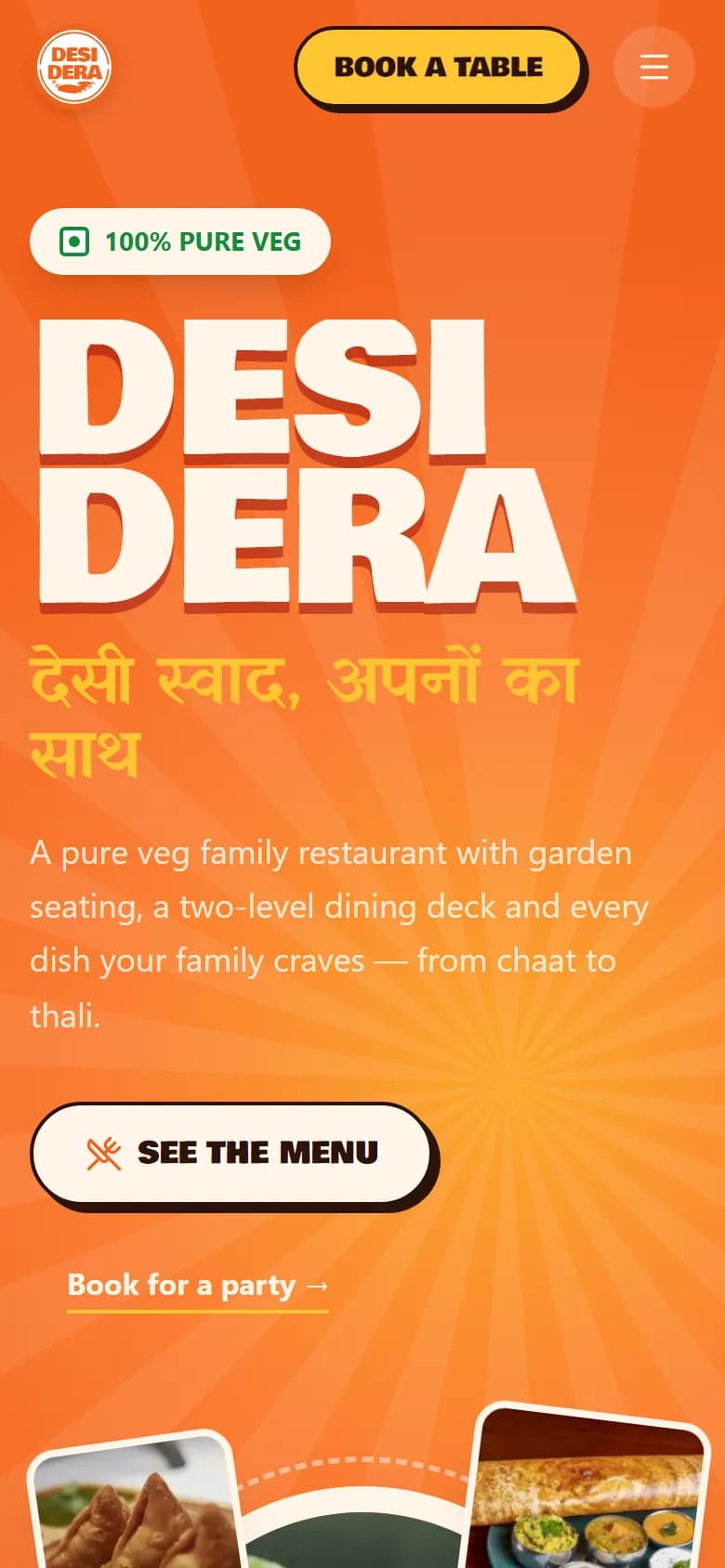
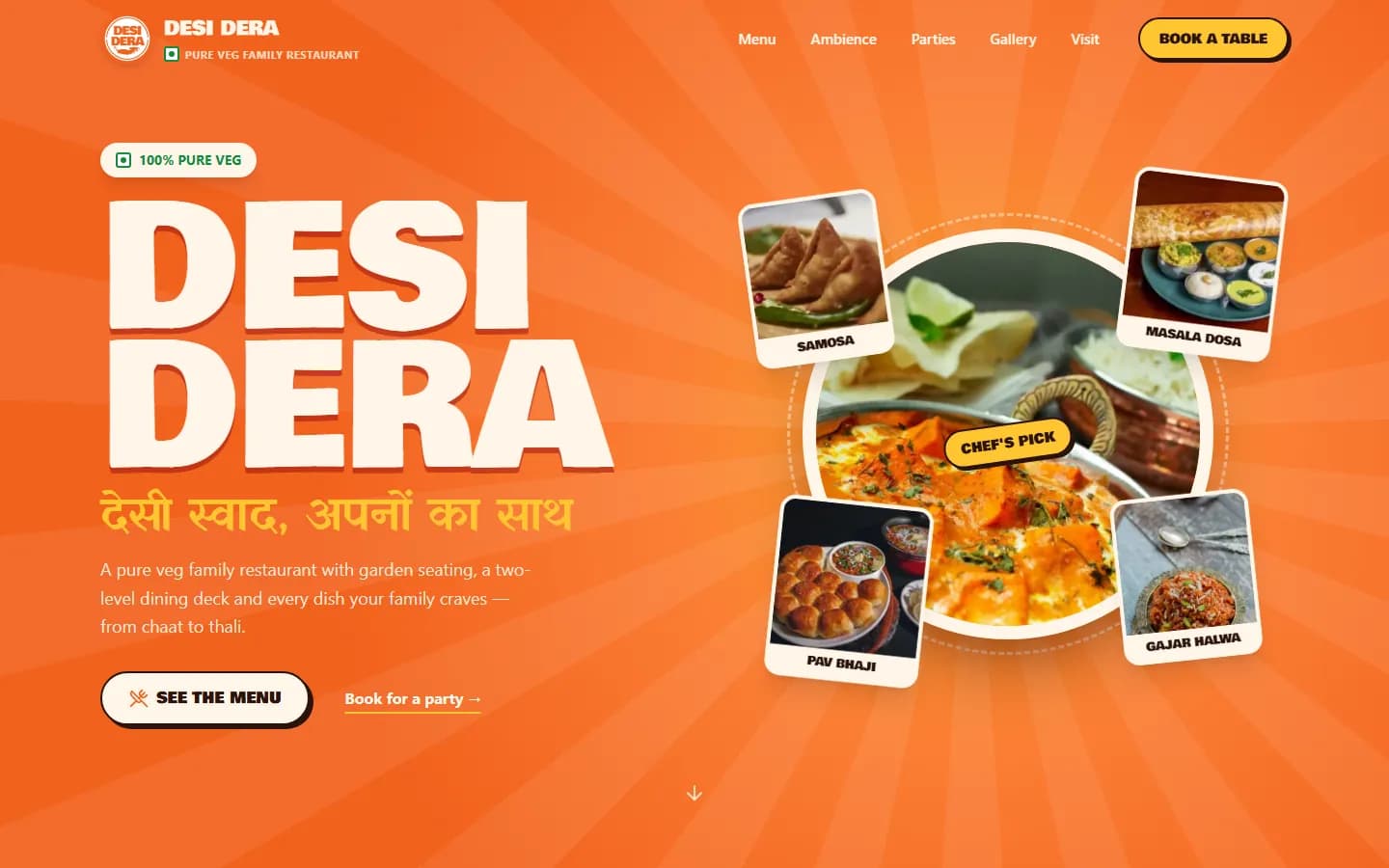
The button sits in the website header, so it is never more than one tap away — the way Desi Dera's website, which we built, keeps "Book a table" in its header.
- 2
Pick a date and how many guests
Up to the number of days ahead you allow. Parties larger than your online limit see a short message asking them to call the restaurant.
- 3
Choose from the free times
Only times that fit your opening hours, your minimum notice and the seats left in that slot are shown. A slot that is full simply is not offered.
- 4
Add name, phone and the occasion
Birthday, anniversary, office dinner — and a note like "window table if possible" or "need a high chair". If you charge a booking amount, the price is shown here.
- 5
Get an answer
The booking is waiting for your confirmation, or confirmed straight away if you turned on automatic confirmation. If you decline, the guest sees your reason.
Getting the numbers right
How to set your booking limits so you never overbook
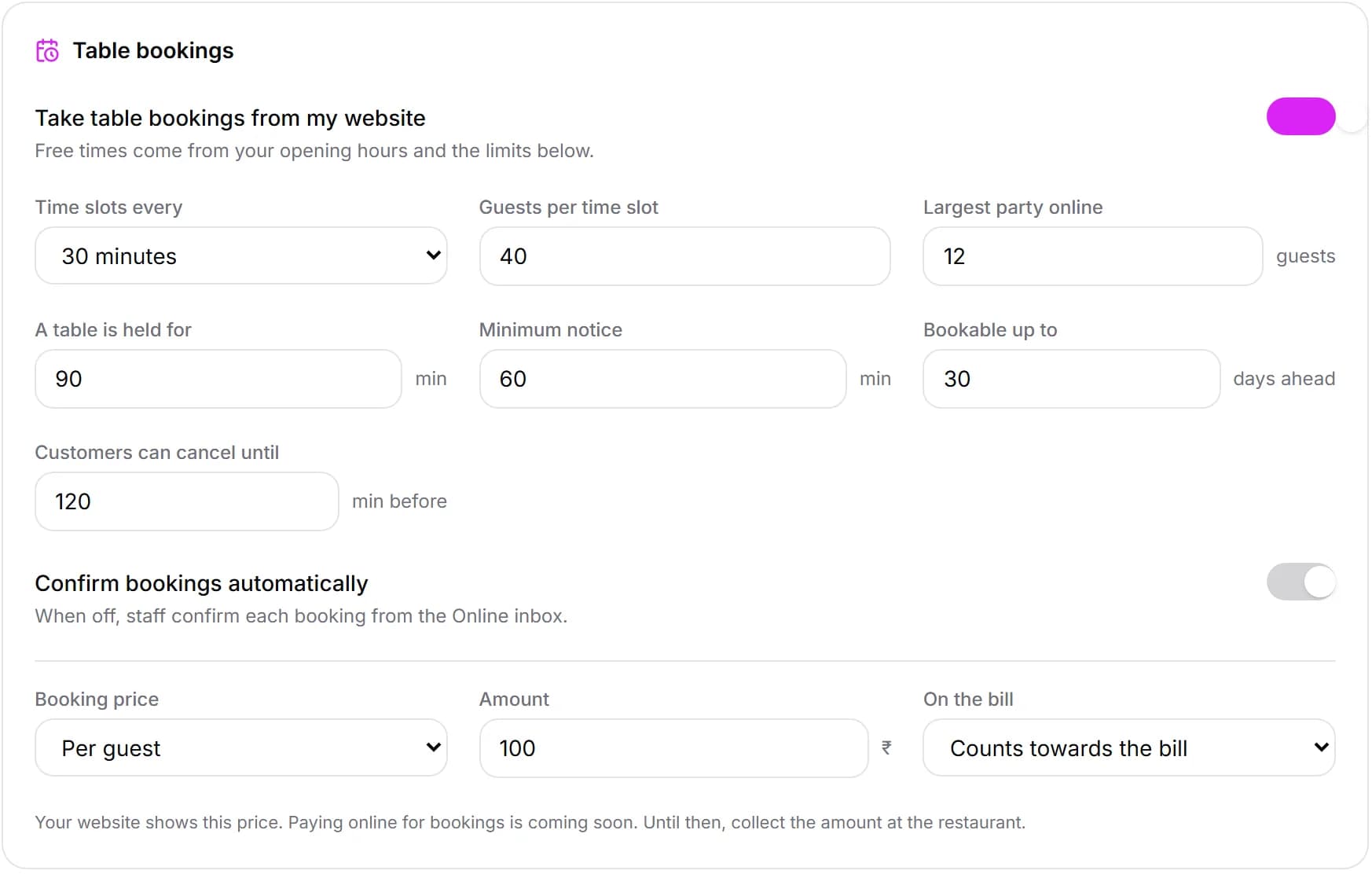
The settings take five minutes, but they decide whether online booking makes your evenings easier or harder. Here is how to think about each one, with a worked example for a 60-seat restaurant.
| Setting | What it means | Example (60 seats) |
|---|---|---|
| Time slots every | How often a booking can start | 30 minutes |
| Guests per time slot | Most guests booked online within one table-hold window | 35 — keep the rest for walk-ins |
| A table is held for | How long a booked table stays blocked | 90 minutes |
| Largest party online | Bigger groups are asked to call | 10 guests |
| Minimum notice | How soon before the time a guest can book | 60 minutes |
| Bookable up to | How far ahead guests can book | 30 days |
| Customers can cancel until | After this, guests must call you | 120 minutes before |
Leave room for walk-ins. If walk-ins matter to you — and in most Indian restaurants they do — do not open every seat for online booking. Start by offering around half to two-thirds of your covers per slot online and adjust after a few weekends.
Match the hold time to how long people really stay. A quick-service café might turn tables in 45 minutes; a family dinner with starters, mains and dessert easily runs 90 minutes or more. If you are not sure, our guide to table turnover time shows how to measure it from your own bills.
Keep big groups on the phone. A party of fifteen needs a conversation — seating plan, set menu, advance. The “largest party online” limit sends them to you instead of letting them book a slot your floor cannot handle.
Review after two weekends. Look at how many slots filled, how many guests walked in on top, and whether any evening felt overcrowded. If weekends overflowed, lower the guests per slot or lengthen the table hold; if seats sat empty while you turned people away on the phone, raise it.
Booking price
Should you charge for a booking?
A small booking amount makes guests take the booking seriously — but charge too much, or on the wrong days, and they will not book at all. Billzova gives you three choices:
- Free. Best for most casual restaurants and cafés, and for weekdays. Pair it with a sensible cancel cut-off.
- Per booking. A flat amount for the table, whatever the size — simple, good for small parties.
- Per guest. Scales with the group, so a booking for ten reserves more of your evening than a booking for two. Useful for festival nights and special menus.
You also choose how it appears on the bill: counted towards the bill, so the guest is effectively paying part of their meal early, or a separate booking fee. Most guests are far happier with the first.
Honest note: paying the booking amount online is coming soon. Today your website shows the price and your staff collect it at the restaurant. We will update this page when online payment is live.
For other ways to cut no-shows — reminder calls, waitlists, how to handle repeat no-shows politely — see our guide to reducing restaurant no-shows.
Filling the calendar
The bookings worth chasing: birthdays, kitty parties and festival nights
In most Indian restaurants, the bookings that matter are not random tables for two — they are occasions. Each one is a group, usually with a bigger bill, and often a reason to come back next year. Online booking helps you catch them early and plan for them properly.
- Birthdays and anniversaries. The occasion field tells the host before the guest arrives. A candle on the dessert or a handwritten note costs almost nothing and is the kind of thing people photograph and share.
- Kitty parties and ladies' lunches. Regular afternoon groups of eight to twelve fill weekday lunch slots that are otherwise quiet. Set your largest online party to cover them, or ask the organiser to call once and book the next few months.
- Office lunches and team dinners. Often booked a week or two ahead by someone at a desk, during working hours, without wanting to phone. A booking form is exactly what they are looking for.
- Festival nights. Diwali week, Christmas, New Year's Eve, Valentine's Day, Eid — the nights you could fill twice over. A per-guest booking amount that counts towards the bill keeps those tables for people who will actually come.
- Sunday family lunch. The most loyal guests you have. Make it easy for them to book the same table every week and they rarely go anywhere else.
Because every website booking keeps the guest's name, phone number and occasion in Billzova, you also build a list of who celebrates what with you — the start of a simple “we would love to host your birthday again” habit next year.
On the day
From website booking to a seated guest
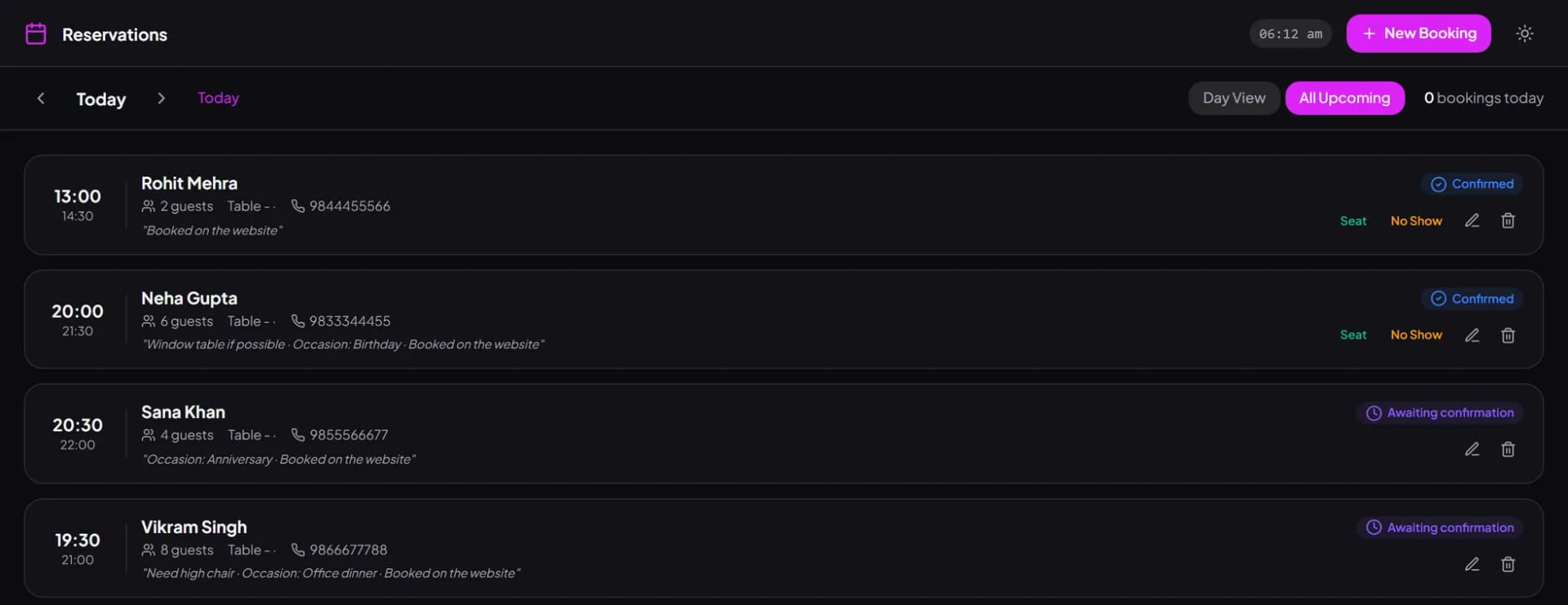
Once confirmed, a website booking is a normal reservation in Billzova. It appears in the Reservations list on the web POS, the Windows app and the Android app, and on the Table bookings page of your dashboard, marked as a website booking with the occasion and the guest's note, so the host knows it is a birthday before the family walks in.
From there it follows the same steps as a phone booking: assign a table, seat the guest when they arrive — which marks the table occupied on your floor — or mark a no-show. You can read how that works on the table management page.
Put the button where guests already look
- Your website header — always visible, on every page.
- Google Business Profile — add your booking page as the reservations link, so “Book” appears where people search for you.
- Instagram bio and WhatsApp Business — the places regulars message you from today.
- Your bills and table tents — a small QR saying “Book your next visit” works well for birthdays and anniversaries.
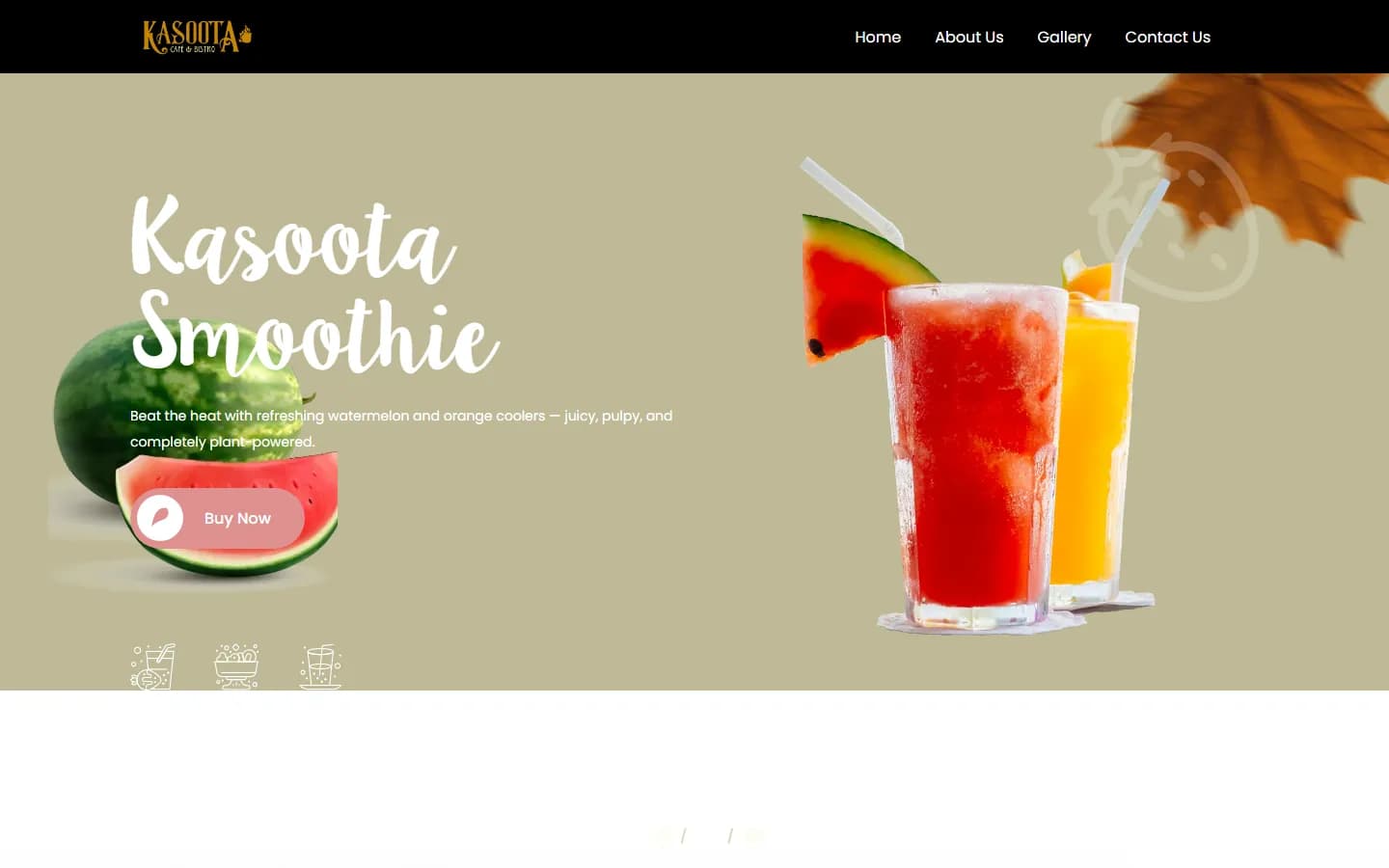
Want a website with booking and ordering already built in? See restaurant websites by Billzova, with live examples from Desi Dera and Kasoota Cafe & Bistro.
Free times worked out from your hours and your limits
You decide how often slots start, how many guests you can take per slot, how long a table is held, how much notice you need and how far ahead guests can book. The website offers only times that fit — never a closed day, never a full slot.
- Slots every 15, 30, 45 or 60 minutes
- Guests per slot and table hold time
- Minimum notice and days ahead
- Largest party online — bigger groups call
Bookings arrive in the POS your staff already use
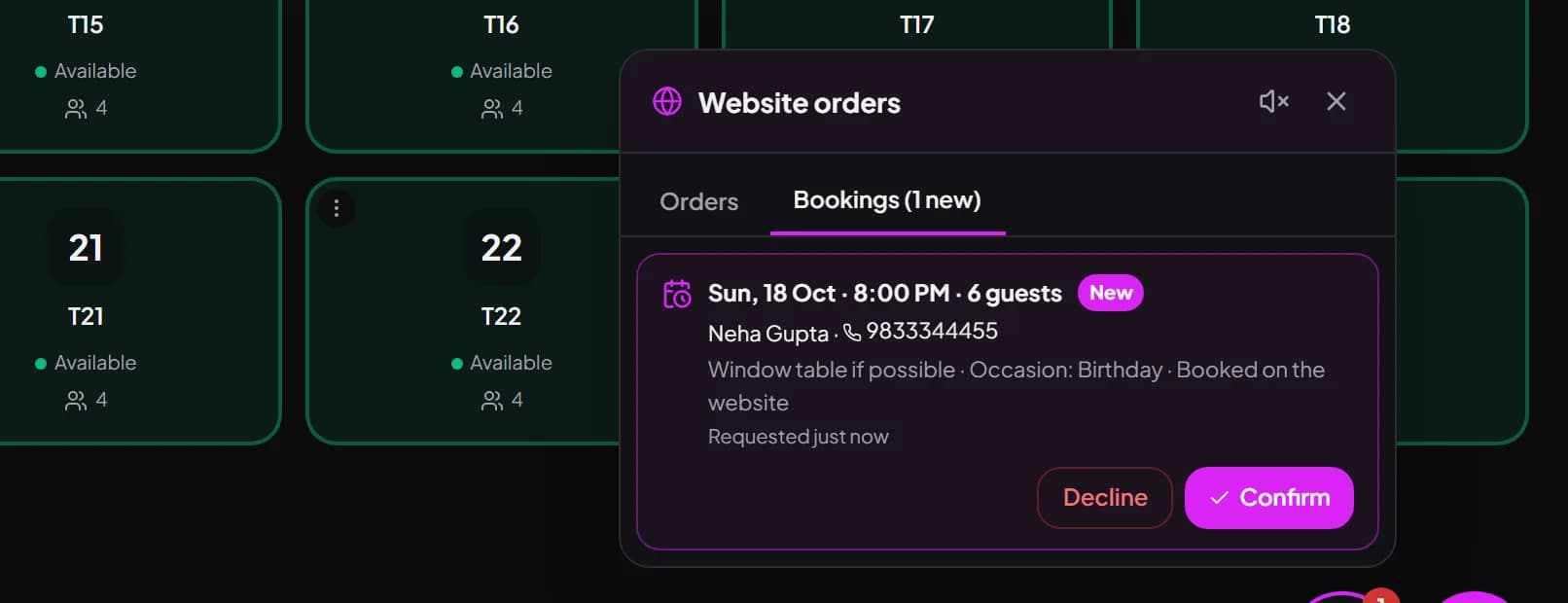
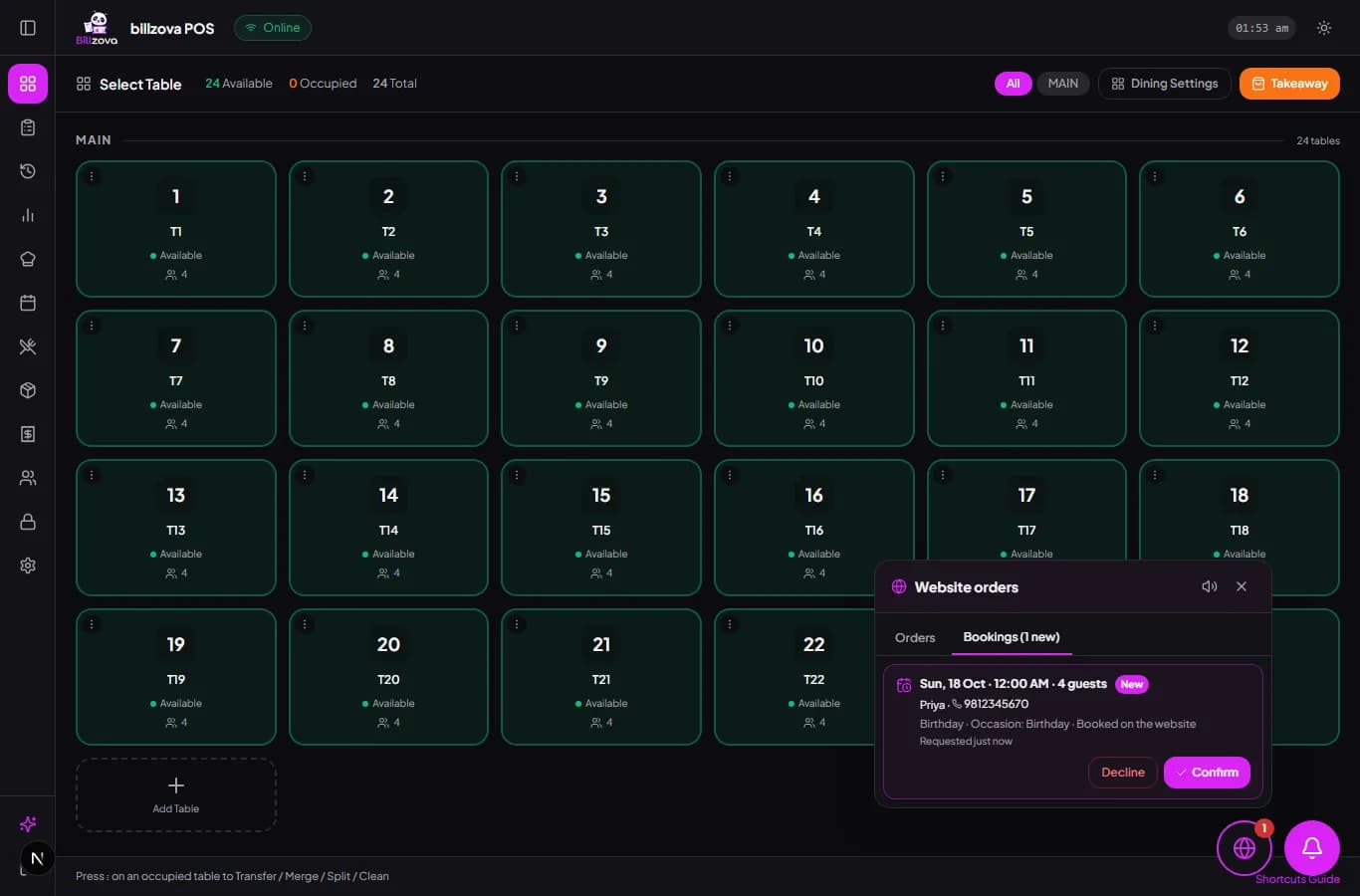
A new website booking rings in the Website orders inbox with the date, time, number of guests, occasion and note. Staff confirm, or decline with a reason the guest sees — fully booked, closed that day, party too large. Turn on automatic confirmation if you prefer.
- Same inbox as website orders
- Occasion and notes with every booking
- Decline with a reason the guest sees
- Optional automatic confirmation
An email for every booking — even when nobody is at the counter
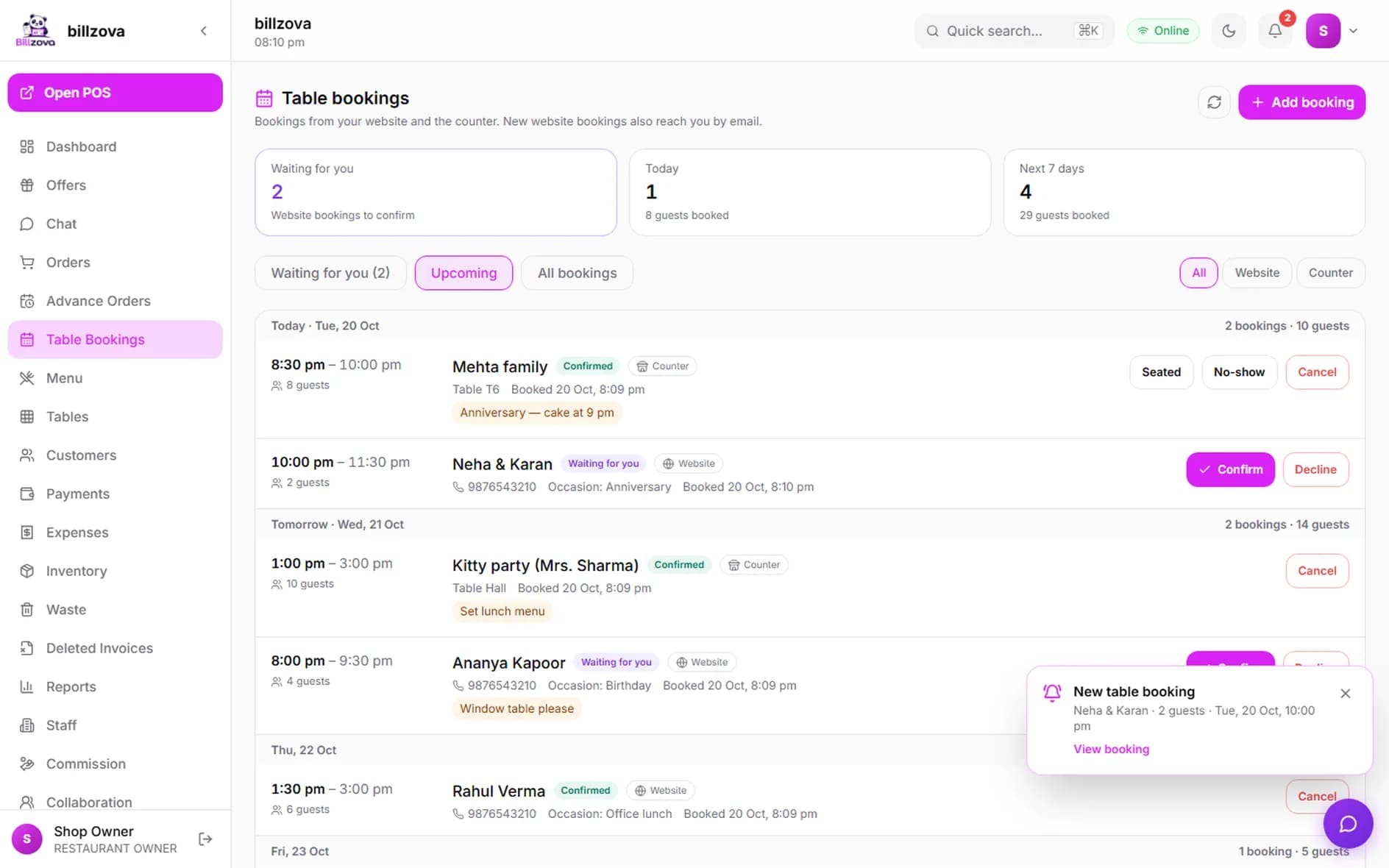
The moment a guest books, the owner gets an email with the name, phone number, party size, time, occasion and note, and a "Confirm or decline" button that opens the booking. With the dashboard open, it also chimes and shows a pop-up. No more finding out at the door.
- Email to the restaurant and the owner login
- One button to confirm or decline
- Chime + pop-up on the dashboard
- Switch the email off any time
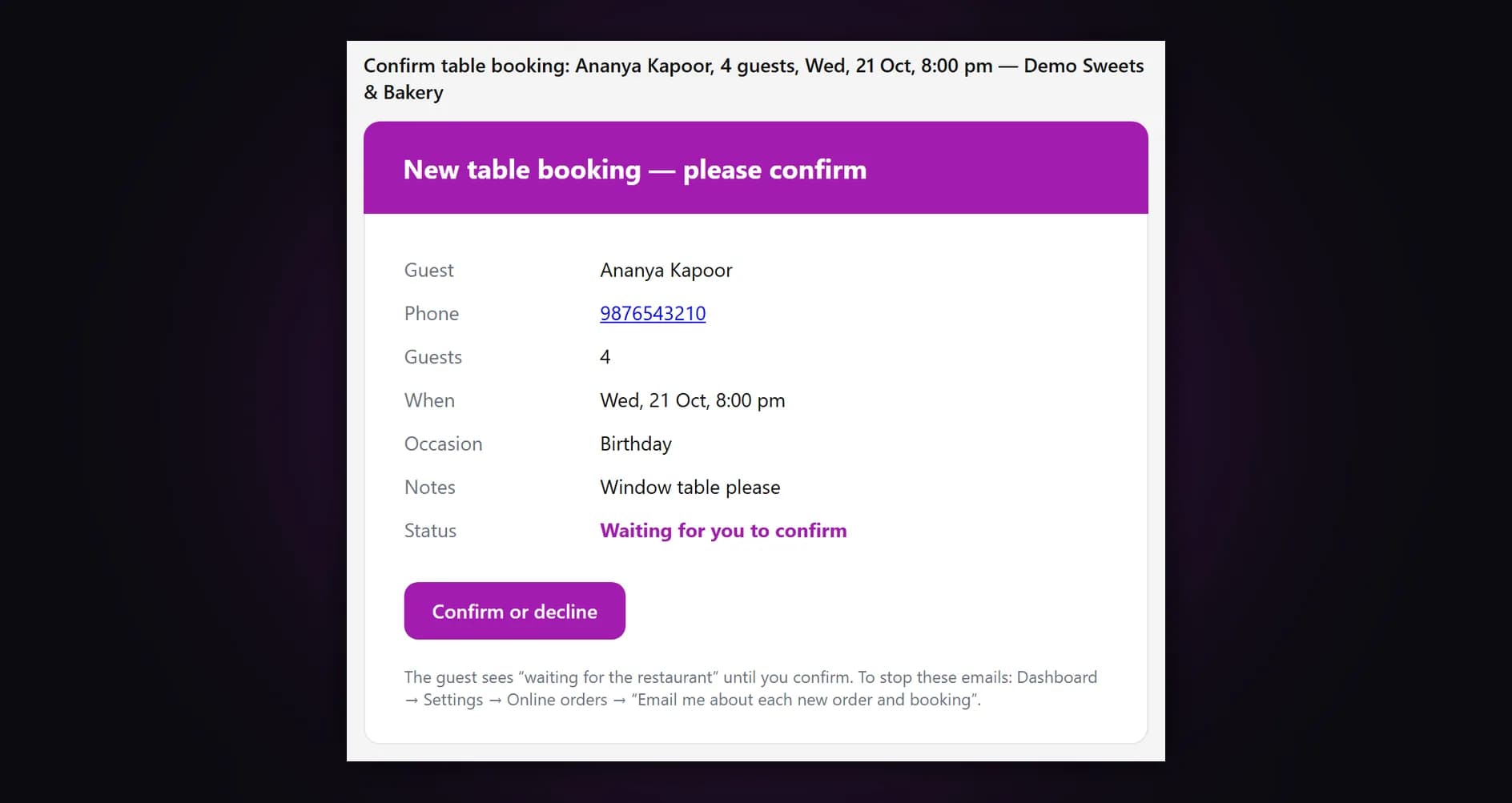
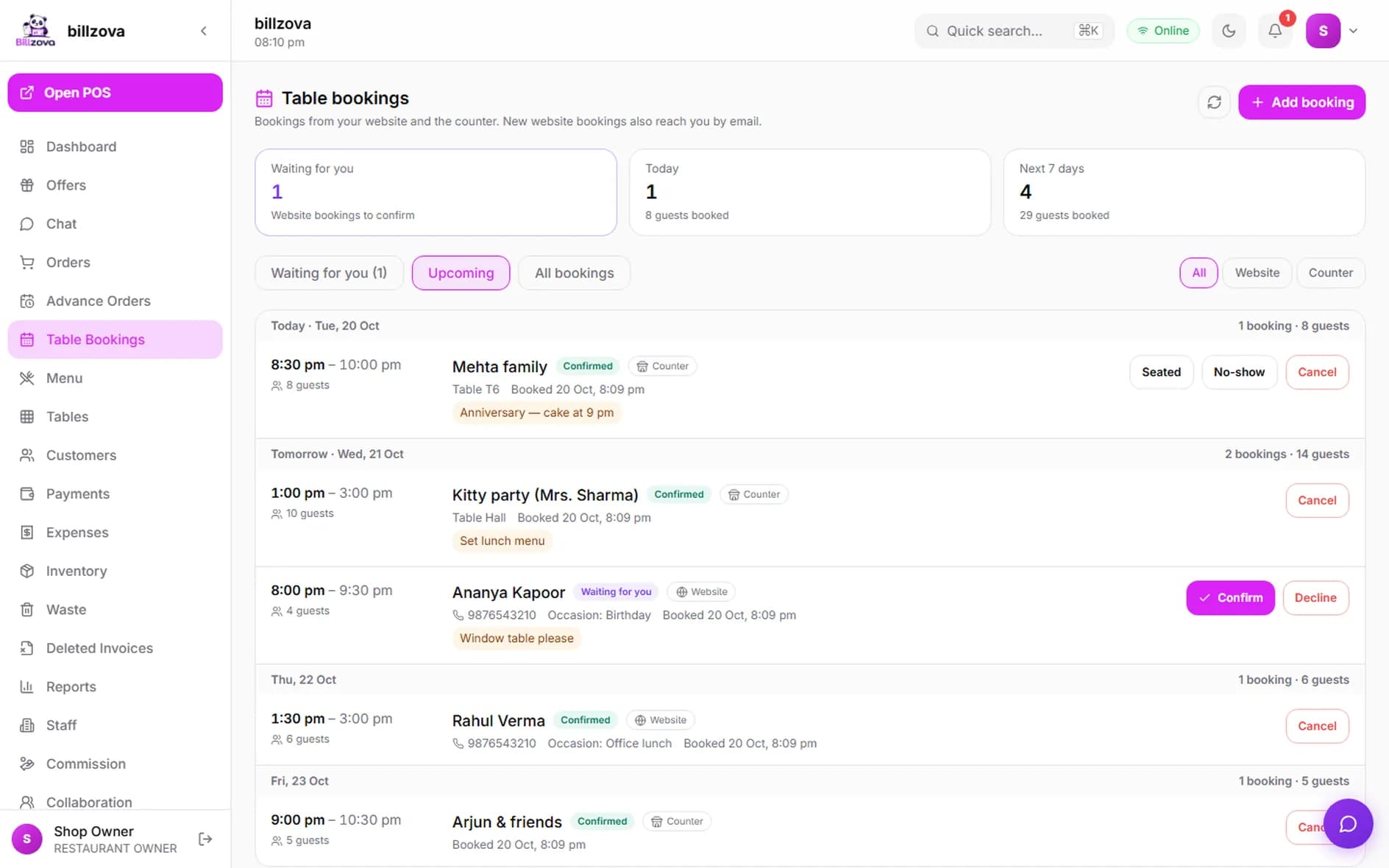
Table bookings in your dashboard: waiting, upcoming and history
The Table bookings page shows website bookings waiting for you at the top, then everything coming up by day with guest counts, and every past booking — confirmed, seated, no-shows, cancelled and declined. Confirm, decline with a reason, mark seated or no-show, cancel, or add a phone booking yourself.
- Waiting for you · Upcoming · All bookings
- Website and counter bookings side by side
- Seated, no-show and cancel in one tap
- Add phone bookings from the dashboard
In the product
Booking, from the website to the floor
Restaurant websites we built, and the Billzova screens behind them.
Compared
Taking bookings by phone vs from your website
Phone and WhatsApp bookings
- Only when someone can answer
- Written in a notebook or one person's phone
- No count of guests per time
- Large groups booked without a plan
- Late cancellations you hear about at the door
Booking from your own website
- Guests book any time, even at 1 am
- An email to you for every booking
- Every booking in the POS and the dashboard
- Guests per slot capped automatically
- Online cancellation only until your cut-off
FAQ
Online table booking — questions owners ask
How does online table booking work on my restaurant website?▾
Where do the free times come from?▾
Can two people book the last table at the same moment?▾
Can I charge a booking amount?▾
What about large parties?▾
Can guests cancel their own booking?▾
Do I pay a commission or cover charge on these bookings?▾
Where do website bookings appear?▾
Will I be told when a booking comes in?▾
Do I need a Billzova website to take bookings?▾
Does the guest get a reminder?▾
Can I stop bookings for a day?▾
Let guests book while you are busy cooking.
Billzova builds restaurant websites with table booking and online ordering built in — the Website + Online Orders plan, ₹15,999 GST included (lower during our website offers).