Let diners order straight
from their own phone — no app, no login.
Scan the QR code on the table, browse your live menu, and order — the request lands on your billzova tables screen for staff to accept or reject, just like any other order. No app to install, no OTP, no account. Included at ₹399/month, first month free.
The struggle
Sound familiar?
Servers can't keep up during a rush
A table waiting to place an order competes with five other tables for the same server's attention — and every minute of that wait eats into the table's turnover time.
A PDF QR menu doesn't actually take the order
Plenty of "QR menus" are just a photo or PDF. The customer still has to flag someone down to actually order, which defeats the point of putting a QR code on the table at all.
Customers don't want to download another app
Asking a walk-in to install an app just to order lunch is a real drop-off point — most people will simply wait for a server instead of installing anything.
Food courts can't share one menu easily
When several independently-owned kitchens share one seating area, there's usually no clean way for a single QR code to let a customer order across more than one of them.
How it works
From scan to served, in five steps
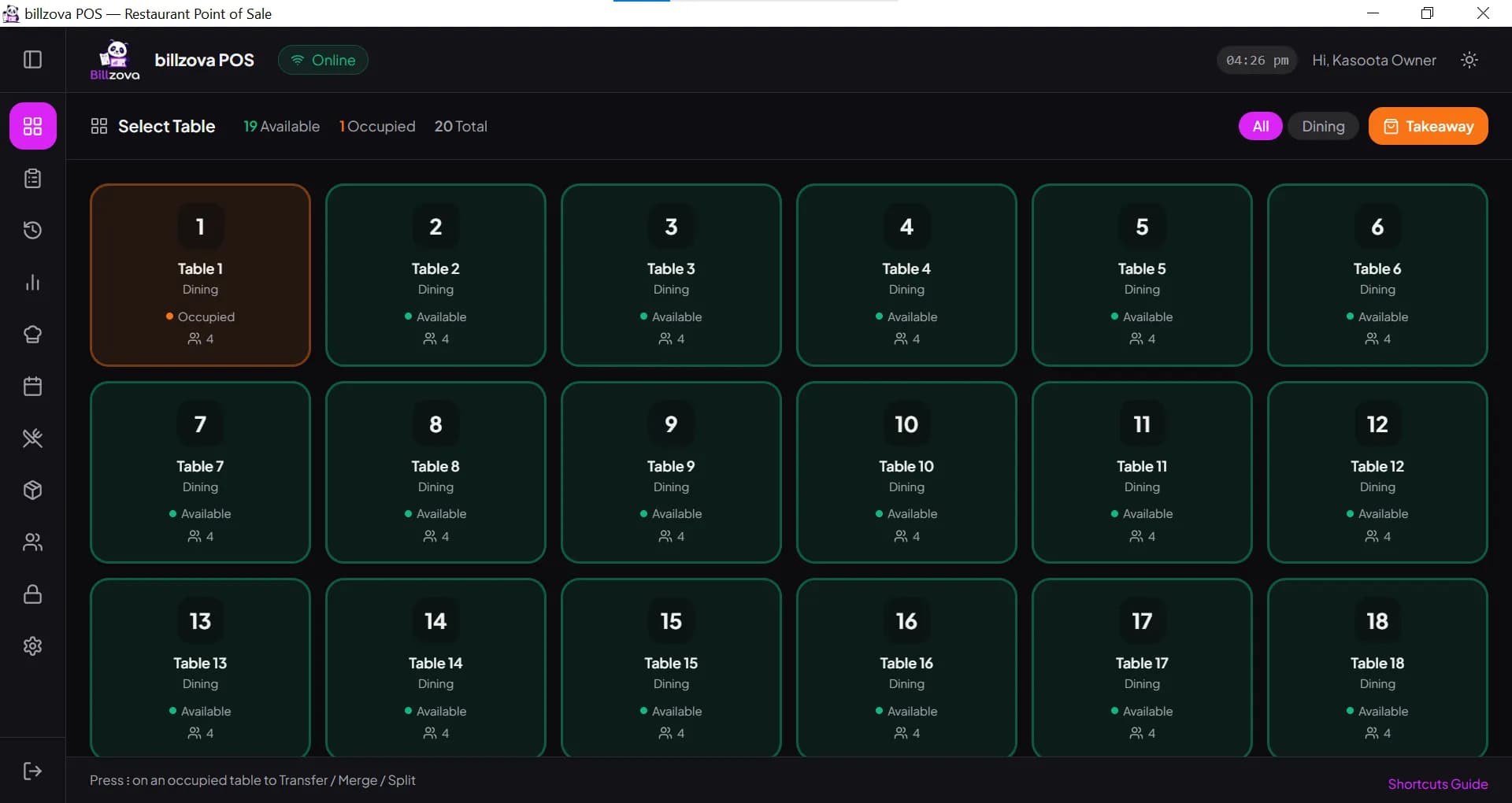
Nothing about this requires new hardware or a new habit for your staff — QR orders land on the exact tables screen they already work from, all day, every day.
Generate the table's QR code
From the Tables screen in web-pos or desktop-pos, generate a QR code for that table — a one-time setup you do once per table. Regenerate it any time to instantly revoke an old printed code.
Customer scans and enters a name
The customer scans the code with their phone's own camera — no app required — and types just a display name to start ordering. No phone number, no OTP, no account.
They browse your live menu and order
The menu shown is pulled live from the same menu you manage inside billzova. They add items, adjust quantities, add a free-text note per item ("no onion", "extra spicy"), and place the order.
Staff accepts or rejects, from the same screen they already use
The order appears as pending on your tables screen — the exact screen your staff already work from all day. One tap accepts it; rejecting takes one tap plus a quick reason.
Order status updates, bill settles as normal
The customer can follow a live status page for their order. Once it's ready and served, billing and payment happen exactly the way they always have — at the counter, through billzova.
Set the right expectations
What QR self-ordering actually covers today
We'd rather tell you exactly what this does and doesn't do than let you find out mid-service. Here's the honest scope.
Customers can
- Browse your live, current menu on their own phone
- Add items and adjust quantities before ordering
- Add a free-text note per item — "no onion", "extra spicy"
- Track their order status live after placing it
- Order from more than one restaurant at a shared food-court table
Not built yet
- Structured add-ons/modifiers as tap-to-select options — use the note field for now
- Paying online through the QR page — billing still happens at the counter
- Takeaway or delivery ordering through the QR flow — it's dine-in, table ordering
- Automatic order acceptance — every order still needs a staff tap to confirm
Food courts & shared spaces
One QR code, every restaurant sharing that table
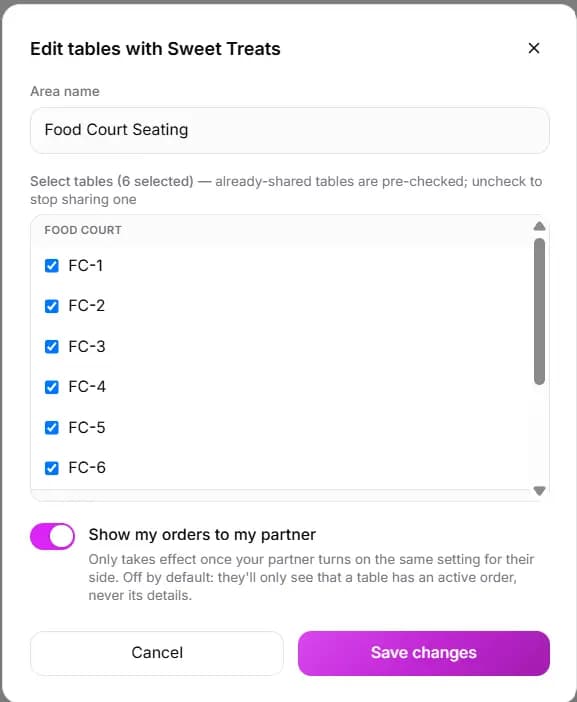
If your restaurant is connected to another through billzova's Collaboration feature — common in food courts, or any space where two independently-owned kitchens share seating — scanning one table's QR code shows the customer every participating restaurant available at that table. They can order from more than one, and each order is billed completely separately by the restaurant that owns it. Nothing is merged into a shared bill, and no restaurant sees the other's order details unless both sides have explicitly turned that on.
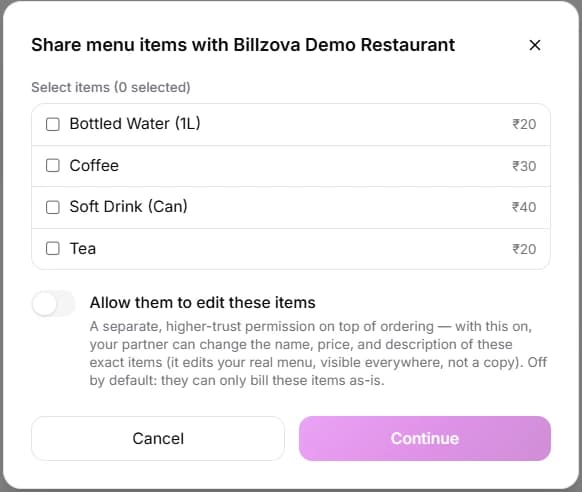
This works on the same consent-based model as billzova's other collaboration tools: each restaurant opts in independently, both sides agree before an order can reach a partner's kitchen, and the table-owning restaurant decides exactly which tables are shared and with whom. There is no central till and no single operator collecting cash on another kitchen's behalf — every restaurant in the collaboration keeps its own GST billing and its own settlement, QR-ordered or not.
See how food courts & shared spaces run on billzovaWho it's for
Built for how dine-in actually works in India
Full-service restaurants
Cuts the wait between a table sitting down and a server reaching them, especially useful during weekend peak hours when every server is already stretched across several tables.
Cafes & coffee shops
Lets a customer order a second coffee or dessert without waving anyone down — useful in a counter-plus-seating layout where staff are often busy at the till.
Bars & pubs
Round after round of drinks is exactly the repeat-order pattern QR self-ordering handles well, without pulling a server away from other tables each time.
QSR & fast casual
For QSRs that also offer table seating, QR self-ordering gives dine-in guests the same speed the counter already offers, without adding a second counter queue.
Food courts & shared kitchens
One QR code per table can surface every collaborating stall, so a group can order from different kitchens without physically visiting each counter.
Any high-turnover setup
Anywhere table turnover matters, shaving even a few minutes off the "when do I get to order" wait adds up across a full service.
Kept safe by design: since this page is open to anyone who scans the code, order and menu-browsing requests are rate-limited, each customer session expires automatically after 24 hours, and every order has caps on item count, quantity, and note length to block junk submissions — on top of the existing accept/reject step your staff already control.
Setup checklist
Turning QR self-ordering on takes minutes
No hardware to buy and nothing to install on any device — it's a settings toggle plus a QR code per table.
- 1Ask us to enable QR ordering for your account — a one-time approval step. Once granted, you control your own on/off toggle in Settings any time.
- 2Generate a QR code for each table from the Tables screen in web-pos or desktop-pos.
- 3Print the code and place it somewhere visible on the table — a table tent, a sticker, or laminated card all work fine.
- 4Scan it yourself once to see exactly what customers will see, before opening it up to real diners.
- 5Running a food court or shared space? Connect with your neighbouring stalls through Collaboration first, then share the relevant tables — see the food courts page for that setup.
Generate a QR code for each table in seconds
QR codes are generated per table directly from the Tables screen in web-pos or desktop-pos — no separate QR-code generator, no third-party tool. Print it once, stick it on the table, and it's live. Need to replace a damaged or misplaced code? Regenerate it in one tap and the old code stops working immediately.
- Generated per table, not per restaurant
- One tap to regenerate and revoke
- No third-party QR tool required
- Print-ready straight from the Tables screen
- Works with any printer you already use
The exact menu you manage — nothing extra to maintain
There's no separate menu to keep in sync. The moment you update a price, mark an item unavailable, or add a new dish inside billzova, the QR ordering page reflects it immediately — the same menu data, shown to the diner in real time.
- Same live menu — nothing duplicated
- Price and availability changes reflect instantly
- Categories, images and descriptions all shown
- Items marked unavailable disappear from the QR menu too
- No second menu-management step, ever
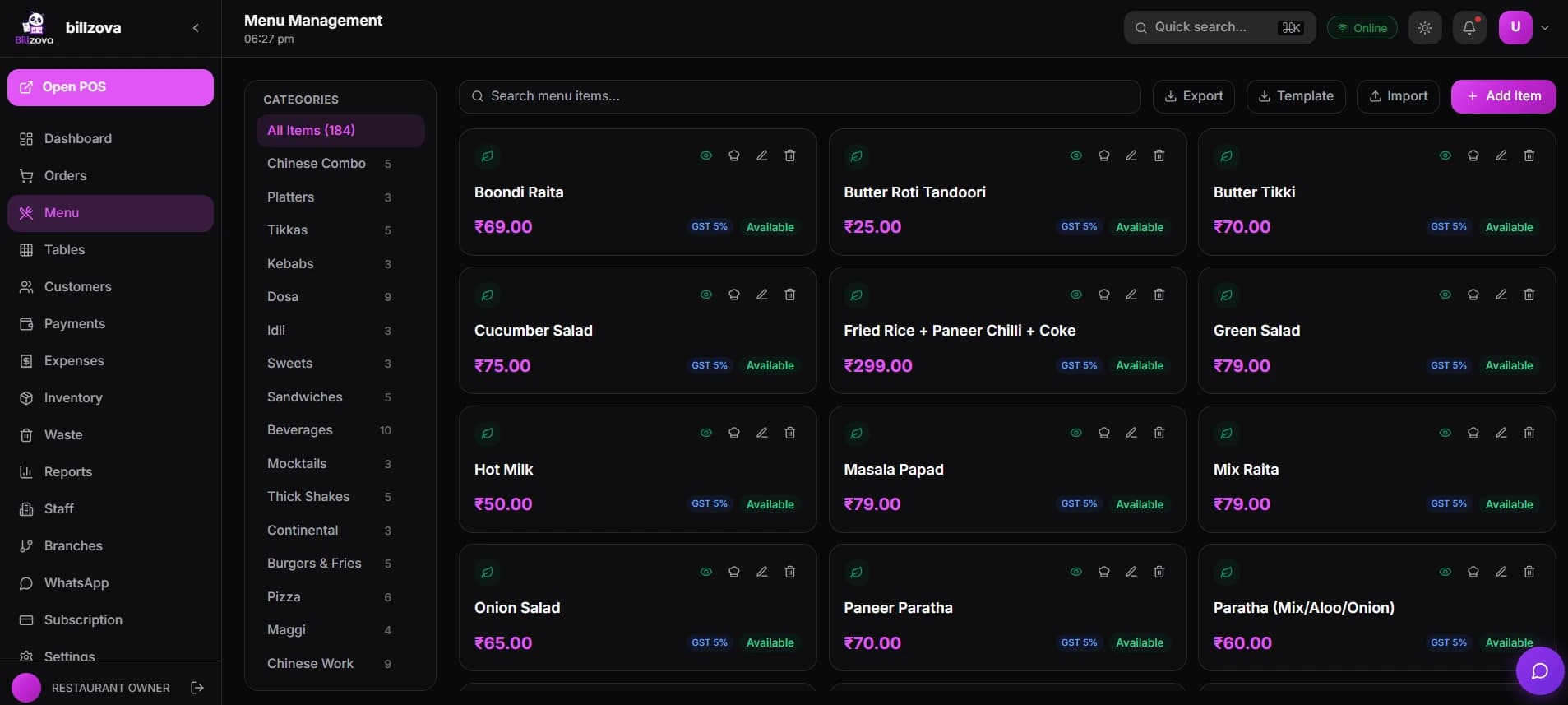
Every QR order lands on the screen your staff already use
A QR order doesn't need a separate app, tablet, or notification system on the restaurant side. It shows up as a pending order on the same Tables screen your staff are already looking at — accept it, reject it with a reason, and it flows into billing exactly like a walk-in order.
- Appears on the Tables screen staff already use
- One-tap accept, one-tap reject with reason
- No extra device or app for staff
- Feeds directly into normal order and billing flow
- Same screen on web-pos and desktop-pos
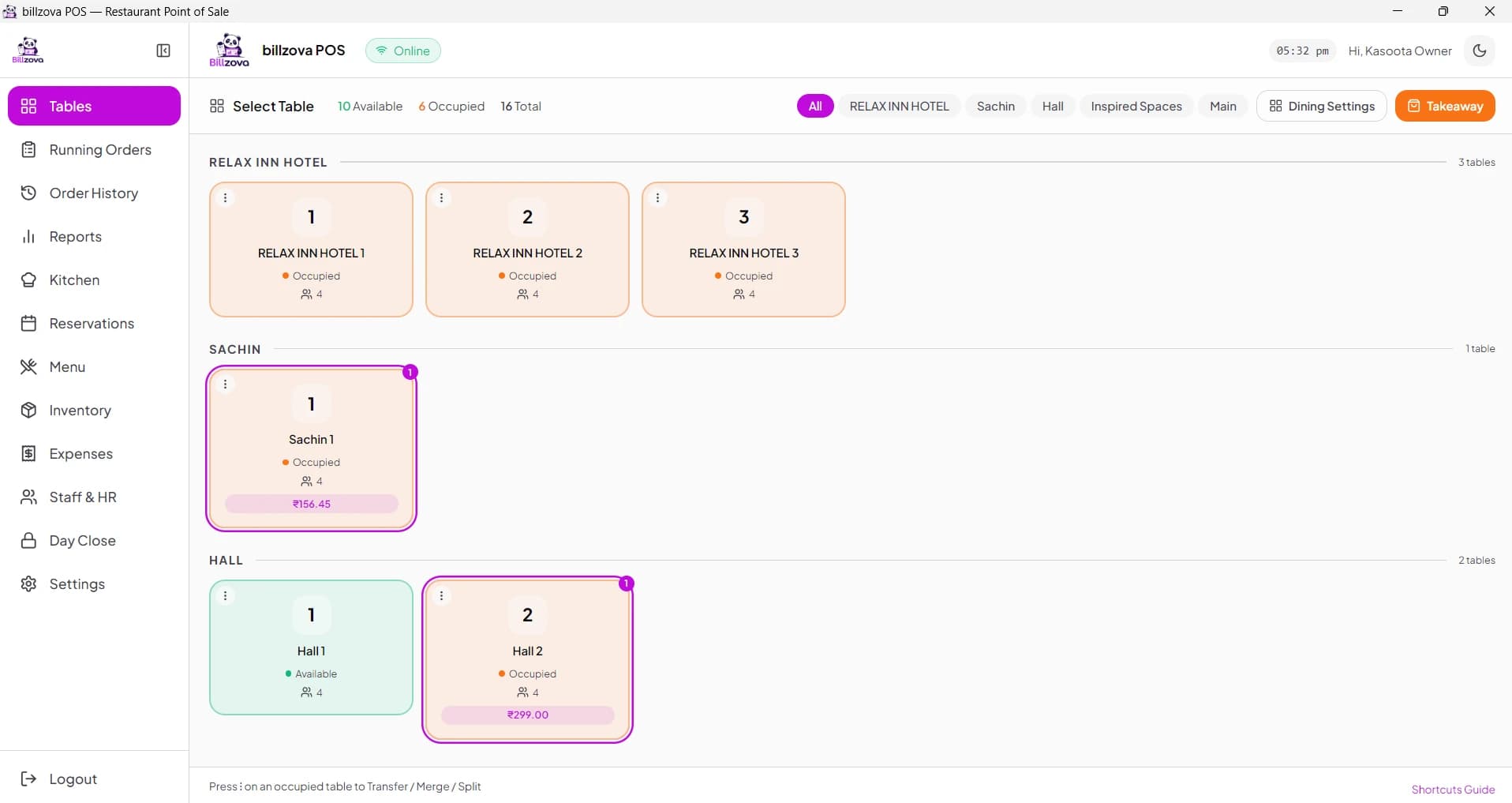
One QR code can reach every restaurant sharing that table
In a food court or any space where two independently-owned restaurants share seating, billzova's Collaboration feature lets one QR code surface every participating kitchen. The diner picks who to order from — possibly more than one — and each restaurant bills its own order separately, with its own GST invoice.
- One QR code, multiple restaurants at a shared table
- Each restaurant bills its own order separately
- Both sides consent before orders reach a partner
- Table-owner decides exactly which tables are shared
- No shared till, no merged billing
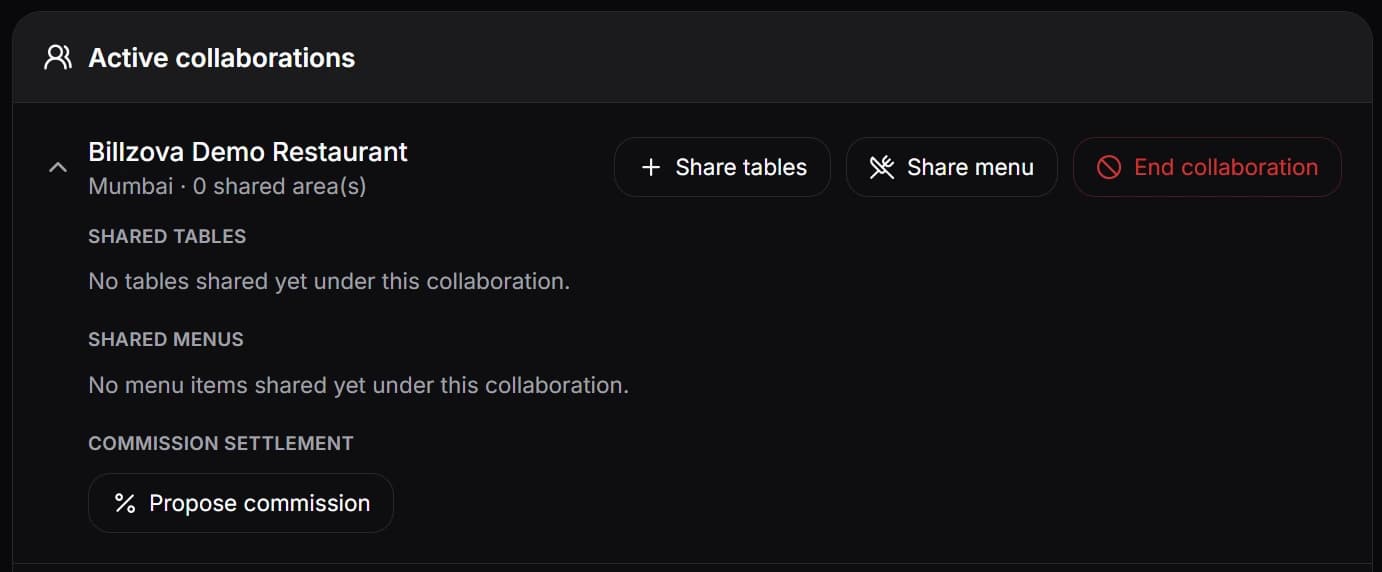
QR orders are just orders — no separate system to reconcile
A QR order isn't a separate category you have to reconcile at day close — it's stored the same way as any order taken by staff. It shows up in order history, feeds into your daily and item-wise sales reports, and settles through the same billing flow as a walk-in table.
- Same order history as staff-taken orders
- Feeds into daily & item-wise sales reports
- No separate day-close step for QR orders
- Settled through your existing billing flow
- Nothing new for your accountant to learn
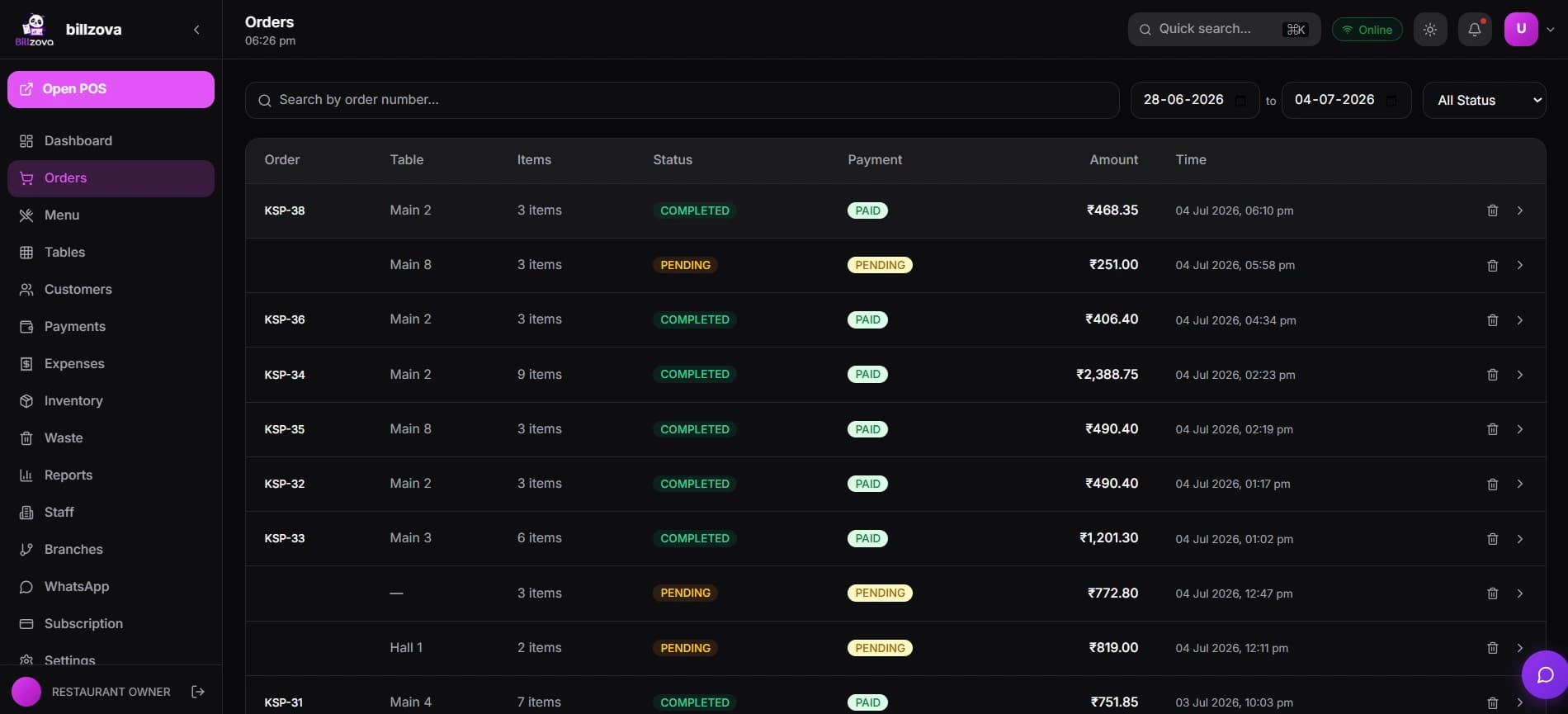
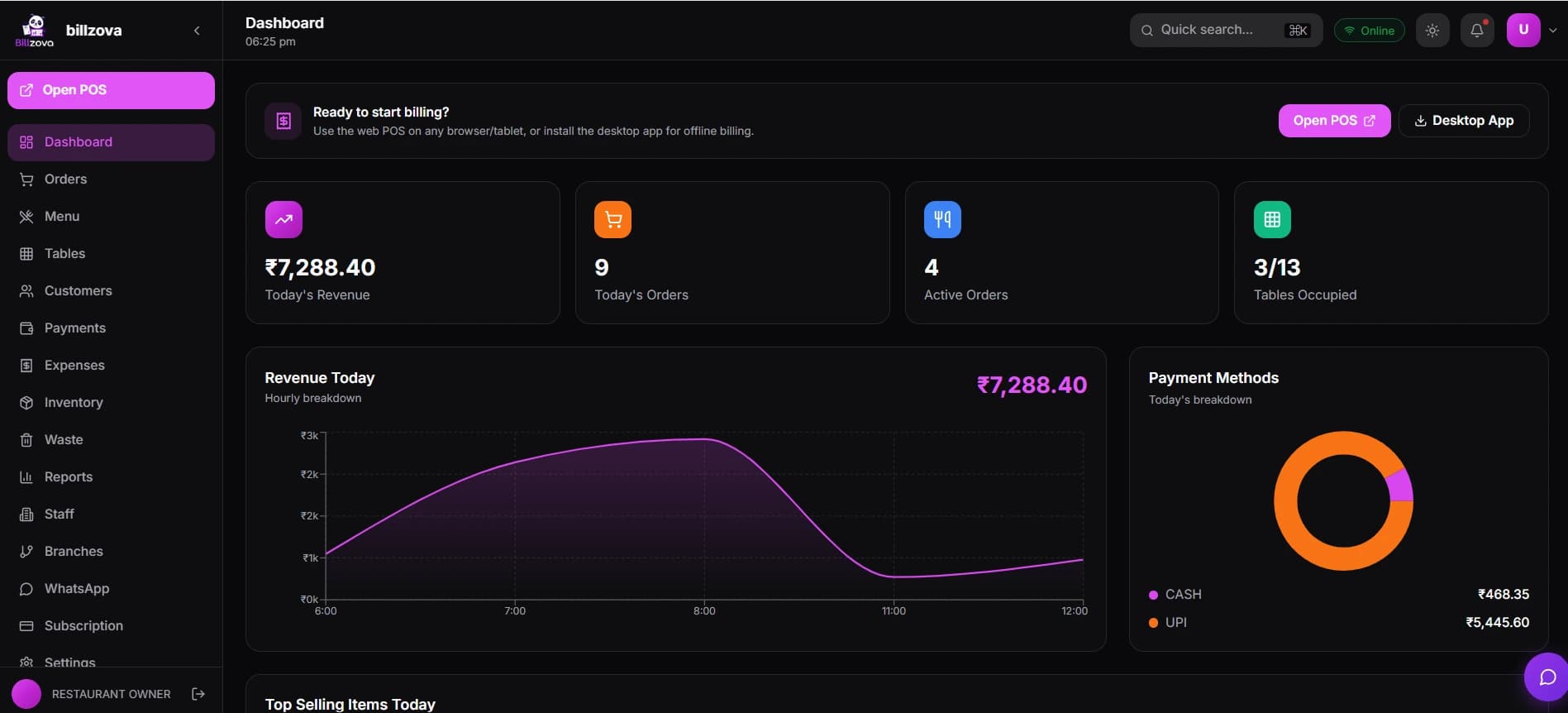
In the product
See every screen
Real product screenshots — not stock illustrations.
Compared
Flagging a server down vs billzova QR self-ordering
Flagging a server down
- Order only when a server has time
- PDF/photo QR menus can't actually take the order
- No visibility into order status while waiting
- Peak-hour tables wait longest for someone free
- Food court kitchens can't share one QR code
- Nothing in the workflow to speed this up
billzova QR self-ordering
- Order the moment you're ready, from your own phone
- A real order reaches the kitchen — not just a menu view
- Live status page from placed to served
- Staff accept/reject from the screen they already use
- One QR code can reach every collaborating kitchen
- Included standard at ₹399/month
FAQ
Frequently asked questions
What is QR code self-ordering for restaurants?▾
Do customers need to download an app to order?▾
Is a login, OTP, or phone number required to order?▾
Is the QR code the same for every table, or different per table?▾
Can customers pay through the QR ordering page?▾
Does the kitchen have to accept every order automatically?▾
What happens if the restaurant rejects an order?▾
Can customers track their order status after placing it?▾
Can customers add special instructions, like "no onion" or "extra spicy"?▾
Can customers customize items with add-ons or modifiers through the QR menu?▾
Is QR self-ordering available for takeaway or counter customers?▾
Is QR self-ordering included in the ₹399/month plan, or is it a paid add-on?▾
Can I turn QR self-ordering off if I do not want to use it?▾
What if two people order from the same table at the same time?▾
Is the QR ordering page protected against spam or abuse, since anyone can scan it?▾
If I run a food court, can one QR code let a customer order from more than one stall?▾
Does QR self-ordering work if the internet is down?▾
How is this different from a QR code that just shows a PDF menu?▾
Does staff get notified immediately when a QR order comes in?▾
Can I see how much revenue comes from QR self-ordering versus orders taken by staff?▾
Can I see what the QR ordering page looks like before printing codes for every table?▾
What happens to an unfinished order if the customer closes their browser?▾
Can staff still take the order manually for a table that also has QR ordering enabled?▾
Is there a limit to how many items a customer can add in one QR order?▾
Does the customer need to rescan the QR code to check their order status later?▾
Is QR order Accept/Reject available on the mobile POS app?▾
Start billing in 10 minutes.
Full access to every feature. Cancel anytime. ₹399/month after your free trial.