Dhaba billing software that keeps going offline
Quick bills at the counter, family tables, Half/Full portions and KOTs for the kitchen — on a Windows PC that keeps billing when the highway network drops, or on an Android phone with a Bluetooth printer. One plan, ₹399/month including GST, with a 30-day free trial.
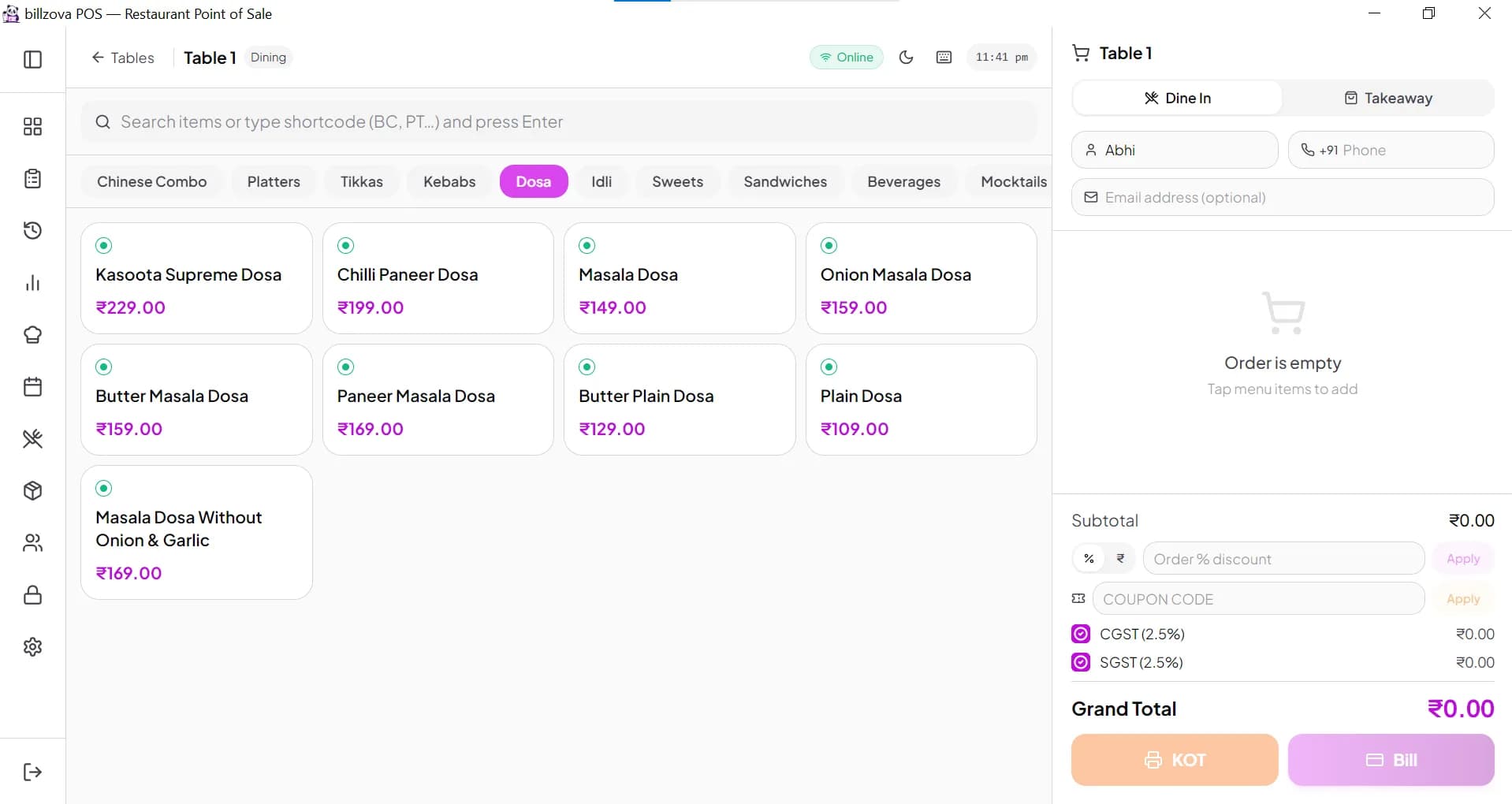
Tables at a glance — tap a table, add dishes, send the KOT, print the bill
Built for how a dhaba actually runs
A dhaba is busy, mostly cash and UPI, and often far from good internet. When you sign up, choose Dhaba as your business type and billzova opens straight on your tables, with tips for setting up Half/Full portions.
Fast counter billing
Search a dish or type its short code (for example “DM” for Dal Makhani) and press Enter. A takeaway or parcel bill takes seconds.
Half / Full portions
Add Half and Full sizes to a dish once. The cashier picks the size while billing, and each size has its own price and its own line in reports.
Tables for family seating
Set up your areas — hall, family section, outside khatiya seating — and their tables. Each table keeps its running order until the bill is paid.
Token numbers for parcels
Switch on token numbers and every takeaway order gets a daily token (1, 2, 3… from midnight), printed on the KOT and the bill. Call it out when the parcel is ready.
KOT for the kitchen
Send the order to the kitchen as a KOT slip printed at the counter, or show it on a kitchen display screen with Waiting, Preparing and Ready columns.
Cash, UPI, card or split
Record how each bill was paid — including part cash, part UPI — so the evening count matches the report.
GST bill or simple bill
Registered for GST? Bills show the CGST/SGST split. Not registered? Turn off “Charge GST on bills” and you get a plain bill at menu prices, with no GSTIN.
Day close and daily sales
At closing, see the day’s sales, orders and payment-mode totals, and close the shift with a Z-report. Item-wise reports show what sold most.
No internet? Keep billing
On a highway or in a small town, the network comes and goes. The billzova Windows app keeps your menu, tables and bills in a local database on the PC, so the counter doesn't stop:
- • Offline: take dine-in and parcel orders, print KOTs and bills, and settle payments.
- • Back online: offline bills sync to your account by themselves — nothing to type again.
- • Needs internet: the first sign-in, the web dashboard, the shared kitchen display and QR orders.
More on the offline mode page.
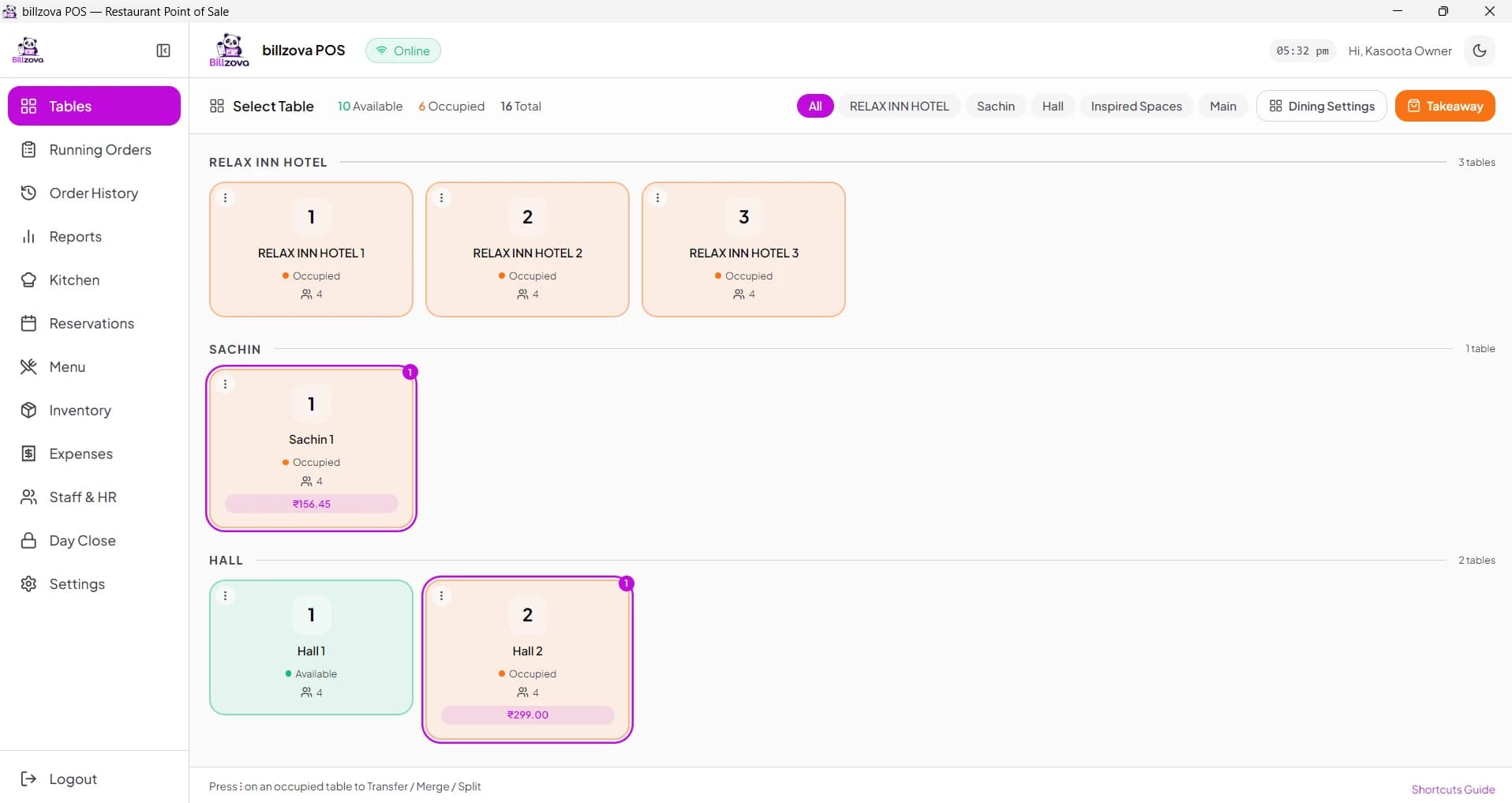
The billzova Windows app
Dhaba billing machine or billing app?
When people say “billing machine”, they usually mean a small device with a printer built in, or a thermal printer sold together with a screen. With billzova you don't need a special machine — the software runs on hardware you may already have:
Windows PC or laptop + thermal printer
Best for the main counter. Works offline. Prints to a USB printer, a Wi-Fi/LAN printer by IP, or through the print dialog.
Android phone + Bluetooth printer
Good for a small counter or a second billing point. The Android app is an APK download from billzova.com — not on the Play Store yet.
Each device uses one printer for both KOTs and bills, so most dhabas print the KOT at the counter and pass it to the kitchen. Use a 58 mm printer for a small counter, or 80 mm if you want wider, easier-to-read bills. Read which thermal printer to buy and how KOT printing works.
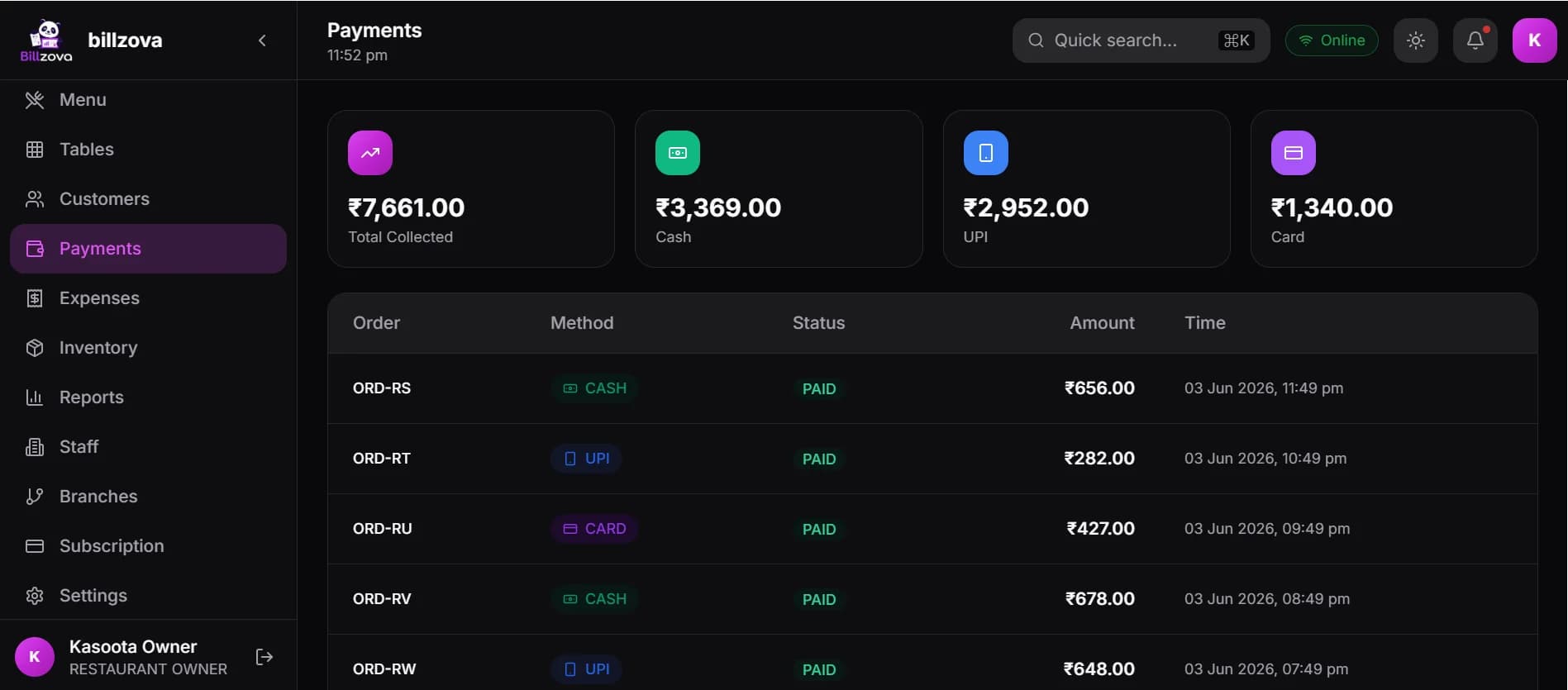
Cash, UPI and card totals for the day
Know what came in today
At the end of the night, open Payments to see how much came in as cash, UPI and card, and the sales reports for the day, week or month. Item reports show which dishes sell, so you know how much dal and paneer to prepare tomorrow.
Want to keep an eye on stock too? Inventory and recipe costing are in the same plan.
Price: ₹399 a month, GST included
- • 30 days free with every feature — no payment details needed to start.
- • Then ₹399/month or ₹3,999/year, GST included. One plan, nothing locked behind add-ons.
- • Works on Windows PC, Android phone and the web POS with the same account.
- • Not included: Swiggy/Zomato integration and loyalty points. See plans & pricing.
ढाबा बिलिंग सॉफ़्टवेयर — आम सवाल
ढाबे के लिए billzova बिलिंग सॉफ़्टवेयर की कीमत क्या है?
billzova का एक ही प्लान है — ₹399 महीना या ₹3,999 साल, GST मिलाकर। पहले 30 दिन मुफ़्त हैं, सारे फ़ीचर के साथ, और शुरू करने के लिए कोई पेमेंट डिटेल नहीं चाहिए।
क्या इंटरनेट न होने पर भी बिल बनेगा?
हाँ, Windows कंप्यूटर वाले billzova ऐप में। ऐप मेन्यू और बिल आपके कंप्यूटर पर ही रखता है, इसलिए नेट चला जाए तब भी ऑर्डर लेना, KOT और बिल प्रिंट करना चलता रहता है। नेट वापस आते ही सारे बिल अपने-आप आपके अकाउंट में पहुँच जाते हैं। बस पहली बार लॉग-इन करने के लिए इंटरनेट चाहिए।
मेरा ढाबा GST में रजिस्टर्ड नहीं है, क्या मैं इसे चला सकता हूँ?
हाँ। सेटिंग्स में “Charge GST on bills” वाला स्विच बंद कर दीजिए। फिर हर आइटम का दाम वही रहेगा जो मेन्यू में लिखा है, बिल पर न GST जुड़ेगा न GSTIN छपेगा — सादा “BILL” छपेगा।
क्या मोबाइल फ़ोन से बिल बना सकते हैं?
हाँ। billzova का Android ऐप फ़ोन या टैबलेट पर चलता है और ब्लूटूथ थर्मल प्रिंटर से बिल प्रिंट करता है। यह ऐप billzova.com से APK फ़ाइल के रूप में डाउनलोड होता है — अभी Play Store पर नहीं है।
Dhaba billing software — FAQ
What is the best billing software for a dhaba?
One that is quick at the counter, keeps working when the internet drops, handles Half/Full portions and family tables, and is cheap enough for a small business. billzova does all of this for ₹399 a month or ₹3,999 a year, GST included, with a 30-day free trial.
Does it work without internet?
Yes, on the billzova Windows app. It keeps your menu and bills on the PC, so you can take orders and print KOTs and bills with no internet. Bills sync to your account automatically when the connection comes back. You need internet for the first sign-in.
My dhaba is not registered for GST. Can I still use it?
Yes. Turn off “Charge GST on bills” in Settings. Every item is then charged exactly its menu price, no GST is added, and the bill prints as a plain “BILL” without GSTIN or GST lines. You can switch GST on later if you register.
Do I need to buy a dhaba billing machine?
No special machine is needed. Use a Windows PC or laptop, or an Android phone, with a standard 58 mm or 80 mm thermal printer. If you already have a PC at the counter, you only need the printer.
Can I take UPI payments?
You can record each bill as paid by cash, UPI or card, or split it between them, and the day’s report shows how much came in each way. The customer pays to your own UPI QR as usual — billzova keeps the record.
Can I write my menu in Hindi?
Item names are plain text, so you can type them in Hindi on screen. But many thermal printers only print English letters correctly, so print a test bill first. Most dhabas keep names like “Dal Makhani” or “Paneer Butter Masala” in English letters, which prints fine everywhere.