WhatsApp Billing for Restaurants: How to Send Digital Invoices Customers Actually Open
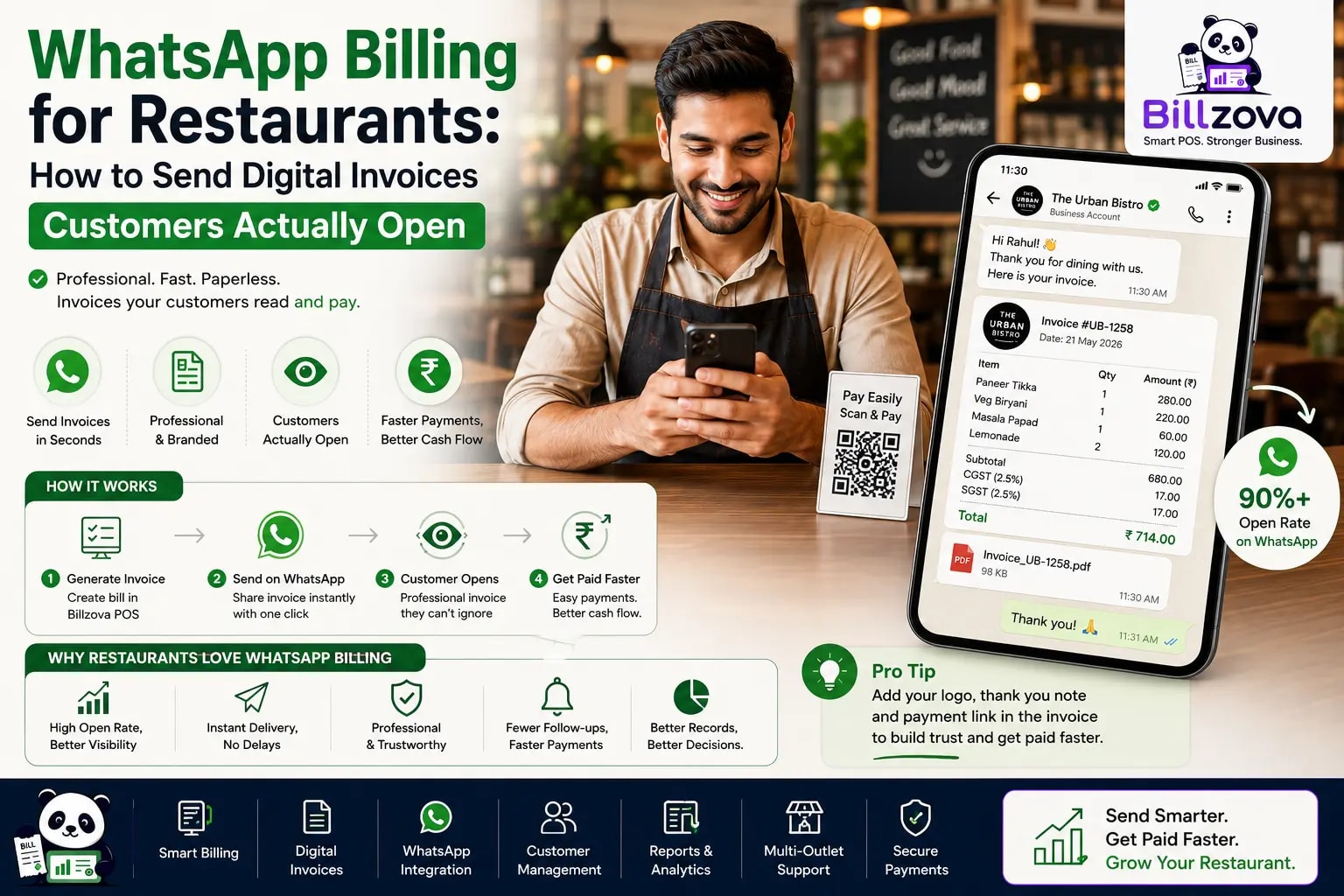
Ask a customer for their email address to send a receipt, and you'll often get one that's rarely checked, sometimes mistyped, occasionally fake outright just to get through the checkout faster. Print a paper receipt instead, and it's read once, at the counter, then usually forgotten in a pocket or a bag within the hour. Neither is really communication — both are more like the appearance of communication, technically completed but rarely actually landing.
George Bernard Shaw
Playwright
A restaurant invoice sent to an email address nobody opens is exactly that illusion — technically delivered, functionally invisible. WhatsApp is different, not because of any special billing feature, but because of where it already lives in most customers' daily behavior in India: it's the app people actually open, repeatedly, throughout the day, unlike an inbox that piles up unread. This guide is about what it actually takes to send a real, GST-compliant invoice over WhatsApp — not a photo of a receipt, not a simplified summary, but the same document your billing system generates, delivered somewhere it'll genuinely be seen.
Why Email and SMS Receipts Don't Actually Get Read
Email receipts suffer from two compounding problems: most restaurant customers don't reliably check a personal email inbox the way they check a messaging app, and a receipt competing for attention against everything else in that inbox — promotions, work email, spam — rarely gets opened at all, let alone kept somewhere findable later. SMS has its own version of the same problem: increasingly crowded with promotional and transactional clutter, to the point where a genuine, useful message can get lost in the noise or ignored by habit.
WhatsApp doesn't have either of these specific problems, mostly because of how it's actually used day to day — it's less an inbox to be triaged and more a running, active conversation thread that gets checked constantly. A receipt landing there isn't competing with a hundred other unread messages the way an email does; it's one more message in an app the customer is going to open anyway, often within minutes.
A Table Settling Their Bill, Two Ways
Picture a couple finishing dinner, ready to pay and leave.
Paper-only receipt: The bill is settled, and the receipt goes to the printer. There's a brief wait while it prints — sometimes instant, sometimes a slightly longer pause if the printer's mid-job on something else. The receipt is handed over, glanced at once, and slipped into a pocket or bag, where it'll sit until it's eventually thrown away, unread again, days or weeks later if at all.
Automatic WhatsApp invoice: The bill is settled, and the same document arrives on the customer's phone within moments — no printer wait, no physical handoff. It sits in their WhatsApp thread with the restaurant, findable any time they scroll back, whether that's later that evening to double-check an amount or months later if they need it for some other reason entirely.
Neither path meaningfully changes what the restaurant staff did — the bill was settled the same way either time. The difference is entirely in what happens to the record afterward: one is designed to be discarded, the other happens to land somewhere it's actually kept.
What Makes a WhatsApp Invoice Actually Compliant
This is the part worth being precise about, because "sending a receipt over WhatsApp" can mean very different things depending on how it's actually implemented. A photo of a printed receipt, or a simplified text summary of the total, isn't the same thing as a real invoice — and for GST purposes, the difference matters.
Warning
The practical test is simple: would this document, if printed instead, look like a real GST invoice? If the WhatsApp version is missing anything the printed version would have included, it's a convenience message, not a genuine digital invoice — worth knowing the difference before assuming a WhatsApp receipt feature checks this particular box.
The Automatic-at-Settlement Design
A manual "let me send you that on WhatsApp" step sounds simple, but it fails predictably during exactly the moments it matters most — a busy service where a staff member handling ten other things forgets, or simply doesn't have a spare moment to remember. The version that actually works reliably sends the invoice automatically the instant a bill settles, with no separate action for staff to remember, rather than depending on someone's memory during a rush.
This distinction — automatic versus manual — is the difference between a feature that works consistently and one that works only when things are quiet enough for staff to remember an extra step. A restaurant's busiest hours are exactly when a manual process is most likely to be skipped, which is also exactly when the volume of customers who'd benefit from a fast digital receipt is highest.
What a Real WhatsApp Invoicing Setup Actually Needs
Checklist
- The same GST-compliant invoice format your printer would produce, not a simplified summary
- Automatic sending at the moment of settlement — no manual step for staff to remember
- A phone number captured once, reused for both delivery and customer records
- Printed receipts still fully available for any customer who prefers or needs one
- Reliable delivery across dine-in, takeaway, and delivery orders, not just one order type
- Works even when internet is briefly unavailable, queuing delivery for when connectivity returns
Each of these matters on its own, but the combination is what actually makes the feature dependable rather than a nice idea that quietly stops working the moment something isn't perfectly convenient — a busy shift, a spotty connection, a customer who wants paper instead.
The Environmental and Cost Angle
Beyond customer experience, there's a real, ongoing operational saving worth naming directly: every bill sent digitally instead of printed is one less receipt's worth of paper and ink cost, accumulated across every single transaction, every single day. For a restaurant doing meaningful daily volume, that's not a trivial saving over a year — and it comes with essentially zero added effort once the automatic-at-settlement setup is in place, since it's not an extra step anyone has to remember to take advantage of.
It's also worth noting as a genuine, if secondary, sustainability point — less paper and thermal-printer waste per transaction adds up at scale, in a way that costs the restaurant nothing extra to achieve once the underlying automatic delivery is working correctly.
One Phone Number, Two Jobs
The phone number captured to send a WhatsApp invoice doesn't need to be collected as a separate step from anything else — it's the same number a restaurant would want on file for customer records anyway. Done well, capturing it once for invoice delivery does double duty, feeding directly into customer history and repeat-visit tracking without asking the customer to provide their number twice for two different purposes.
This connects the WhatsApp invoicing feature directly to the broader customer relationship work covered in our restaurant CRM guide — every invoice sent is also, quietly, a data point building toward knowing who your repeat customers actually are, without any extra friction added to the checkout moment itself.
Paper vs Digital: What Customers Actually Prefer
| Paper Receipt | WhatsApp Invoice | |
|---|---|---|
| Likely to be opened/read | Once, at the counter, then often discarded | Lands in an app already checked constantly |
| Findable later | Only if physically kept | Stays in the chat thread indefinitely |
| Cost to the restaurant | Paper and ink, every single bill | None, once set up |
| Speed at settlement | Wait for the printer | Instant, no physical step |
| Best for | Customers who specifically want a physical copy | Everyone else — which is most customers |
Not every customer wants to abandon paper entirely, and that's fine — the point isn't forcing a single channel on everyone, it's offering the one that fits how most customers actually prefer to receive things today, while keeping the paper option available for anyone who specifically wants it.
WhatsApp Invoicing for Takeaway and Delivery Specifically
Dine-in isn't the only place this matters — arguably it matters even more for takeaway and delivery, where a physical receipt is easy to lose in a bag or simply never printed at all if the order was placed remotely. A WhatsApp invoice sent automatically the moment a takeaway or delivery order settles gives the customer a real, findable record without depending on a paper copy tucked into a food bag, which is exactly the kind of receipt that tends to get thrown away with the packaging before anyone thinks to keep it.
What About Customers Without WhatsApp or Who Want a Printed Copy
WhatsApp is close to universal in India, but "close to" isn't "always" — a restaurant billing system built around WhatsApp invoicing as the only option would genuinely fail some customers. The right design offers digital delivery as the default, fast path while keeping printed receipts fully available for anyone who wants or needs one, rather than treating paper as a legacy option being phased out entirely.
Business Customers and Split Groups
WhatsApp invoicing becomes especially useful in two specific scenarios covered elsewhere on this blog. For business dining, where a guest needs their own claim-ready receipt for expense reporting, a WhatsApp invoice arrives on their phone before they've even left the table — no waiting on a printer, no risk of a paper slip getting lost between the restaurant and their expense report. For a table splitting the bill several ways, covered in depth in our bill splitting guide, each guest can receive their own individual invoice digitally the moment their specific share settles, rather than everyone crowding around one printed receipt trying to work out who owes what.
Both scenarios share the same underlying value: a receipt that reaches the right person, individually, at the moment it's actually needed — not a shared paper copy or a delayed email nobody checks before the information becomes irrelevant.
Common Mistakes Restaurants Make With Digital Receipts
Sending a summary instead of a real invoice. As covered above, a quick "your total was ₹450" message isn't a substitute for a proper GST-compliant document, and treating it as one can leave a customer without the actual invoice they might need later.
Making it a manual, memory-dependent step. If sending the invoice depends on a staff member remembering to do it, it will get skipped exactly during the busiest, highest-volume moments — automation isn't a nice-to-have here, it's what makes the feature actually reliable.
Not connecting it to customer records at all. Capturing a phone number purely for one-time invoice delivery, without it building toward any customer history, wastes the second, quieter benefit of the same single data point.
Treating it as an all-or-nothing replacement for paper. Some customers genuinely want a printed receipt — removing that option entirely in favor of digital-only creates a real, avoidable friction point for exactly the customers who'd have been fine with either.
Rolling It Out Without Confusing Staff or Customers
Switching from paper-only to a digital-first default is a genuine change in a restaurant's daily routine, even though the underlying billing process doesn't actually change. A smooth rollout is less about the technology itself and more about making sure both staff and customers understand what's happening.
Best Practice
- Brief staff clearly that digital delivery is now automatic — they don't need to manually trigger anything, just confirm a phone number if one hasn't already been captured
- Make clear to customers, briefly, that their invoice will arrive on WhatsApp — a quick verbal mention avoids anyone standing around confused, waiting for a printer that isn't going to produce anything unless requested
- Keep the printed option genuinely easy to request, not buried behind an awkward or unclear process
- Monitor the first few weeks for any delivery issues, rather than assuming it's working correctly and not checking
- Make sure staff know how to manually resend an invoice if a customer says they didn't receive it
Most of the actual friction in a rollout like this is about expectation-setting, not the technology — a customer who wasn't told to expect a WhatsApp message instead of a printed slip can be momentarily confused standing at the counter, waiting for a receipt that was never going to print. A single sentence — "I'll send that to your WhatsApp" — removes nearly all of that friction on its own.
Frequently Asked Questions
Is a WhatsApp invoice legally the same as a printed GST invoice?
It should be, if implemented correctly — a genuinely compliant WhatsApp invoice contains the same information a printed one would: CGST/SGST split, GSTIN, sequential numbering, item-wise detail. The delivery channel shouldn't determine whether the document itself is a real, compliant invoice.
Does sending invoices over WhatsApp require the customer to have WhatsApp Business, or just regular WhatsApp?
Just regular WhatsApp on the customer's side — the business sending the invoice typically uses WhatsApp's business messaging capability, but the customer receives it as a normal message in the app they already use.
What happens if a customer doesn't want to share their phone number?
They should always have the option to decline and receive a printed receipt instead — capturing a number for WhatsApp delivery should never be a mandatory condition of being served.
Does this work for takeaway orders placed over the phone, not in person?
Yes, in principle — since the phone number is already part of taking a phone order, sending the invoice to that same number via WhatsApp once the order is billed doesn't require any extra step beyond what a phone order already involves.
Is there a cost per message sent, similar to SMS?
Costs and limits depend on the specific messaging setup and provider a restaurant's software uses — worth confirming directly with whatever system you're evaluating rather than assuming it works identically to SMS pricing.
Can a customer request their invoice be resent if they can't find it?
Since it lives in the ongoing WhatsApp conversation thread with the restaurant, a customer can typically just scroll back to find a previous invoice themselves — but a restaurant with access to order history can also resend it if genuinely needed.
Does WhatsApp invoicing work offline, or does it require an active internet connection at the moment of billing?
A properly built offline-first system should complete billing fully offline and queue the WhatsApp send for the moment connectivity returns, rather than making billing itself dependent on an internet connection just to generate the invoice.
Can a customer opt out of WhatsApp invoices after receiving one, if they change their mind?
A restaurant should be able to switch a given customer back to printed receipts on request — the digital option is meant to be the convenient default, not an irreversible commitment for the customer.
Does the invoice come from the restaurant's own number, or a shared platform number?
This depends on the specific WhatsApp Business messaging setup a restaurant's software uses — worth confirming with whatever system you're evaluating, since it affects how recognizable the sender appears to the customer.
Is there a risk of WhatsApp invoices being mistaken for spam or marketing messages?
A transactional invoice tied directly to a bill the customer just paid reads very differently from an unsolicited promotional message — the key is sending only what the customer would expect given they just completed a purchase, not using the same channel for unrelated marketing without separate, explicit consent.
Can restaurants see whether a customer actually opened the WhatsApp invoice?
Delivery and read confirmation depend on the specific messaging platform and the customer's own settings — this varies by implementation and isn't something to assume works identically to how read receipts function in a personal WhatsApp chat.
The Bottom Line
The goal was never really "send a receipt digitally" — plenty of restaurants technically already do that with an email nobody opens. The actual goal is sending an invoice somewhere it'll genuinely be seen, kept, and findable later, without adding friction to the checkout moment or compromising on what a compliant invoice actually needs to contain.
billzova's WhatsApp invoicing sends the same fully GST-compliant document automatically the moment a bill settles — no manual step, no compromise for convenience — included standard at ₹399/month, with your first month free. It's a small change to the checkout moment, and a real one to whether the receipt actually reaches the customer in any meaningful, lasting way.
Billzova Team
Restaurant POS & Billing Experts
We build Billzova — GST billing, KOT, offline mode, inventory and reports for Indian restaurants. This team writes from what we see helping real restaurants bill faster every day.
Run your restaurant on billzova
GST billing, KOT, offline mode, inventory & reports in one app. ₹399/month — first month free.