Restaurant Billing Fraud: 7 Warning Signs Every Owner Should Know (2026)
Most restaurant owners find out about billing fraud by accident — a chance conversation with a departing employee, a customer complaint that doesn't add up, or a gut feeling after a slow month that somehow still needed three staff meetings about "cash shortages." By the time it's obvious enough to notice without looking, it has usually been going on for months.
That's the uncomfortable truth about restaurant billing fraud: it's almost never a single dramatic theft. It's small, repeated, and built to look exactly like something innocent — a routine cancellation, a printer error, a customer who "changed their mind." One deleted invoice means nothing. A pattern of them, viewed together, means something worth a two-minute conversation.
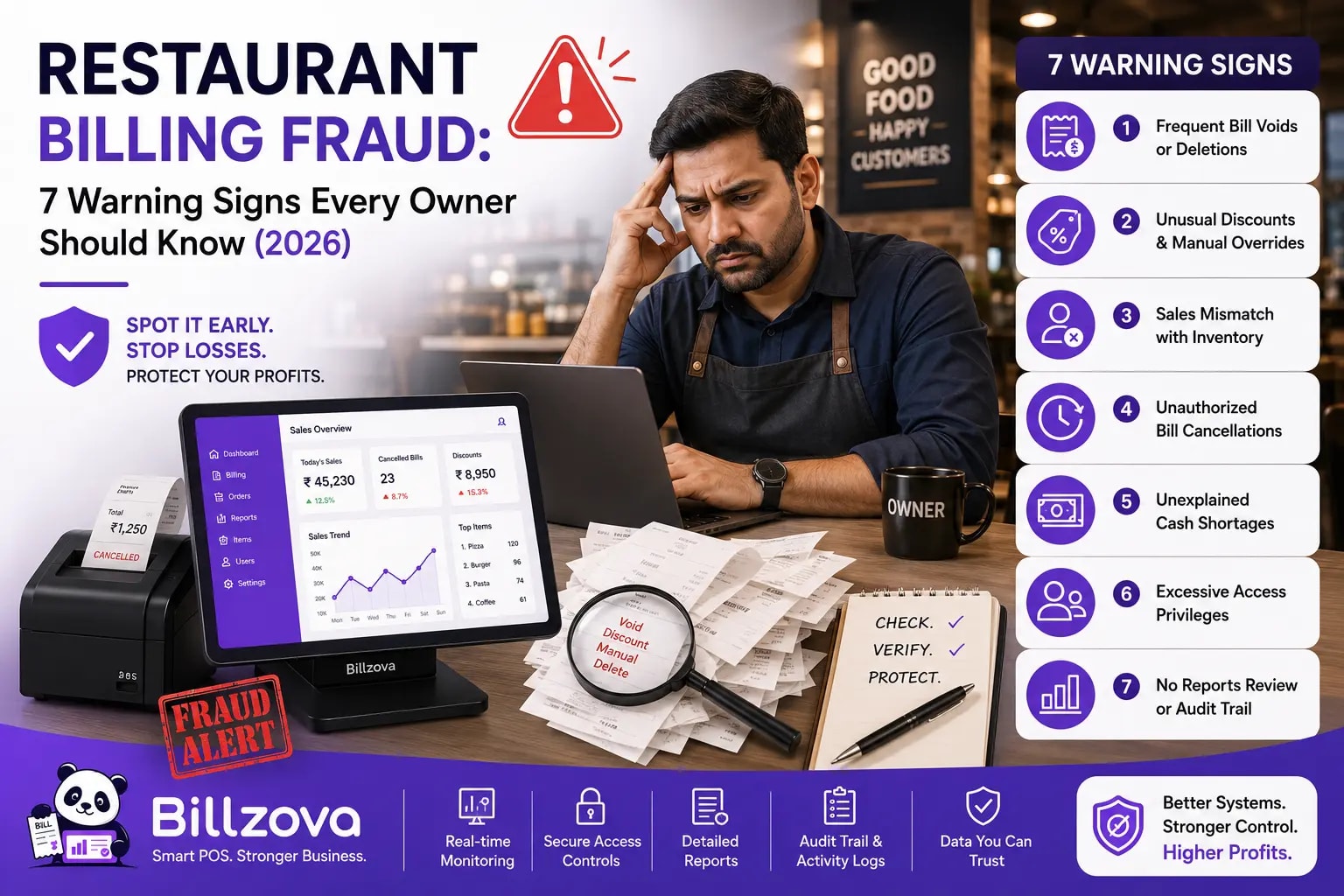
This guide walks through seven real, specific warning signs — the kind you can actually check for in your own billing data, not vague advice to "trust your staff less." Each one is a pattern, not a verdict, and we'll be explicit throughout about what a flag does and doesn't prove. The goal isn't suspicion for its own sake. It's giving an owner who can't be at the counter every single shift a real way to know what's worth a closer look.
Why Billing Fraud Rarely Looks Like a Crime Scene
If you're picturing a staff member pocketing a fistful of cash from the till, you're picturing the wrong crime. That does happen, but it's rare, and it's usually caught fast because it's clumsy. The much more common pattern in restaurants is quieter and structurally built into the billing process itself.
The classic version: a table pays in cash, the staff member settles the bill normally, collects the cash — and then deletes the invoice afterward. The money never touched a drawer count that gets reconciled. The table is gone, the customer is gone, and the only trace left behind is a deleted record that, on a busy night, looks exactly like a hundred routine corrections.
A second, subtler version doesn't even require deleting a real invoice. A bill gets printed and handed to the table — a real amount, shown to a real customer — and then the order is simply cleared instead of ever being formally settled. No invoice number is ever generated. No payment record exists. If you're only ever looking at your list of deleted invoices, this pattern is completely invisible, because technically nothing was ever "deleted" — it just never became a real transaction in the first place.
Neither of these requires a criminal mastermind. They require a gap between what a POS system tracks by default and what actually happens at the counter during a busy shift. Understanding the seven signs below means understanding exactly where that gap tends to show up.
Info
Ronald Reagan
40th President of the United States
That phrase — originally a Russian proverb Reagan leaned on repeatedly during nuclear arms negotiations — captures the right posture for this entire topic better than anything written specifically about restaurants. The goal isn't to distrust your team by default. It's to stop relying on trust alone as your only control, the same way no serious agreement between two parties skips verification just because the relationship is a good one.
The 7 Warning Signs at a Glance
Before the detailed walkthrough below, here's the full list in one place — useful as a reference to come back to, or to skim before deciding which sections to read closely.
| Warning Sign | What It Looks Like | Why It Matters |
|---|---|---|
| 1. Staff deletion-rate outlier | One person's deletion rate sits well above the restaurant's own average | Compares against your own baseline, not a generic number |
| 2. Printed, then abandoned | A bill was printed but the order was cleared instead of settled | No invoice or payment record exists — invisible to most reporting |
| 3. Printed, then quickly deleted | An invoice is deleted within minutes of printing | A narrower window than a same-day correction usually needs |
| 4. Cash-heavy deletions | Cash is over-represented among deleted, previously-paid orders | Cash is the one payment method with no independent, external trail |
| 5. Repeat-voided table | The same physical table shows up again and again in deletions | Can catch a pattern spread across more than one staff member |
| 6. Time-of-day clustering | Deletions concentrate in one hour, beyond what volume alone explains | Often correlates with reduced oversight during that window |
| 7. Cancelled/deleted confusion | Routine table clears get counted the same as real invoice deletions | Dilutes every other signal on this list if not kept separate |
Warning Sign #1: One Staff Member's Deletion Rate Stands Out From the Rest
Every restaurant has some baseline rate of invoice deletions — genuine billing corrections happen, mistakes get made, orders get re-entered. That baseline is different for every restaurant, which is exactly why comparing a single staff member's deletion rate to a generic industry number is close to useless. The comparison that actually matters is internal: how does this person's deletion rate compare to everyone else working the same shifts, at the same restaurant, under the same conditions?
The math is simple once you frame it that way. If your restaurant's overall deletion rate across every real invoice is, say, 4%, and one cashier is sitting at 18%, that's not a rounding difference — that's a pattern worth understanding. Maybe they're new and making more genuine mistakes. Maybe they're covering a particularly chaotic shift. Or maybe something else is going on. You won't know until you ask, but you can't ask a question you never noticed needed asking.
The practical trap here is small sample sizes. A staff member who has only billed six invoices this week and deleted one of them has a "16% deletion rate" that means almost nothing statistically — that's one event, not a pattern. A meaningful comparison needs a real sample on both sides: the person's own invoice count needs to be large enough that their rate isn't just noise, and it needs to be measured against your restaurant's own baseline, not someone else's benchmark from a different city, format, or price point.
10+ points
One more nuance that trips up a lot of owners doing this by hand: this comparison only works if you're counting real deleted invoices — bills that were already settled and paid, then removed afterward — and not routine table cancellations, where a table was cleared before it was ever billed. Mixing the two together inflates every rate with harmless noise and buries the signal you're actually looking for. More on that specific confusion in warning sign #7 below, because it's common enough to deserve its own section.
Warning Sign #2: A Bill Gets Printed, Then the Order Disappears
This is, in a very literal sense, the most concrete warning sign on this entire list, because it doesn't rely on statistics or comparisons at all. If a bill was physically printed and handed to a customer — a real, specific amount, shown to a real person — and the order was then cleared instead of ever being settled, that's not a pattern that needs a threshold or a baseline to be worth checking. It's worth checking every single time it happens.
Here's why this particular sequence matters so much: a printed bill is proof that money was, at some point, expected to change hands for a specific amount. If that order later shows no invoice number and no payment record, one of exactly two things happened — either the customer genuinely walked out without paying (which happens, and is worth knowing about for entirely different reasons), or the payment was collected off the books, in cash, with the order cleared afterward to make the till and the order list agree with each other.
Most restaurant billing systems don't track this at all, because most systems only ever look at what happened to completed orders. An order that was printed and then abandoned never becomes an invoice, so it never shows up in a report built around invoices. It's a genuine blind spot — not because anyone designed it that way, but because "printed a bill and then never settled it" isn't the failure mode most reporting was built to catch.
Warning
The fix, when you find one of these, isn't to assume the worst immediately. Ask directly: what happened with this table? Sometimes the honest answer is completely mundane — a customer disputed the bill and it got voided while they worked it out with a manager, or a printer duplicated a ticket by mistake. The point of tracking this isn't to skip the conversation. It's to make sure the conversation actually happens, instead of the pattern quietly repeating because nobody was ever looking at the right data to notice it.
Warning Sign #3: Invoices Deleted Within Minutes of Printing
This is a sharper version of warning sign #2, and it's worth separating out because the timing tells a materially different story. An invoice that gets corrected an hour after it was printed — after a manager review, after a customer called back, after someone noticed a genuine mistake during a quiet moment — reads very differently from an invoice that's deleted within five minutes of the bill leaving the printer.
5 minutes
Think through what actually has to happen for a quick deletion to be legitimate: the bill prints, and within minutes, someone needs to notice an error, understand what's wrong, correct it, and delete the original — all in the middle of active service. That's not impossible. Genuine immediate corrections do happen; a wrong table, a duplicate print, an obvious typo caught on the spot. But it's a narrower set of legitimate explanations than a same-day or same-shift deletion, and it's exactly the pattern you'd expect from someone printing a bill for the record, collecting cash quietly, and then cleaning up the evidence before anyone else looks at the printer queue.
The five-minute window isn't an arbitrary number pulled from nowhere — it's chosen because it roughly maps to how long it plausibly takes for a genuine, in-the-moment correction to happen versus how long a deliberate cleanup would realistically take once someone decides an invoice needs to disappear quickly. A quick deletion isn't proof of anything on its own. But combined with warning sign #2 — the invoice being printed at all before disappearing — it's the single strongest individual pattern on this list, and worth treating as high-priority every time it appears, not just when it happens repeatedly.
Warning Sign #4: Cash Payments Make Up an Outsized Share of Deletions
Every restaurant has a normal mix of payment methods — some split between cash, UPI, and card that reflects its own customer base and location. That mix is the baseline you actually need for this warning sign to mean anything: not "cash is being used," which is completely normal, but "cash-paid orders are disproportionately represented in what gets deleted, compared to how often cash is used in general."
The reason this specific comparison matters is that it's the classic shape of a skimming pattern. Card and UPI payments leave an external, bank-side record that exists independently of whatever the restaurant's own POS says — deleting the invoice doesn't make the payment gateway's own transaction record disappear. Cash has no equivalent external trail. If a payment method is going to get skimmed, cash is structurally the one that's actually possible to skim without leaving a second, independent record behind.
So the useful comparison isn't "how much cash do we take," it's a ratio of ratios: what share of your total payments are cash, versus what share of your deleted, previously-paid orders were paid in cash? If cash is 30% of your total payments but 70% of your deletions, that gap — cash punching well above its normal weight specifically among the transactions that got deleted — is the signal, not the raw cash volume itself.
Best Practice
- Calculate your restaurant's overall cash-payment share for a normal month first, as your baseline
- Then calculate the cash share specifically among orders that were paid and later deleted
- A gap of 20 percentage points or more between the two is worth investigating
- Only run this comparison once you have a real sample — five or more deleted-and-paid orders, at minimum
- Check whether the gap is concentrated on one staff member's shifts, or spread evenly across your team
As with every sign on this list, there are entirely innocent explanations for a temporary spike — a promotional period that drove more cash transactions overall, a card machine outage for part of a month, a new till process that generated more corrections than usual while staff adjusted. The value of tracking this isn't catching a single bad month. It's noticing when the gap doesn't go away.
Warning Sign #5: The Same Table Gets Voided Again and Again
A table that gets an invoice deleted once, occasionally, over the course of a month is unremarkable — tables turn over constantly, and any given physical table number will eventually be involved in a genuine correction just by volume alone. A specific table showing up repeatedly in your deleted-invoice list, disproportionate to how often that table is actually used, is a different story.
What makes this pattern worth watching separately from the staff-level comparison in warning sign #1 is that it can catch something a staff-level view misses entirely: a scheme that involves more than one person, or one that rotates across shifts specifically to avoid looking like a single individual's pattern. If three different staff members each show an unremarkable personal deletion rate, but they're all disproportionately deleting invoices from the same corner table, the staff-level comparison alone wouldn't flag anyone — but the table-level view would.
There's also a more mundane, entirely legitimate reason this pattern sometimes shows up: a genuinely difficult table. A regular who frequently disputes charges, a booth with a persistent printer or POS terminal issue, a section where a particular menu item consistently gets mis-entered. None of that is fraud — it's an operational problem with a completely different fix. The point of flagging repeat deletions on one table isn't to assume the worst. It's to make sure you actually know it's happening at all, since "which table" is exactly the kind of detail that's easy to lose track of when you're reviewing a long list of individually-unremarkable deletions.
Warning Sign #6: Deletions Cluster Around a Specific Time of Day
This is the least intuitive warning sign on this list, and also one of the more useful ones once you understand why it works. The idea is simple: if deletions happen at roughly the same rate throughout your operating hours, there's no real pattern to notice. But if a disproportionate share of your deletions consistently cluster around one specific hour — well beyond what you'd expect just from that hour having more total transactions — that clustering itself is worth understanding.
There are two broad categories of explanation, and they point in very different directions. The operational explanation: a specific hour genuinely is your busiest, most error-prone period — a lunch rush where orders get punched in fast and mistakes happen faster, or a shift-change window where handoffs between staff create confusion. The other explanation is less comfortable: a specific hour consistently correlates with reduced oversight — perhaps it's when a manager typically isn't on the floor, or when the restaurant is quiet enough that a deletion is less likely to be noticed by a colleague standing nearby.
Distinguishing between the two isn't something a data pattern alone can tell you — it takes local knowledge of your own restaurant's actual staffing and rhythm. But you can't apply that local knowledge to a question you never asked, and most owners reviewing a long, flat list of individual deletions never naturally notice a time-of-day pattern just from scanning timestamps. Explicitly comparing deletion volume per hour against your restaurant's own average per-hour volume — and only flagging a real spike, not just whichever hour happened to have marginally more activity on a given day — turns an invisible pattern into a specific, checkable question: "why does this particular hour keep coming up?"
Warning Sign #7: "Cancelled" and "Deleted" Get Mixed Up in Your Own Head
This last one isn't a fraud pattern at all — it's a measurement mistake that quietly undermines every single sign above it, and it's common enough that it deserves its own section rather than a footnote.
Here's the confusion: a "cancelled" order and a "deleted invoice" sound similar, and in a lot of restaurant software they even get displayed in the same list, but they represent two completely different events. A cancelled order almost always means a table was cleared before it was ever billed at all — no money changed hands, no invoice was ever created, and any staff member with basic billing access can do this as a routine part of running a floor. It happens constantly, for entirely mundane reasons: a customer walks out, an order gets re-entered under a different table, a mistaken entry gets cleared before it goes anywhere.
A deleted invoice is a fundamentally different event. It means a bill was already fully settled — paid, closed, complete — and then the record was removed after that happened. That's the event every warning sign on this list is actually about. Deleting an already-paid invoice typically requires a specific, owner-granted permission precisely because it's a much more consequential action than clearing an unpaid table.
| Cancelled | Deleted Invoice | |
|---|---|---|
| What happened | Table cleared before it was ever billed | Bill was paid and settled, then the record was removed |
| Money involved | None | Yes — already collected |
| Who can do it | Any billing staff, routinely | Usually requires specific, owner-granted permission |
| How common | Very — a normal part of daily service | Rare, and each one is individually significant |
| Relevant to these warning signs? | No — should be excluded from the analysis | Yes — this is what every sign in this guide is about |
Common Mistake
If you're reviewing your own billing data by hand, the very first question to answer — before looking at any of the six signs above — is whether your list actually separates these two categories, or silently merges them. If it merges them, every comparison downstream is measuring the wrong thing.
What These Signs Don't Prove (And Why That Matters)
It's worth being unusually direct about this, because it's easy for an article listing "warning signs" to slide into sounding like an accusation checklist. It isn't one, and treating it like one is actually counterproductive — both ethically and practically.
Every single pattern above has innocent, common explanations. A new staff member makes more genuine mistakes while learning the system. A particular shift really is more chaotic than others for entirely operational reasons that have nothing to do with anyone's honesty. A regular customer really does dispute their bill more often than average, for reasons that have nothing to do with your staff. None of the seven signs, on their own or even in combination, constitute proof of anything. What they constitute is a reason to ask a specific, informed question instead of either ignoring the whole topic or reacting to a vague, unfocused suspicion.
There's a real practical cost to getting this wrong in either direction. Ignore the topic entirely, and a genuine pattern — if one exists — continues indefinitely, because nobody was ever looking closely enough to notice it. But treat every flag as an accusation, confront a staff member aggressively based on a single data point, and you risk damaging a relationship with an innocent employee over what might have been a genuinely busy Tuesday. The right posture sits between those two failure modes: notice the pattern, understand it before jumping to conclusions, and have a direct, calm conversation grounded in the specific numbers rather than a vague feeling.
How to Actually Investigate a Flag Without Accusing Anyone
Once a pattern shows up — a deletion rate that's meaningfully above your restaurant's average, a table that keeps recurring, a cluster of quick deletions right after printing — the way you handle it matters as much as catching it in the first place.
Checklist
- Look at the actual entries behind the pattern before talking to anyone — the specific tables, times, and amounts involved
- Check whether the pattern is genuinely new, or whether it's always been part of how that shift or that role normally runs
- Ask the staff member directly and neutrally, framed as "help me understand this" rather than "explain yourself"
- Give real weight to an operational explanation if one exists — a known printer issue, a documented difficult table, a training gap
- If the explanation doesn't add up, involve whoever handles this formally in your restaurant rather than escalating informally
- Keep a record of the conversation and its outcome, whichever way it resolves, so the same question doesn't need re-investigating from scratch later
One thing worth remembering throughout this process: the goal of catching a pattern early isn't necessarily punitive. In a genuinely large number of cases, surfacing a pattern and having a direct conversation about it is enough on its own to change behaviour — simply knowing that deletions are being reviewed, rather than sitting in an unwatched list, removes a lot of the opportunity that made the pattern possible in the first place.
Building the Internal Controls That Prevent This in the First Place
Catching a pattern after it's already happened is useful, but the stronger position is limiting how much opportunity exists in the first place. A few structural controls do most of the real work here, and none of them require distrusting your team as a starting posture — they're closer to the same kind of basic financial hygiene any cash-handling business should have, restaurant or otherwise.
Control who can delete an invoice at all. The single highest-leverage control is also the simplest: deleting an already-settled invoice should not be something every staff member can do. A cashier taking orders and settling bills all day has no operational reason to also be able to permanently remove a completed transaction — that's a manager or owner action, and treating it as one closes off the most direct version of this problem before it starts.
Require a second look above a threshold. Not every deletion needs a formal review — a small correction on a low-value order genuinely doesn't warrant the same scrutiny as a large one. But setting a real ₹ threshold above which a deletion needs explicit manager or owner approval means the entries that matter most financially never slip through unreviewed, while routine small corrections don't create a bottleneck for staff trying to do their jobs.
Make the review a habit, not a one-time audit. A single deep-dive review, done once and never repeated, catches whatever was happening at that specific moment and misses everything that starts afterward. A short, regular check — even five minutes a week looking at what got deleted and why — keeps the gap between "something starts happening" and "someone notices" as short as possible.
These controls work together specifically because they close different parts of the same gap. Restricting who can delete an invoice limits the pool of people who could even attempt this pattern. A review threshold makes sure the financially significant cases get a second set of eyes automatically, without depending on anyone remembering to check manually. And a regular habit of reviewing the pattern — not just individual entries — is what actually catches the seven warning signs above, since none of them are visible from looking at any single deletion in isolation.
How Billzova's Unusual Patterns Feature Catches These Automatically
Everything described above can, in principle, be done by hand — exporting deleted-invoice data, calculating rates, comparing payment methods, checking timestamps. In practice, almost no restaurant owner actually does this manually on any regular basis, because it's genuinely tedious work layered on top of already running a restaurant.
Billzova's billing audit feature, shown in the product as "Unusual Patterns," runs exactly the seven comparisons above automatically, every time you open your Deleted Invoices page — not as a one-time report, but recalculated live for whatever date range you're looking at. It checks staff deletion-rate outliers against your restaurant's own baseline, flags printed-then-deleted and printed-then-abandoned bills, compares payment-method shares, watches for repeat-voided tables, and surfaces unusual deletion-hour clustering — the same seven signs covered in this guide, computed from your restaurant's own real data rather than a generic industry benchmark.
It also solves warning sign #7 directly, at the data level rather than relying on you remembering to separate the two categories yourself: the feature only ever counts genuinely deleted, previously-settled invoices, never routine cancellations, so the numbers you see are never diluted by harmless table clears in the first place.
And the access controls covered in the section above aren't a separate manual setup — they're how the feature is built by default. Invoice deletion is owner-only unless you explicitly extend it to managers, cashiers can never delete an invoice under any configuration, and the Unusual Patterns insights themselves are visible only to the restaurant owner. The same structural protection this guide recommends building is what the feature already assumes as its starting point.
Frequently Asked Questions
How common is billing fraud in restaurants, really?
There's no single reliable number that applies to every restaurant, and treating any specific percentage as universal would be misleading. What's well understood operationally is that cash-handling businesses with high staff turnover and minimal oversight per shift are structurally more exposed to this kind of pattern than businesses with tighter, more automated controls — which is exactly why the internal controls covered in this guide matter regardless of whether fraud has happened at your specific restaurant yet.
Should I confront a staff member as soon as I see one warning sign?
No — a single flag, on its own, is rarely enough to act on directly. The signs in this guide are designed to be looked at together and understood before any conversation happens, and even then, the right first move is usually a neutral, direct question rather than an accusation. See the section above on investigating a flag without accusing anyone.
What's the difference between a "cancelled" order and a "deleted invoice"?
A cancelled order means a table was cleared before it was ever billed — no money was involved, and any billing staff can typically do this. A deleted invoice means a bill was already paid and settled, and the record was removed afterward — a materially more significant event that usually requires specific, owner-granted permission. Mixing the two together is the single most common mistake in self-auditing restaurant billing data, covered in detail in warning sign #7 above.
Can a POS system actually prevent billing fraud, or only detect it?
Both, to different degrees. Restricting who can delete an invoice and requiring approval above a threshold are genuine prevention — they reduce the opportunity for this pattern to occur at all. Automated pattern detection, like the seven signs in this guide, works after the fact, surfacing what already happened so it can be addressed and stopped from continuing. A strong setup uses both: fewer people with the ability to cause the problem, and a reliable way to notice if it happens anyway.
Does tracking this data slow down billing at the counter?
No. Pattern detection built into a POS system runs against data that's already being recorded as part of normal billing — it doesn't add any extra step at the counter itself. The analysis happens when you review your reports, not during a live transaction.
What if the pattern turns out to be completely innocent?
That's a genuinely common and good outcome, not a failure of the system. Most flagged patterns, when actually investigated, turn out to have an ordinary explanation — a training gap, a specific difficult table, a busy shift. The value of checking isn't a guaranteed discovery of wrongdoing; it's replacing a vague, unfocused worry with a specific, answerable question, and either resolving it with a real explanation or catching a real problem early, before it repeats for months.
Is it fair to compare a new staff member's deletion rate to experienced staff?
Not directly, no — and this is exactly why context matters more than a raw number. A new staff member with a higher deletion rate is more likely explained by a genuine learning curve than by anything else, and treating every statistical outlier identically regardless of context defeats the purpose of looking at the data thoughtfully in the first place. The numbers are a starting point for a conversation, not a verdict delivered without one.
How far back should I look when reviewing these patterns?
There's no single right answer, but a useful approach is checking a recent, focused window — a week or a month — for anything acute, alongside an occasional longer look-back to catch slower-building patterns that a short window might miss. Reviewing on a regular cadence matters more than picking the perfect date range for any single check.
The Bottom Line
None of the seven signs in this guide require expensive tools, forensic accounting, or treating your staff like suspects by default. They require looking at data most restaurants already have — deleted invoices, payment methods, timestamps — and comparing it against your own restaurant's own baseline instead of relying on a gut feeling that only kicks in after a pattern has already run for months.
The restaurants best positioned to catch a real problem early aren't the ones with the most suspicious owners. They're the ones with the tightest, most boring internal controls — a clear rule about who can delete an invoice, a real threshold for what needs a second look, and a habit of actually checking the pattern rather than just the individual entries. Everything else in this guide is really just a more specific way of describing that same basic discipline.
If you want billzova to run these checks automatically instead of doing them by hand, the billing audit and Unusual Patterns feature is included standard at ₹399/month, with your first month free.
Billzova Team
Restaurant POS & Billing Experts
We build Billzova — GST billing, KOT, offline mode, inventory and reports for Indian restaurants. This team writes from what we see helping real restaurants bill faster every day.
Run your restaurant on billzova
GST billing, KOT, offline mode, inventory & reports in one app. ₹399/month — first month free.