KOT Software for Restaurants: Make Your Kitchen Faster and Error-Free
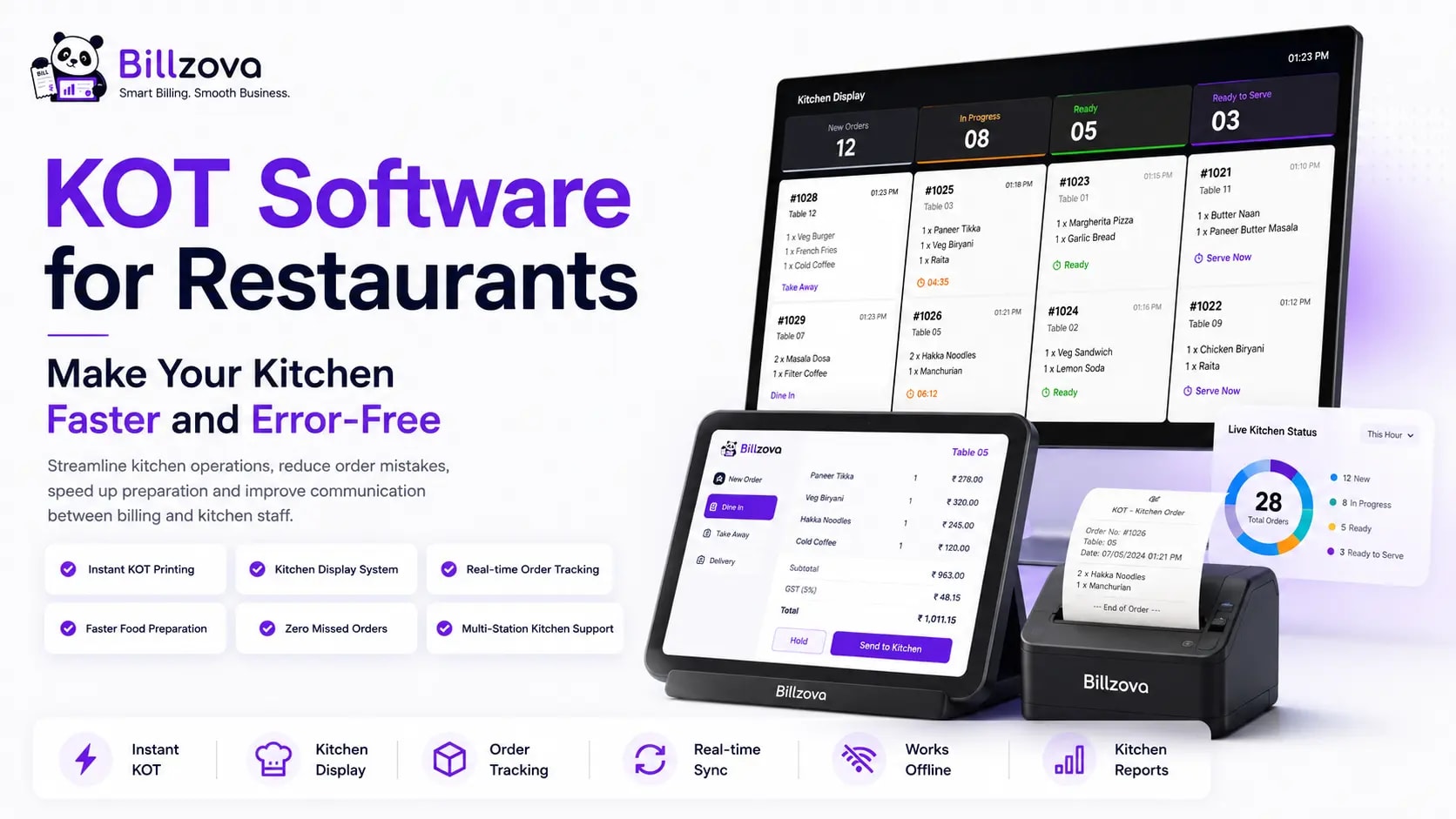
Every restaurant owner knows the feeling. A packed Friday night, three tables ordering simultaneously, a server scribbling an order on a notepad, rushing to the kitchen and shouting the details while trying to remember which table wanted the extra sauce and which one said no garlic. The kitchen misses the modifier. The dish has to be remade. The customer waits. The table is already running late.
This is not a staffing problem. It is a systems problem — and KOT software for restaurants is the fix that kitchens across India have adopted to run faster and error-free even on the busiest nights. In this guide we explain exactly what KOT software is, why the paper version fails under pressure, how the software works in practice, what features to look for, and how to choose the right Kitchen Order Ticket system for your restaurant.
What Is a KOT? (Kitchen Order Ticket Explained)
A Kitchen Order Ticket (KOT) is the printed or digital slip that travels from the billing counter or server's device to the kitchen, telling chefs exactly what to prepare, for which table, and in what sequence. It is the single source of truth between front-of-house and back-of-house.
Before software, KOTs were handwritten carbon copies: one copy stayed at the billing counter for invoicing, one went to the kitchen. The system worked when restaurants were small and unhurried. It breaks down the moment a restaurant gets busy, serves more than 15-20 tables, or needs modifiers like "no onion," "extra spicy," or "half portion." Illegible handwriting, lost slips and verbal miscommunication cost speed, accuracy and ultimately customers.
What Is KOT Software for Restaurants?
KOT software — also called kitchen order ticket software or a restaurant KOT system — is the module within a restaurant POS that automatically generates, prints and tracks kitchen tickets the moment a waiter places an order on the billing screen. The paper slip or clipboard is replaced by a digital workflow that is instant, legible, trackable and integrated with billing.
It helps to understand where KOT fits in the larger stack:
- Restaurant Billing Software generates the customer-facing GST invoice. See our full guide on Restaurant Billing Software in India.
- Restaurant POS Software is the front-of-house system for taking orders, managing tables and accepting payments. KOT is a core module of any serious Restaurant POS Software.
- Restaurant Management Software adds inventory, staff, CRM and analytics on top. Explore the full picture in our guide on Restaurant Management Software.
KOT software sits at the intersection of POS and kitchen — it is the communication layer that keeps both sides in sync. Without it, even the best POS on the counter and the most skilled team in the kitchen will lose orders, make mistakes and frustrate customers during a peak-hour rush.
How KOT Software Works: The Step-by-Step Flow
Understanding the workflow makes the value obvious:
- Order taken: A server or cashier enters the order on the POS screen — table number, items, quantities, modifiers ("no garlic," "extra sauce," "half portion").
- KOT generated instantly: The moment the order is placed, the KOT software creates a digital ticket with all order details, a time-stamp and the table number.
- Ticket printed in the kitchen: The kitchen's thermal printer fires immediately. The chef sees a clean, legible ticket — no waiting for a server to walk over, no deciphering handwriting.
- Kitchen prepares the order: Chefs work the ticket. Items are prepared in the correct sequence for the correct table, with modifiers clearly listed.
- Order tracked live: The POS shows which tickets are open, which are being prepared and which are ready. Managers see kitchen load at a glance.
- Bill generated from KOT data: When the customer calls for the bill, it is generated directly from the confirmed KOT — no re-entry, no miscalculation, no forgotten items.
The entire flow happens in seconds, automatically, without a human carrying paper from one room to another. That is the difference between a kitchen that operates and a kitchen that performs.
The Real Cost of Running Without KOT Software
Manual KOT and verbal communication seem fine when a restaurant is small or slow. They fall apart at exactly the moments that matter most.
Order errors compound under pressure
Wrong orders, missing items and ignored modifiers are consistently the top three causes of negative restaurant reviews. Every one of these failures is traceable to a breakdown in the order communication chain — the problem that KOT software eliminates at the root. A single remade dish during a busy service costs you the dish, the chef's time and, often, the customer's goodwill.
Food wastage rises without a clear ticket trail
When chefs prepare from verbal orders, over-preparation and under-preparation are common. KOT software gives the kitchen a clear, time-stamped queue so they make only what is ordered, in the right sequence. That alone can reduce kitchen waste by 8-15% in a busy operation — a meaningful saving when food cost is already 30-40% of revenue.
Peak hours expose the bottleneck
A paper-based system that barely holds together at 30% capacity collapses at 80%. When servers are running slips to the kitchen, the server and the walk are the bottleneck — the kitchen cannot start until someone physically arrives. With KOT software, the ticket fires to the printer the instant the order is placed. The kitchen starts immediately, every time, without waiting for a human handoff.
Billing and kitchen fall out of sync
Without integration, a dish can be prepared and served that the billing system never recorded — pure revenue leakage. Or the bill is generated before an item was confirmed as prepared, leading to disputes. KOT software keeps both sides running from a single source of truth.
Key Benefits of Restaurant KOT Software
1. Zero verbal miscommunication
Every modifier, special instruction and quantity is captured in text at the counter and appears identically on the kitchen printer. "No garlic, extra butter, half portion biryani for table 7" cannot be misheard, forgotten or misread from bad handwriting — it is always exactly what the customer said.
2. Faster table turns
The kitchen begins preparation the moment an order is placed, not when a server gets around to walking over. At peak hours this can shave 5-10 minutes off preparation time per table — and on a busy night, those minutes translate directly into more covers served and higher revenue without adding a single staff member.
3. Multi-station routing
A full-service restaurant has different prep stations: hot kitchen, cold kitchen, grill, tandoor, bar. KOT management software can route each item to the correct printer automatically — tandoor items go to the tandoor station, drinks to the bar — so each team works only their own queue without confusion about who makes what.
4. Live kitchen visibility
Managers and supervisors can see open tickets, preparation time and kitchen load in real time without stepping into the kitchen. This makes it easy to identify bottlenecks and manage guest-facing ETA before a customer has to ask "where is my order?"
5. Accurate billing from order data
Since the bill is generated from KOT data, there is no re-entry and no "oh, we forgot to charge for the extra cheese." Every item served is on the bill — automatically and correctly.
6. Order history and accountability
Every KOT is time-stamped and logged. If a customer disputes an order or a manager wants to trace a complaint, the full order history is searchable. This also creates staff accountability across shifts — you always know who took which order and when.
Features to Look for in KOT Management Software
Not all KOT systems are equal. Here is what separates a genuine kitchen management tool from a basic ticket printer:
| Feature | What it should do | Why it matters |
|---|---|---|
| Instant KOT printing | Ticket fires to kitchen printer the moment an order is placed | No handoff delay — kitchen starts immediately |
| Multi-station routing | Route items to different kitchen printers by category | Each station gets only their tickets |
| Modifier support | Print item-level special instructions clearly on every ticket | Zero verbal miscommunication |
| Offline operation | KOT printing works even without internet | No stoppage during power or connectivity outages |
| Reprint / cancel KOT | Reprint a lost ticket; cancel and send a void slip | Kitchen stays in sync at all times |
| Token / sequence display | QSR token numbers, dine-in table sequencing | Works across different restaurant formats |
| Integration with billing | Bill generated from the same KOT data, zero re-entry | No missed charges, no double entry |
| Order status tracking | Open / preparing / ready status per ticket | Visibility for managers and servers |
The offline requirement deserves emphasis
Many restaurants across India face power fluctuations and internet outages — often during the dinner rush, when the load on infrastructure is highest. A KOT system that requires internet to print a kitchen ticket is a liability. Your kitchen order ticket software must print offline and sync when the connection returns. It is the same principle as offline billing: the kitchen cannot stop because the router went down.
KOT Software vs Kitchen Display System (KDS)
You may have seen large restaurant chains use a screen mounted in the kitchen instead of a printer — that is a Kitchen Display System (KDS). Understanding the difference helps you choose the right tool.
| KOT (Printed Ticket) | KDS (Kitchen Screen) | |
|---|---|---|
| Medium | Thermal paper printout | Dedicated mounted screen |
| Upfront cost | Printer + paper rolls (low) | Screen hardware (higher) |
| Ideal for | Most restaurants in India | High-volume QSRs and chains |
| Offline risk | None — printer works independently | Depends on implementation |
| Order tracking | Physical; chef sets aside the ticket when done | Digital; chef taps to mark complete |
For the vast majority of Indian restaurants — full-service, cafes, cloud kitchens, mid-size QSRs — a KOT printer system is the right choice: affordable, reliable and fully functional during internet and power fluctuations when run on battery backup. A KDS becomes worth considering when you are running 300+ covers a day and want digital status tracking in real time across the kitchen.
KOT Software Across Different Restaurant Types
The way a KOT system is configured differs slightly by format — here is how it maps across common Indian restaurant types.
Full-service restaurants
KOT is sent per table. Modifiers are critical. Multiple printers route food to the hot kitchen and drinks to the bar station. Course sequencing (starter to main to dessert) ensures the kitchen paces the meal correctly and nothing arrives out of order.
Cafes and coffee shops
Fast counter service means the KOT often prints simultaneously with the bill. Speed is the priority. Modifiers like "oat milk," "no sugar," "extra shot" must be visible on the ticket immediately and prominently — a barista cannot re-read a messy note mid-rush.
Cloud kitchens
Multiple virtual brands in one kitchen means KOTs need clear brand labeling — the same chef must know whether an order belongs to Brand A or Brand B. KOT software that supports multi-brand printing keeps the kitchen from confusing orders across different menus operating from the same space.
QSRs and fast food
Token-based KOT: the counter generates a token number that is called when the order is ready. The ticket at the kitchen shows the token, not a table name. Speed and throughput are everything — the KOT system must keep up with 50+ orders per hour without a single missed item.
Bakeries and sweet shops
Counter billing with KOT to the preparation area ensures custom orders (cakes, box packaging, gift sets) never slip through. Often paired with a simple two-printer setup: counter and prep area.
How to Choose the Right KOT System
Use these five checks when evaluating any KOT software during a demo:
- Test offline printing. Disconnect the internet mid-demo. Does the KOT still fire to the kitchen printer? If not, walk away — this will fail you during the dinner rush.
- Verify multi-station routing. Can drinks be routed to a bar printer and food to the kitchen printer separately, by item category?
- Check modifier visibility. Add a modifier during the demo and look at the printed ticket. Is it prominent on the item line, or buried at the bottom as a footnote?
- Test billing integration. Place an order, let the KOT fire, then generate the bill. Is everything there with no re-entry required?
- Check reprint and cancel. Can a lost ticket be reprinted in one tap? Does cancelling an item send a clear void notice to the kitchen?
A system that clears all five is genuinely kitchen-ready. Most generic billing tools fail on points 1, 2 and 5.
How Billzova Handles KOT
Billzova includes a full KOT system as a standard feature in every plan — not an add-on, not a higher tier — at Rs 399/month with your first month free. Here is what that looks like in practice:
- Instant kitchen printing: KOT fires to the kitchen printer the moment the order is confirmed on the desktop POS — no manual trigger, no delay.
- Multi-printer routing: Configure food, drinks and dessert to print to different stations. Each team sees only their queue.
- Modifier-first design: Special instructions appear prominently on every KOT line — chefs cannot miss them even at a glance.
- 100% offline: The Billzova desktop app runs fully offline. KOTs print and bills generate with no internet. Data syncs automatically when the connection returns.
- One-tap reprint: Lost a ticket? Reprint in one tap from the order screen — the kitchen is back in sync in seconds.
- Cancel KOT with notification: Cancelling an item sends a clear void slip to the kitchen printer so nothing is prepared unnecessarily and no food is wasted.
- Bill from KOT data: The customer invoice is always generated from the confirmed order — no re-entry, no missed items, no disputes.
Want to see this on your own menu? Start a free Billzova trial or book a 15-minute demo and we will walk you through the full KOT workflow live.
FAQs
What is KOT software for restaurants?
KOT software is the module within a restaurant POS that automatically generates, prints and tracks Kitchen Order Tickets — the slips that tell the kitchen what to prepare, for which table, with all modifiers and special instructions — the instant an order is placed at the counter or by a server.
Is KOT the same as a KDS?
No. A KOT system prints paper tickets to a thermal printer in the kitchen. A Kitchen Display System (KDS) shows orders on a mounted screen. For most Indian restaurants, a KOT printer system is the more affordable, reliable and offline-safe choice. KDS becomes worthwhile at very high volumes (300+ covers/day).
Can KOT software work without the internet?
Yes — with the right system. Billzova's desktop POS runs fully offline, so KOTs print and bills generate even during internet or power outages. This is essential for Indian restaurant conditions where connectivity is not always guaranteed.
How many printers do I need for KOT?
At minimum, one kitchen printer. For restaurants with separate stations (hot kitchen, bar, tandoor, cold section), one printer per station lets you route items automatically. Most full-service setups use 2-3 printers.
Does KOT software integrate with billing?
In a proper restaurant POS like Billzova, yes — the customer bill is generated directly from the KOT data. There is no re-entry and no risk of missed items or accidental overcharges.
Can KOT software handle modifiers and special instructions?
Yes. Good KOT software prints item-level modifiers (no garlic, extra spice, half portion) prominently on every ticket line so chefs never miss a special request — even in the middle of a rush.
Is KOT software expensive?
It should not be. In a well-designed all-in-one platform like Billzova, KOT is a standard feature in the base plan — no separate module fee. The entire platform, including billing, KOT, inventory and reports, is Rs 399/month with the first month free.
What happens if I need to cancel an item after the KOT is sent?
With Billzova, cancelling an item sends a clear void or cancel slip to the kitchen printer immediately, so chefs know to stop preparation. The order and the bill are both updated at the same time.
Conclusion
A busy kitchen running without KOT software is running on risk. Verbal orders get lost. Modifiers get forgotten. Billing and preparation fall out of sync and revenue leaks. None of this is inevitable — it is entirely a systems problem, and Kitchen Order Ticket software is the fix.
The right KOT system fires to the kitchen instantly, works offline during power cuts, routes items to the correct station, prints modifiers clearly, integrates with billing and gives managers live visibility — all without a human carrying paper from counter to kitchen. In 2026, this is not a luxury for large restaurant chains; it is the baseline for any operation that wants a kitchen that runs clean under pressure.
Billzova includes a full, offline-first KOT system as a standard feature in every plan — no add-ons, no extra charges — at Rs 399/month with your first month free.
Start now: Start your free trial · Book a demo · +91 80049 20195 · info@billzova.com
Billzova Team
Restaurant POS & Billing Experts
We build Billzova — GST billing, KOT, offline mode, inventory and reports for Indian restaurants. This team writes from what we see helping real restaurants bill faster every day.
Run your restaurant on billzova
GST billing, KOT, offline mode, inventory & reports in one app. ₹399/month — first month free.