GST Billing for Restaurants: The Complete Compliance Guide (2026)
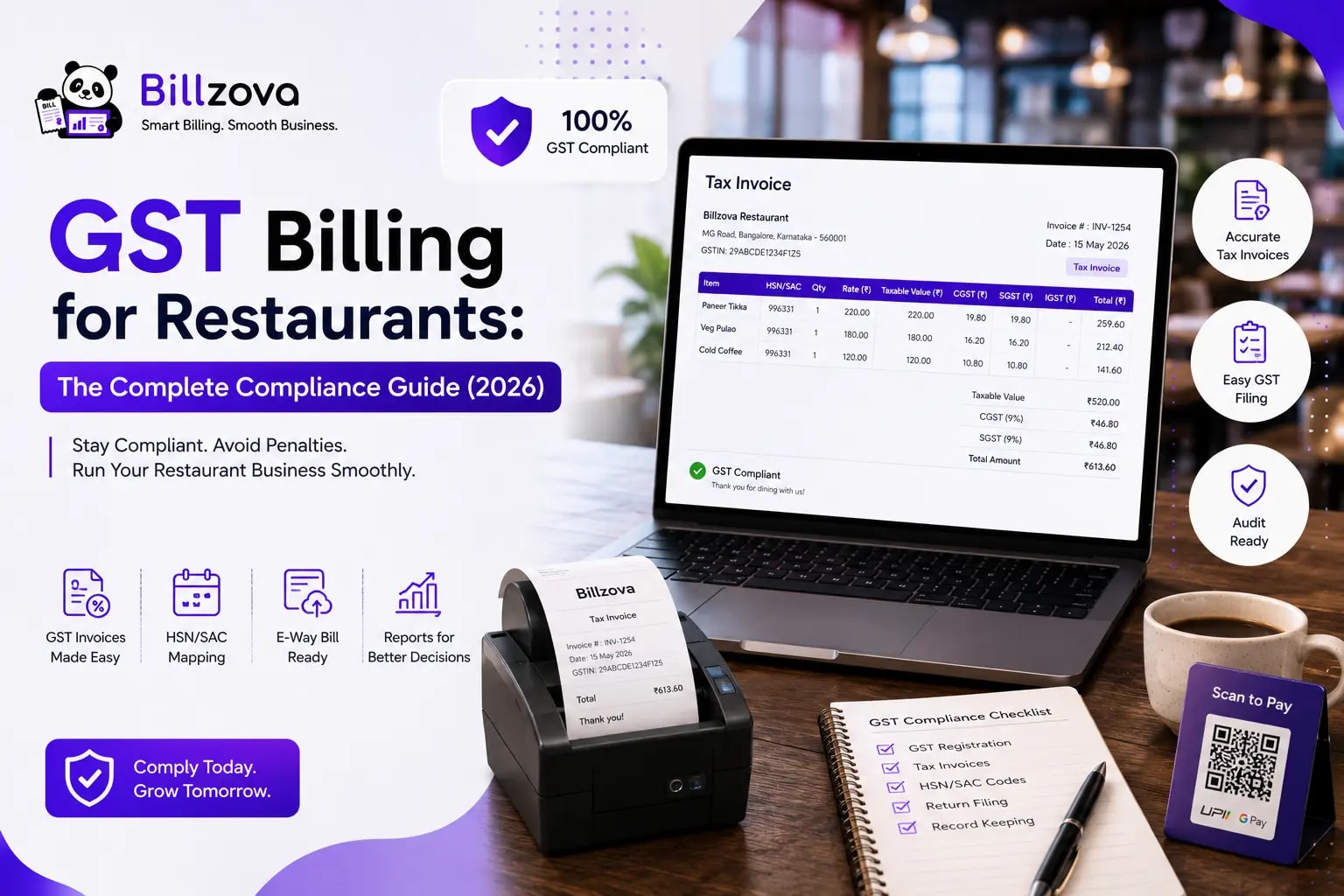
GST Billing for Restaurants: The Complete Compliance Guide
GST billing for restaurants is one of those topics every restaurant owner assumes they understand reasonably well — until a CA flags an inconsistency at filing time, or a tax notice arrives asking for clarification on records that turn out to be less clean than expected. The mechanics aren't complicated, but they're specific, and getting them wrong rarely shows up immediately. It shows up months later, as a reconciliation problem that's far more work to fix retroactively than it would have been to get right from the start.
This guide is a complete compliance walkthrough — not a sales pitch for any particular billing tool, but an explanation of what GST billing for restaurants actually requires: how the tax structure applies to food service specifically, what a compliant invoice needs to contain, the mistakes that create the most filing problems, and practical habits that keep your records audit-ready throughout the year rather than only at deadline time.
Table of Contents
- GST Basics for Restaurants: How the Tax Structure Works
- Applicable GST Rates for Restaurant Services
- What Every Compliant Restaurant GST Invoice Needs
- Does GST Treatment Differ by Order Type?
- Input Tax Credit: What Restaurants Should Know
- Common GST Compliance Mistakes in Restaurants
- The Filing Process: What to Prepare and When
- Staying Audit-Ready Year-Round
- The Role of Billing Software in GST Compliance
- Best Practices Checklist
- Where GST Compliance Technology Is Headed
- Frequently Asked Questions
- Conclusion
GST Basics for Restaurants: How the Tax Structure Works
India's Goods and Services Tax applies to restaurant sales through a combined Central GST (CGST) and State GST (SGST) structure for transactions within a state — each component making up half of the total applicable rate. This isn't a stylistic choice in how a bill is formatted; CGST revenue goes to the central government and SGST revenue goes to the respective state government, and the two are tracked, filed, and reconciled through separate processes.
This is why a restaurant invoice showing a single combined "GST" figure, rather than CGST and SGST as two distinct line items, doesn't correctly represent the underlying tax structure — even when the total amount charged to the customer is mathematically identical. At filing time, your accountant needs that breakdown explicitly, and inconsistent splitting across a quarter's invoices creates real reconciliation work that a correctly structured invoice would have avoided entirely.
Applicable GST Rates for Restaurant Services
GST rates applicable to restaurant services in India can vary based on factors like whether the establishment is air-conditioned, whether it's located within a hotel charging above a certain room tariff, and other specific conditions defined under GST law. Because these classifications and applicable rates are subject to change through government notifications, this guide deliberately avoids stating specific percentage figures as fixed facts — restaurant owners should confirm current applicable rates with their GST practitioner or the official GST portal rather than relying on a rate quoted in any single article, including this one.
What matters operationally is that your billing system applies the rate consistently and correctly based on your establishment's actual classification — not based on staff judgment varying bill to bill. Once your classification and applicable rate are confirmed and configured correctly in your billing software, every subsequent invoice should reflect that classification automatically.
What Every Compliant Restaurant GST Invoice Needs
A properly structured restaurant GST invoice should include, at minimum:
| Element | Purpose |
|---|---|
| Restaurant's GSTIN | Identifies the registered business issuing the invoice |
| Sequential invoice number | Required for a clean audit trail; gaps or duplicates raise questions |
| Date and time of invoice | Establishes when the transaction occurred |
| Itemised bill with quantities and rates | Shows exactly what was charged, not just a total |
| CGST amount, shown separately | Required for central tax filing |
| SGST amount, shown separately | Required for state tax filing |
| HSN/SAC code (where applicable) | Used for classification in GST returns |
| Customer details (for B2B invoices) | Required when the customer needs to claim input tax credit |
This applies whether the bill is generated by hand, through generic billing software, or through a restaurant-specific system — the requirement doesn't change based on what tool produced the invoice. See our broader GST billing software for restaurants guide for how dedicated software handles this structure automatically.
Does GST Treatment Differ by Order Type?
The core GST mechanics — CGST/SGST split, GSTIN, invoice numbering — apply consistently across dine-in, takeaway, and delivery orders from the same restaurant. What can differ is the operational discipline required to apply this consistently across order types, since delivery orders in particular may route through multiple channels (direct orders, multiple aggregator platforms) that need to all funnel into the same correctly structured invoicing process.
A restaurant that's diligent about GST compliance for dine-in bills but treats delivery invoicing as an afterthought — relying on an aggregator's own invoice format rather than ensuring it matches their own compliance requirements — risks inconsistency that becomes apparent only when reconciling records across channels at filing time.
Input Tax Credit: What Restaurants Should Know
Input Tax Credit (ITC) rules for restaurants under GST have specific conditions that have changed over time through government notifications, and eligibility can depend on factors specific to your registration and rate structure. This is an area where generic guidance is particularly risky to rely on without confirming current rules with a GST practitioner, since incorrect ITC claims can create compliance exposure beyond simple invoice structure issues.
The practical takeaway: don't assume ITC eligibility based on general restaurant industry assumptions — confirm your specific situation with a qualified GST professional, and keep your purchase and sales records clean enough that whatever ITC position you take is properly documented and defensible.
Common GST Compliance Mistakes in Restaurants
- Showing combined GST instead of separate CGST/SGST lines — the single most common structural error, often undetected until a full quarter's invoices are reviewed.
- Manually calculating tax under time pressure, introducing inconsistency between staff members or shifts.
- Treating delivery and aggregator invoicing as separate from dine-in compliance standards, creating inconsistent records across channels.
- Not updating tax configuration when establishment classification changes — for example, after an AC installation or a change in service type that affects applicable rate.
- Assuming ITC eligibility without confirming current rules specific to the restaurant's registration type.
- Reconciling records only at filing deadline, rather than reviewing periodically — by the time an issue is caught, it may span months of invoices.
The Filing Process: What to Prepare and When
While specific filing deadlines and form requirements are set by GST regulations and can change, the practical preparation work restaurants should maintain regardless of the exact filing calendar includes:
- A complete, sequentially numbered set of sales invoices for the filing period, with no unexplained gaps
- Clear CGST/SGST breakdowns across every invoice in the period
- Purchase records and supplier invoices for any ITC claims being made
- Reconciliation between your sales records and any amounts reported by delivery aggregators, if applicable
- A clean export of the period's data that your CA or GST practitioner can work with directly, rather than reconstructing from paper records
Maintaining these as an ongoing habit — not a once-a-quarter scramble — is what separates restaurants with smooth filing processes from those that treat every filing deadline as a fire drill.
Staying Audit-Ready Year-Round
GST audits and notices do happen, and the restaurants in the best position when they do are the ones with consistently structured records throughout the year, not just a clean-looking quarter assembled retroactively. Practical habits that support this:
- Review a sample of invoices monthly, not just at filing time, to catch structural issues early.
- Keep digital records as the primary source of truth, with paper as backup only, since digital records are far easier to search, export, and present if requested.
- Maintain consistent invoice numbering even during a system migration or an offline fallback period, so there's never an unexplained gap in the sequence.
- Document any changes to your tax configuration (rate changes, classification changes) with the date they took effect, so historical invoices can be explained if questioned.
The Role of Billing Software in GST Compliance
None of the compliance requirements covered in this guide strictly require software — a meticulous manual process could theoretically achieve the same result. In practice, software exists because manual processes at real restaurant order volumes are where consistency breaks down. The value billing software adds isn't a new capability; it's removing the human inconsistency that creeps into manual tax calculation, GSTIN entry, and invoice numbering at scale.
Properly built restaurant billing software — like the GST handling built into Billzova's restaurant POS software — applies CGST/SGST splitting, GSTIN inclusion, and sequential numbering automatically on every single invoice, removing the specific failure points covered in the mistakes section above. For restaurants evaluating whether their current software is doing this correctly, our GST billing software for restaurants guide covers the specific checklist to verify.
Best Practices Checklist
- Confirm your establishment's GST classification and applicable rate with a qualified GST practitioner, and configure your billing system accordingly — don't guess.
- Verify every invoice shows CGST and SGST as separate lines, not a combined figure.
- Apply the same compliance standard across dine-in, takeaway, and delivery channels consistently.
- Review GST records monthly, not just at filing deadline.
- Keep digital records as your primary, searchable source of truth.
- Confirm ITC eligibility specific to your situation with a GST professional rather than assuming based on general industry practice.
Where GST Compliance Technology Is Headed
- Tighter integration between billing software and GST filing portals, reducing manual export-and-upload steps.
- Automated reconciliation tools that flag invoice sequence gaps or inconsistent tax application before filing, not after.
- Increased regulatory scrutiny on digital invoice trails, making consistent record-keeping more valuable as a defensive asset over time.
Frequently Asked Questions
What is GST billing for restaurants?
The process of generating tax-compliant invoices for restaurant sales under India's GST framework — correctly splitting CGST and SGST, including the restaurant's GSTIN, and following invoice numbering and classification requirements.
What GST rate applies to restaurants in India?
Applicable rates depend on specific factors like air-conditioning status and establishment type, and are subject to government notification changes. Confirm your restaurant's specific applicable rate with a GST practitioner rather than relying on a generic figure.
Why do CGST and SGST need to be shown separately, not as one combined GST figure?
Because they're tracked, filed, and reconciled separately by central and state tax authorities respectively. A combined figure doesn't reflect the actual tax structure, even if the total charged is correct.
Does GST treatment differ between dine-in, takeaway, and delivery orders?
The core mechanics are consistent across order types, but maintaining the same compliance discipline across multiple channels — especially delivery through aggregators — requires deliberate attention to avoid inconsistency.
Can I claim Input Tax Credit (ITC) as a restaurant?
ITC eligibility rules for restaurants have specific conditions that can change through GST notifications. Confirm your specific eligibility with a qualified GST practitioner rather than assuming based on general restaurant industry practice.
What happens if my restaurant's GST invoices are incorrectly structured?
It typically creates reconciliation work for your accountant at filing time, and depending on severity, may require corrections that are more time-consuming to make retroactively than they would have been to prevent.
How often should I review my GST records?
Monthly, ideally — not just at filing deadline. Catching a structural issue early is far easier than discovering it across a full quarter's invoices.
Does billing software guarantee GST compliance automatically?
Only if it's built correctly. Verify directly by checking a sample invoice for CGST/SGST separation, automatic GSTIN inclusion, and sequential numbering — don't assume based on a vendor's compliance claim alone.
What records do I need ready for GST filing?
A complete, sequentially numbered set of sales invoices with clear CGST/SGST breakdowns, relevant purchase records for ITC claims, and reconciliation against any delivery aggregator reports, ideally maintained as an ongoing habit rather than assembled at deadline.
Is GST compliance different for cloud kitchens compared to dine-in restaurants?
The core GST mechanics are the same, but cloud kitchens need this applied consistently across every brand and delivery channel they operate, which can be operationally more complex than a single dine-in invoicing flow.
What should I do if I receive a GST notice or audit request?
Consult your GST practitioner immediately and prepare your complete, consistently structured invoice records for the period in question — this is significantly easier if your records have been maintained correctly throughout the year rather than assembled retroactively.
How does Billzova help with GST compliance?
Billzova's GST billing automatically splits CGST/SGST, includes your GSTIN, and generates sequential invoices on every bill — included standard at ₹399/month, with exportable records for your accountant.
Conclusion
GST billing for restaurants isn't complicated in principle, but it requires consistency that manual processes struggle to maintain at real order volumes — correct CGST/SGST splitting, accurate classification, sequential invoicing, and clean records maintained throughout the year rather than assembled at filing deadline. Getting this right protects you from the kind of reconciliation problems that only become visible months after the underlying mistake was made.
If you want billing software that handles this structure automatically, Billzova's GST billing is included standard in the same ₹399/month plan as every other feature. Start a free first month to see a real compliant invoice generated from your own menu, or talk to our team with specific compliance questions.
Billzova Team
Restaurant POS & Billing Experts
We build Billzova — GST billing, KOT, offline mode, inventory and reports for Indian restaurants. This team writes from what we see helping real restaurants bill faster every day.
Run your restaurant on billzova
GST billing, KOT, offline mode, inventory & reports in one app. ₹399/month — first month free.